 Tom Jin
You have 90 minutes of halftime-level demand. The line is 40 people deep. Your staff is moving as fast as they can, but every transaction takes 45 seconds because the register needs three taps to find the hot dog button, the card reader is buffering, and someone just handed you a $100 bill for a $6 Coke.
Now multiply that by every concession window in the building.
Here's the thing: according to industry research, the average fan waits 8.4 minutes in a concession line. About 20 percent of fans say they skip buying food or drinks entirely because the line is too long. That is not just a bad customer experience — it is revenue disappearing into thin air.
If your stand processes 2,000 transactions during a 3-hour event at a $12 average ticket, you are doing $24,000 in sales. But if slow checkout is turning away even 15 percent of potential customers, you are leaving $3,600 on the table — per event. Over a 40-event season, that is $144,000 in lost concession revenue.
And that's not all: the fix is not hiring more staff. It is fixing the technology they are using.
After three decades building IT systems and twenty years in the restaurant industry, I have set up POS systems for everything from a single taco window to 19-location chains. The rules for concession speed are specific, counterintuitive, and almost always ignored. This guide covers all of them.
Why Traditional POS Systems Fail at Concessions
A concession stand is not a restaurant. It is not even a fast-food counter. It is a sprint. The entire business model depends on processing the maximum number of transactions per minute during short, intense windows of demand.
But most operators set up their concession stands with the same POS configuration they use in their regular restaurant or retail store. That is like running a 100-meter dash in hiking boots. The technology works — it just was not built for this.
Here is what goes wrong:
- Too many menu layers. A full restaurant POS might have 200 items across 15 categories. A concession stand has 12 to 20 items. Every extra tap to navigate a menu adds 3 to 5 seconds per transaction.
- Cloud-dependent checkout. Stadium and fairground WiFi is notoriously unreliable. When 40,000 people connect simultaneously, bandwidth collapses. If your POS requires a live internet connection to process sales, you are dead in the water during peak demand.
- Slow payment processing. A card reader that takes 4 seconds instead of 1.5 seconds does not sound like a big deal — until you multiply it by 700 transactions per hour.
- No combo logic. Concession customers overwhelmingly buy combos. If your POS requires the cashier to ring up a hot dog, a drink, and chips as three separate items, you have tripled the transaction time for your most common order.
But it gets worse: most of these problems compound. A 3-second delay in finding the menu item, plus a 2.5-second extra card processing wait, plus a 4-second modifier screen — that is an extra 10 seconds per transaction, which means 6 fewer transactions per minute, which means 360 fewer sales per hour across 6 windows.
The Speed-First POS Configuration
Every concession POS setup should be optimized for exactly one thing: minimum seconds per transaction. Here is the configuration that gets you there.
1. Flatten Your Menu to One Screen
Your concession menu should be a single screen with large, tappable buttons. No submenus. No categories. No scrolling. If you sell 15 items, all 15 should be visible the moment the cashier looks at the screen.
Use picture buttons where possible. A visual of a hot dog is faster to locate than reading the word "Hot Dog" — especially for seasonal staff who just started yesterday.
Pre-build your combos as single menu items. "Hot Dog Combo" (dog + drink + chips) should be one button, not three. According to restaurant industry data, combo buttons reduce transaction time by 30 to 40 percent compared to building the same order from individual items.
Here's the kicker — when Baked Cravings set up their self-serve kiosk at Lego Land, the entire ordering experience was designed around minimal taps. The result? Customers completed orders faster than staff could at a traditional register. The same principle applies to concessions: fewer taps, faster lines, more revenue.
2. Go Hybrid: Local Processing With Cloud Sync
This is where most concession operators get burned. They set up a cloud-based POS, and the first time the venue WiFi drops during a sold-out game, they are processing nothing.
A hybrid local-plus-cloud POS processes every transaction locally — on the device, at 1ms latency — and syncs to the cloud in the background when connectivity is available. If the internet disappears for 20 minutes during the halftime rush, your POS keeps working without skipping a beat.
KwickOS uses this hybrid architecture by default. Cash transactions process fully offline. Card transactions use store-and-forward, which means the payment is captured locally and submitted to the processor when connectivity returns. Your staff never needs to say, "Sorry, our system is down."
For temporary event setups — food trucks at county fairs, pop-up concessions at outdoor festivals — this offline capability is not optional. It is the difference between making money and making excuses.
3. Accept Every Payment Method (Especially Tap)
The fastest payment at a concession stand is a contactless tap. Industry research indicates that tap-to-pay completes in 1 to 2 seconds compared to 4 to 6 seconds for chip insertion and 8 to 12 seconds for cash with change-making.
Your payment terminal setup should prioritize:
- NFC/contactless — Apple Pay, Google Pay, and contactless cards. This is now the default for most fans under 40.
- Chip/EMV — still necessary, but position the reader so customers can insert while the cashier is still ringing up the order.
- Cash — still 15 to 25 percent of concession transactions. Use a smart cash drawer with auto-change calculation to speed up cash handling.
One detail operators miss: position the payment terminal facing the customer, not the cashier. When customers can see the amount and tap immediately without waiting for the cashier to turn the screen around, you save 3 to 5 seconds per card transaction.
And that's not all: when your POS is processor-agnostic, you are not locked into a single payment provider's hardware. You can choose the fastest terminal on the market. Operators locked into Toast or Square are stuck with whatever terminal their vendor provides — even if a faster option exists. With KwickOS, you bring your own terminal and negotiate your own rates, typically saving $3,000 to $8,000 per year in processing costs alone.
4. Pre-Loaded Gift Cards and Loyalty for Event Speed
Here is a revenue strategy that most concession operators completely overlook: pre-loaded event gift cards.
Sell $25 and $50 pre-loaded concession cards at the venue entrance, the team store, or through the event's mobile app before game day. When a fan gets to the concession window with a pre-loaded card, the transaction is instant — tap, done, next customer.
Why this works:
- Speed. Gift card taps are the fastest payment method, even faster than contactless credit cards because there is no authorization delay.
- Breakage revenue. According to industry data, 10 to 15 percent of gift card value goes unredeemed. On $50,000 in pre-loaded card sales per season, that is $5,000 to $7,500 in pure profit.
- Higher spending. Customers with pre-loaded value spend 20 to 30 percent more per visit than cash or card customers because the money feels "already spent."
- Data capture. Every gift card purchase ties back to a customer profile, feeding your CRM and loyalty program.
Take it further with e-gift cards. Let fans buy digital concession credits through your website or mobile ordering page. They get a QR code on their phone, scan it at the window, and they are through the line in seconds. No physical card needed.
KwickOS supports both physical and e-gift cards natively, with real-time balance tracking across every terminal — so a fan can load a card at Gate A and spend it at the concession stand behind Section 212 without any manual sync.
Layer a loyalty program on top: buy 10 concession items, get a free drink. For season ticket holders who attend 20 to 40 events per year, this creates repeat concession buyers who choose your line specifically because they are earning points. Your POS tracks it automatically — no paper punch cards that end up in the trash after one game.
Cash Handling Without the Chaos
Cash is still king at many concession stands, especially at fairs, carnivals, and youth sporting events. But cash is also the slowest and most error-prone payment method.
Here is how to make cash handling fast and accurate:
- Round your prices. $6 hot dogs, $4 sodas, $10 combos. No $6.49 or $4.75. Round pricing eliminates fumbling with coins, speeds up mental math for customers counting cash, and reduces change-making time by 5 to 8 seconds per transaction.
- Use auto-change calculation on your POS. When the cashier enters the amount tendered, the POS displays the exact change due in large, clear numbers. This eliminates mental math errors, especially during the chaos of peak demand.
- Pre-count cash drawers. Start each shift with a verified cash bank ($200 to $300 in small bills and coins). Use the POS to run a blind close at shift change — the cashier counts the drawer without seeing the expected total, then the POS flags any variance over $2.
- Fingerprint verification for drawer access. At high-volume events with temporary staff, cash shrinkage is a real risk. KwickOS uses fingerprint 1:N authentication — staff scan their fingerprint to open a shift, and every drawer open is logged to a specific person. No shared PINs, no "I don't know who was on register 3."
T. Jin China Diner, a 15-store operation with 75 terminals, uses the same fingerprint-based accountability system across all locations. The principle scales perfectly to concessions: whether you have 4 windows or 40, every dollar is tracked to a person.
Inventory Tracking That Prevents the "We're Out" Problem
Nothing kills concession revenue faster than running out of your top seller during the third quarter. And nothing frustrates fans more than standing in line for 10 minutes only to hear, "We're out of hot dogs."
But here's the thing: this is a completely solvable problem.
Before the event starts, load your inventory counts into the POS. Hot dogs: 500. Sodas: 800. Nachos: 300. As each item sells, the count decreases in real time across all terminals.
Set up two alert thresholds:
- Low stock (15% remaining) — triggers a notification to the supply runner. Time to bring more product from the storage area.
- Critical stock (5% remaining) — the POS highlights the item in yellow so cashiers can proactively tell customers, "We're running low on nachos — would you like to grab one now?"
When an item hits zero, the POS removes it from the menu screen automatically. No handwritten "SOLD OUT" signs. No cashier accidentally selling an item you do not have. The menu updates in real time across every terminal in the stand.
After the event, run a variance report: items sold versus physical count of what is left. The difference reveals waste, theft, or counting errors. Over a season, this data tells you exactly how much to prep for each event type — a Tuesday night baseball game needs very different inventory than a Saturday playoff.
Temporary Event Setup: Fair Booths, Pop-Ups, and Food Trucks
Permanent concession stands in stadiums are one challenge. Temporary booths at fairs, festivals, and outdoor events are another beast entirely.
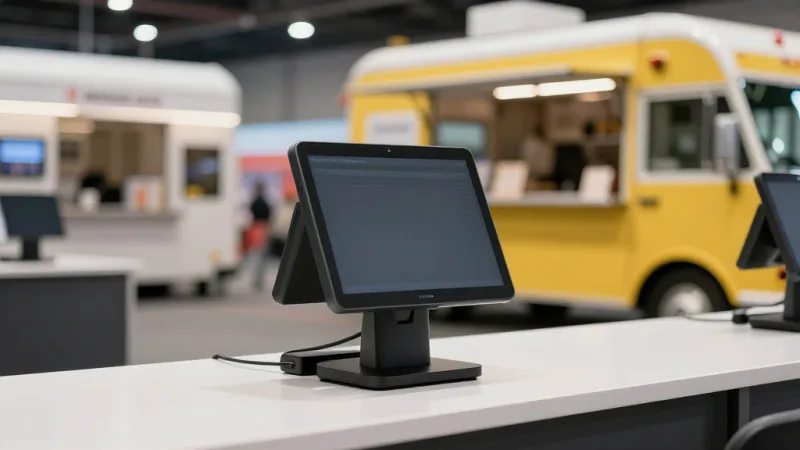
Here is the portable POS checklist for temporary concessions:
- Battery-powered tablet POS. You may not have access to electrical outlets. A fully charged tablet with a 10-hour battery plus a portable charger keeps you running through any event.
- Mobile payment terminal. A Bluetooth-connected Pax A35 or similar compact terminal handles tap, chip, and swipe without needing a wired connection.
- Cellular hotspot as backup. Do not rely on event WiFi. Bring a dedicated hotspot on a separate carrier. But because KwickOS processes locally, even if both WiFi and cellular fail, your cash transactions and store-and-forward card processing keep working.
- Portable receipt printer. A Bluetooth thermal printer fits in a backpack. Configure the POS to print receipts only on request to save paper and time — most concession customers do not want a receipt.
- Multi-language support. At international food festivals and multicultural events, staff who speak different languages can switch the POS interface between English, Spanish, and Chinese with one tap. KwickOS has all three built in.
Rockin' Rolls Sushi Express set up 49 iPad self-ordering stations across 3 locations with full KDS integration. The same principle — lightweight, fast, self-contained ordering — applies perfectly to festival booths and pop-up concessions. If a sushi chain can run 49 tablets simultaneously, your 2-terminal funnel cake stand will work flawlessly.
Speed Benchmarks: What Good Looks Like
After optimizing hundreds of concession and quick-service setups, here are the benchmarks your operation should hit:
| Metric | Slow (Fix Immediately) | Average | Fast (Target This) |
|---|---|---|---|
| Transaction time (tap payment) | 30+ seconds | 15-20 seconds | 8-12 seconds |
| Transaction time (cash) | 45+ seconds | 25-30 seconds | 15-20 seconds |
| Transactions per terminal per hour | Under 60 | 80-100 | 120-150 |
| Line wait time | 12+ minutes | 5-8 minutes | Under 3 minutes |
| WiFi-dependent failures | 5+ per event | 1-2 per event | 0 (offline-capable) |
If you are in the "Slow" column on any of these, you are losing significant revenue every event. Use our POS speed calculator to estimate how much faster checkout could add to your bottom line.
The Revenue Impact of Faster Concessions
Let us put real numbers to this. Consider a stadium concession operation with 8 windows running during a 3-hour event:
| Before Optimization | After Optimization | |
|---|---|---|
| Avg. transaction time | 35 seconds | 12 seconds |
| Transactions/window/hour | 70 | 140 |
| Total transactions (8 windows, 3 hrs) | 1,680 | 3,360 |
| Avg. ticket | $11 | $13 (combos + upsells) |
| Event revenue | $18,480 | $43,680 |
| Season revenue (40 events) | $739,200 | $1,747,200 |
That is over $1,000,000 in additional annual concession revenue — not from adding windows, not from hiring more staff, but from making each window faster. The POS is the bottleneck, and fixing it unlocks everything.
And when you factor in the processing cost savings from running on a processor-agnostic POS? On $1.7 million in annual concession sales, the difference between a locked 2.99% + $0.15 rate and a negotiated interchange-plus rate is roughly $12,000 to $18,000 per year. That money goes straight to your bottom line. See how your numbers compare with our processing fee calculator.
Setting Up for Game Day: A Pre-Event Checklist
Speed on game day starts with preparation the day before. Here is the checklist we use with every concession operator we set up:
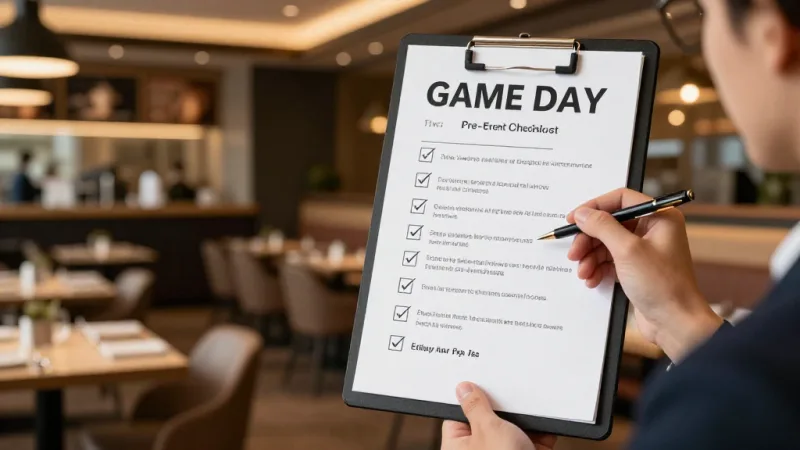
- Menu loaded and tested. All items visible on one screen. Combos pre-built. Prices verified. Test 5 transactions on each terminal.
- Inventory counts entered. Starting quantities for every item. Low-stock alerts configured.
- Payment terminals charged and paired. Test a tap, chip, and cash transaction on each terminal. Verify cellular and WiFi connectivity.
- Cash drawers counted. $200 to $300 starting bank per drawer. Blind close procedure reviewed with all staff.
- Staff fingerprints enrolled. Every cashier registered for fingerprint login. No shared PINs.
- Offline mode verified. Disconnect WiFi and process 3 test transactions. Confirm they sync when reconnected.
- Gift card balances loaded. Pre-loaded event cards tested. E-gift card QR scanning verified.
- Reporting dashboard accessible. Manager can monitor real-time sales by window from a mobile device.
This 30-minute setup process prevents 3 hours of problems. Skip it, and you are troubleshooting during the national anthem.
Ready to Speed Up Your Concession Stand?
KwickOS is the all-in-one platform that handles high-volume events with offline capability, one-screen menus, and processor-agnostic payment. See how fast your stand could be.
Get a Free DemoFrequently Asked Questions
What POS features are essential for a concession stand?
The must-haves are a simplified, picture-based menu for one-tap ordering, offline mode so sales continue without WiFi, fast cash drawer integration with auto-change calculation, contactless and mobile payment acceptance, and real-time inventory countdown so you never sell an item you have already run out of.
Can a concession POS work without internet?
Yes. A hybrid local-plus-cloud POS like KwickOS processes transactions locally at 1ms latency and syncs to the cloud when connectivity returns. Cash transactions work fully offline, and card transactions can be stored and forwarded once the connection is restored, so you never lose a sale during a WiFi outage.
How do I handle inventory at a temporary event booth?
Load your starting inventory count into the POS before the event begins. As each item sells, the count decreases in real time. Set low-stock alerts at 10 to 15 percent remaining so staff can radio for resupply. After the event, run a variance report comparing sold units to remaining physical stock to catch shrinkage.
What is the fastest checkout time for a concession stand POS?
With a simplified menu, tap-to-pay, and pre-configured combos, a well-optimized concession POS can complete a transaction in 8 to 12 seconds. Compare that to 45 to 90 seconds at a poorly set up stand using a cash register or general-purpose tablet POS with too many menu levels.
Should I use a tablet or a terminal for concession sales?
For temporary or outdoor events, a ruggedized tablet with a mobile payment terminal is the best choice because it is portable, battery-powered, and easy to set up. For permanent concession stands in stadiums or arenas, a fixed terminal with a cash drawer and receipt printer is more durable and faster for high-volume service.