 Ming Ye
Open your inventory report right now. Look at the items you marked down 50% last January.
Now add up the margin you lost.
If you are like most independent retailers, that number is somewhere between $8,000 and $22,000 in destroyed margin — product you bought at full wholesale, couldn't sell at full price, and eventually dumped at a loss just to free up shelf space.
Here's the thing: that money didn't disappear because you picked the wrong products. It disappeared because you bought them at the wrong time, in the wrong quantities, without a calendar that connects your buying decisions to your selling windows.
The big-box retailers don't have this problem. Target buys Halloween candy in April. Nordstrom's holiday merchandise ships from warehouses in August. Their buying calendars run 6 to 9 months ahead of the selling floor. But independent retailers? Most of us are ordering holiday inventory in October and wondering why the best products are already allocated to someone else.
That gap — between when you should buy and when you actually buy — is where overstock, stockouts, and margin erosion live.
This guide gives you the exact 12-month planning calendar we've built from working with 5,000+ businesses on KwickOS. Month by month, you'll see what to buy, what to promote, when to markdown, and how to use your POS data to make every decision smarter.
Why Seasonal Planning Is a Margin Problem, Not a Sales Problem
Most retailers think seasonal planning is about maximizing revenue. It's not. It's about protecting margin.

Consider two scenarios for a retailer doing $500,000 in annual revenue:
| Metric | No Seasonal Plan | With 12-Month Calendar |
|---|---|---|
| Annual revenue | $500,000 | $500,000 |
| Gross margin (before markdowns) | 55% | 55% |
| End-of-season markdowns | $38,000 | $12,000 |
| Stockout lost sales | $27,000 | $8,000 |
| Effective gross margin | 42% | 51% |
| Bottom-line difference | — | +$45,000 |
Same revenue. Same products. Same customers. But $45,000 more in your pocket because you bought smarter and timed your promotions right.
But it gets worse: markdowns don't just cost you the discount amount. They train your customers to wait for sales. According to industry research, retailers who run frequent clearance events see their full-price sell-through rate drop by 15% to 20% over time. Your best customers learn that patience pays — and your margins erode permanently.
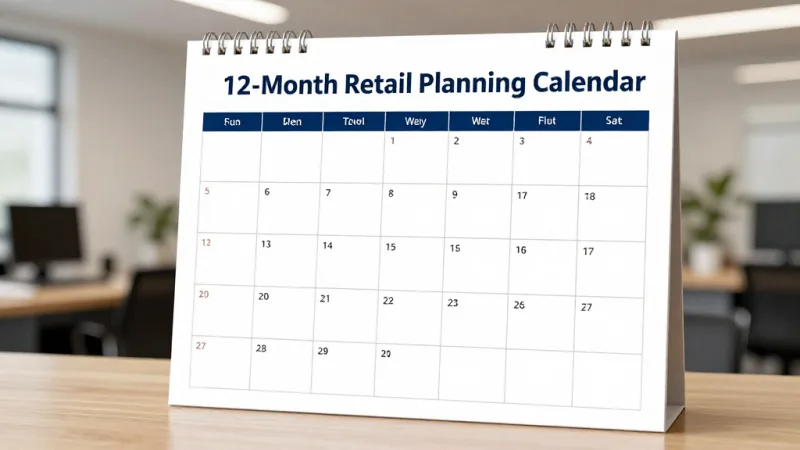
The 12-Month Retail Planning Calendar
Here is the month-by-month calendar. For each month, I've listed the buying actions, marketing windows, and operational priorities. Adjust dates by 1-2 weeks based on your region and category.
Q1: January through March — Reset, Clear, and Plan
January: The Great Reset
- Markdown: Move remaining holiday inventory at 30-50% off during the first two weeks. Don't trickle markdowns — go aggressive early to clear space and recover cash.
- Buy: Place orders for spring merchandise. Lead time for domestic suppliers is 4-8 weeks; imported goods need to be ordered now for March/April arrival.
- Marketing: Push loyalty program enrollment hard. January shoppers using gift cards are your best sign-up opportunity — they're already in the store with money to spend. Offer bonus points for new member enrollment.
- Data: Run your full-year sales report. Identify your top 20% of SKUs (they likely drive 80% of revenue). Flag any items that sat longer than 90 days.
And that's not all: January is also when you should be negotiating annual pricing with suppliers. Your year-end sales data gives you leverage — use it.
February: Valentine's Day Sprint
- Buy: Valentine's inventory should have arrived by now. If you're in gifting categories (jewelry, candles, chocolates, flowers), have full stock by February 1.
- Marketing: Launch e-gift card campaigns targeting last-minute Valentine's shoppers. E-gift cards are the perfect save for customers who missed the shipping window — no inventory risk for you, no wrapping required for them. Industry data shows e-gift card sales spike 340% in the week before Valentine's Day.
- Operations: Begin spring floor resets. Rotate winter clearance to the back; bring spring preview items to the front windows.
March: Spring Transition
- Buy: Place summer orders now. For apparel and outdoor categories, July inventory needs to ship in May, which means POs go out in March.
- Markdown: Final winter clearance. Anything left after March 15 should be donated (tax deduction) or bundled into value packs.
- Marketing: Spring cleaning promotions for home goods, garden, and organizing categories. Tie in with loyalty member exclusive early access to new spring arrivals.
Q2: April through June — Build Momentum
April: Mother's Day Prep
- Buy: Mother's Day inventory should be arriving. Easter-related items need to be fully stocked by early April. Place fall preview orders with key suppliers — yes, already.
- Marketing: Easter promotions in the first two weeks. Then pivot to Mother's Day gift guides by April 15. Push gift cards as the "can't go wrong" option for moms — and promote physical gift cards with branded packaging.
- Data: Compare Q1 actuals to your plan. Adjust summer quantities based on sell-through trends.
Here's the thing: Mother's Day is the third-largest retail holiday in the US. If you're not building gift displays and promoting e-gift cards by mid-April, you're leaving money on the table.
May: Summer Launch
- Buy: Back-to-school orders go in now for August arrival. This applies to more categories than you think — not just school supplies, but apparel, electronics, dorm furnishings, and organizational items.
- Marketing: Memorial Day promotions. This is your first major summer sale event. Use it to drive loyalty sign-ups and clear any lingering spring inventory.
- Operations: Summer floor reset. Outdoor, travel, and warm-weather categories move to prime positions.
June: Father's Day and Mid-Year Review
- Buy: Holiday orders start now for imported goods. If your best-selling Q4 items come from overseas, June is your last chance to place orders for November delivery.
- Marketing: Father's Day gift guides and gift card promotions. Graduation season tie-ins for appropriate categories.
- Data: Run your mid-year review. Compare first-half performance to the same period last year. Identify emerging trends and adjust your Q3/Q4 buying plan.
Q3: July through September — The Critical Buying Window
July: Holiday Buying Begins (Yes, Really)
- Buy: This is your most important buying month. Place holiday orders for domestic suppliers. Finalize quantities for Q4 promotions. Order gift card displays, branded packaging, and promotional materials for the holiday season.
- Marketing: July 4th promotions and summer clearance on early-season items that aren't selling through. Launch a back-to-school campaign if relevant.
- Operations: Review your POS checkout flow for the holidays. Is your payment terminal current? Does your system handle gift cards, loyalty redemptions, and split payments without slowing down the line? Fix it now, not in November.
But it gets worse: if you wait until September to place holiday orders, the best products are already allocated. Suppliers fill orders on a first-come, first-served basis. Late orders get the leftovers.
August: Back-to-School Peak
- Buy: Place final holiday fill-in orders. After this month, you are locked into your Q4 inventory position.
- Marketing: Back-to-school is your second-biggest sales event outside of Q4. Push aggressively with loyalty member bonuses — double points on back-to-school categories drives both sales and enrollment.
- Operations: Hire and train seasonal staff. Waiting until October means competing with every other retailer for the same limited pool.
September: The Calm Before the Storm
- Buy: Last chance for any Q4 adjustments. Small fill-in orders only — your major holiday buying should be done.
- Markdown: Clear all remaining summer inventory by September 15. Do not let summer products compete for floor space with incoming holiday merchandise.
- Marketing: Tease fall arrivals. Early access for loyalty members builds anticipation and drives September traffic during what is traditionally a slow month.
- Operations: Test all systems. Run a full checkout simulation including gift card purchases, loyalty point redemptions, returns, and exchanges. The week before Thanksgiving is too late to discover your retail POS can't handle the volume.
Q4: October through December — Execute and Capture
October: Stage and Prep
- Buy: Emergency reorders only. Focus on items that are selling faster than planned.
- Marketing: Halloween promotions (if relevant). Launch your holiday gift guide. Begin promoting gift cards as the "always right" gift. Set up a dedicated gift card display near the entrance and checkout.
- Operations: Complete holiday floor reset by October 15. Train staff on gift card sales, loyalty enrollment scripts, and holiday return policies.
November: Peak Selling
- Buy: Nothing new. Your job now is to sell what you have.
- Marketing: Black Friday/Cyber Monday is the headliner, but don't ignore Small Business Saturday. Independent retailers who participate see 20-30% higher November traffic. Push e-gift cards aggressively from Thanksgiving onward — they're the perfect Cyber Monday product with zero fulfillment cost.
- Data: Track daily sell-through by category. If an item hits 70% sold by Thanksgiving, reorder immediately (even at rush pricing). If an item is below 40%, plan your markdown now.
- Operations: Extended hours. Extra staff at checkout. A slow checkout line during the holidays costs more in lost sales than any overtime premium.
And that's not all: November is when your loyalty program pays its biggest dividends. Members who earned points all year are ready to redeem — and they'll spend an average of 25% to 40% above their reward value. Make sure your system handles point redemptions seamlessly at checkout.
December: Close Strong
- Marketing: Shift to gift card promotions exclusively after December 15. Physical gifts require shipping; gift cards don't. E-gift cards should be your primary promotion from December 20 through December 25.
- Markdown: Begin post-Christmas markdowns on December 26. Speed matters — the first retailer to markdown captures the bargain hunters.
- Data: Run preliminary year-end reports. Identify your winners and losers while the season is fresh in your mind.
- Buy: Start placing Q1 spring orders during the last week of December. Suppliers are less busy and more willing to negotiate.
How Your POS System Makes or Breaks Seasonal Planning
A buying calendar on paper is useful. A buying calendar powered by real-time sales data is transformative.
Here's what your POS should be telling you — and when:
- Sell-through velocity — How fast is each SKU moving compared to last year's same week? If a holiday candle sold 14 units in the first week last year and 22 units this year, you need to reorder now, not after it stocks out.
- Days of supply — At the current sell-through rate, how many days until you run out? This is the single most important metric during peak season.
- Category mix shift — Are customers buying more in one category than planned? Shift marketing spend accordingly.
- Multi-location rebalancing — If you run multiple stores, one location's overstock is another location's potential sale. Crafty Crab Seafood uses this exact approach across their 19 locations — when one store has excess inventory on a promotional item, they transfer it to a store that's selling through faster rather than marking it down.
The problem is that most legacy POS systems make this data hard to access. You're exporting spreadsheets, building pivot tables, and making decisions on data that's already 3 days old.
KwickOS's inventory module runs on a hybrid local+cloud architecture. The local system processes transactions at 1ms latency — no cloud delays during checkout — while the cloud layer aggregates data across all your locations in real time. You can check sell-through velocity, days of supply, and category performance from your phone at midnight or from your office during the morning rush. The system works even if your internet drops, syncing automatically when connectivity returns.
For multi-location retailers, the difference is dramatic. T. Jin China Diner manages 15 stores and 75 terminals through a single dashboard. Their managers spot trends across locations and rebalance inventory before markdowns become necessary. That's the difference between a system built for seasonal planning and one that just records transactions.
The Gift Card Strategy Most Retailers Ignore
Gift cards deserve their own section because they solve the two biggest seasonal planning problems simultaneously: they eliminate overstock risk and capture revenue from undecided shoppers.
Consider the math:
- A physical product ties up capital, carries inventory risk, may need to be marked down, and costs money to store and display.
- A gift card costs virtually nothing to stock, never goes out of season, never needs to be marked down, and according to industry data, recipients spend 20% to 40% above the card value on average.
Here's what a smart seasonal gift card strategy looks like:
- January-February: "New Year, New Gift Card" — promote as a self-treat or Valentine's gift. Bonus: $5 bonus card with every $50 gift card purchase.
- May-June: Mother's Day and Father's Day gift card bundles with small merchandise items (a $50 card + a $10 candle for $55).
- September-October: "Teacher Appreciation" and "Holiday Pre-Sale" — buy $100 in gift cards, get a $15 bonus card redeemable in January (drives post-holiday traffic).
- November-December: Full push. Physical gift cards at checkout, e-gift cards across all digital channels, corporate bulk gift card programs for local businesses buying employee gifts.
E-gift cards in particular are a seasonal planning powerhouse. They have zero production cost, instant delivery, and capture the last-minute shopper segment that physical products can't serve. Promoting e-gift cards from December 20 through December 25 captures revenue that would otherwise go to Amazon or a big-box competitor — because the customer can buy and send from their couch at 11 PM on Christmas Eve.
KwickOS handles both physical and e-gift cards natively in the POS. No third-party integration, no per-card fees eating your margin. Gift card balances sync across all locations in real time, and e-gift cards can be purchased directly from your website or sent via your CRM system to targeted customer segments.
Building a Loyalty Calendar That Mirrors Your Buying Calendar
Your loyalty program should work in lockstep with your seasonal plan. Here's how:
- Q1 (Slow Season): Double points promotions to drive traffic during traditionally slow months. This is when you invest in building loyalty balances that members will redeem during peak season.
- Q2 (Building): Member-exclusive early access to new seasonal arrivals. This creates urgency and gives you early sales data on new products before you commit more floor space.
- Q3 (Prep): "Points Preview" — let members use points for sneak peeks at holiday inventory. Back-to-school bonus points events. Loyalty enrollment push before Q4.
- Q4 (Peak): Members-only early shopping hours on Black Friday. Bonus points for gift card purchases. Post-holiday "Thank You" points bonus for December purchasers, redeemable in January (drives Q1 traffic).
The data from your loyalty program also feeds directly into your buying decisions. If your loyalty data shows that 35% of your members buy candles between October and December, that's not a guess — that's a buying signal. Increase your candle order by 35% and market directly to that segment.
Use our loyalty ROI calculator to see how much incremental revenue a seasonal loyalty strategy could add to your business.
The 3 Seasonal Planning Mistakes That Cost the Most
Mistake 1: Buying on gut instead of data. "This sold well last year" is not a buying plan. Pull the actual numbers. How many units? What weeks did they sell? At what margin? If you can't answer those questions from your POS data, you're guessing — and guessing at scale is how you end up with $22,000 in markdowns.
Mistake 2: Ignoring the clearance calendar. Markdowns should be planned, not reactive. Set markdown trigger dates for every seasonal category at the beginning of the season. If winter scarves aren't at 70% sell-through by January 5, they go to 25% off. No hesitation, no "let's wait another week." Waiting always makes it worse.
Mistake 3: Treating all locations the same. If you have multiple stores, your seasonal calendar should have location-specific adjustments. A store in a tourist district has completely different seasonal patterns than a store in a suburban neighborhood. Diva Nail Beauty discovered this across their 4 locations — their downtown store peaks in summer (tourist traffic) while their suburban locations peak in November-December (holiday parties). Same brand, completely different buying calendars. Their KwickOS dashboards show location-level data that makes these adjustments automatic rather than guesswork.
Your Next Steps
Seasonal planning isn't complicated. It's just early. The entire strategy comes down to one principle: buy decisions happen months before selling seasons, and data from your POS makes those decisions precise instead of hopeful.
Start with these three actions today:
- Pull last year's sales by month and category. If your current system makes this difficult, that's a sign you need a system that doesn't. Compare KwickOS to your current platform to see what real inventory data looks like.
- Set your Q4 buying deadlines now. Work backwards from your selling dates: if you want holiday inventory on the floor by October 15, and your supplier needs 8 weeks, your PO needs to go out by August 15 at the latest.
- Build your gift card and loyalty promotions into the calendar. These aren't afterthoughts — they're margin-protecting, traffic-driving tools that should be planned with the same rigor as your merchandise buying.
Every dollar you don't lose to markdowns is a dollar of pure profit. And the difference between retailers who thrive and retailers who survive is almost always the same: a calendar that starts before everyone else's.
Plan Smarter Seasons with Real-Time Data
KwickOS gives you sell-through velocity, days of supply, and multi-location inventory rebalancing — all from a POS that works even when the internet doesn't. See what data-driven seasonal planning looks like.
Get a Free Demo