
 Ming Ye
You pull your monthly P&L. Food cost is at 30%. You exhale. Labor is at 34%. You shrug — it's been higher.
Then your accountant calls.
"You lost $6,200 last month."
How? Food cost looks fine. Labor looks manageable. But 30% + 34% = 64% prime cost. Add rent, utilities, insurance, marketing, and equipment — and there's nothing left. In fact, there's less than nothing.
Here's the thing: most restaurant owners track food cost and labor cost as separate numbers. They celebrate when food cost drops from 32% to 29%. They panic when labor spikes during a holiday weekend. But they never combine the two into the single metric that actually predicts whether their restaurant will survive the year.
That metric is prime cost. And if yours is over 65%, your restaurant is slowly bleeding out.
This guide will teach you exactly how to calculate it, how often to check it, what triggers should make you act, and how to use your POS system to monitor it automatically — before a bad month becomes a bad quarter becomes a closed restaurant.
What Prime Cost Actually Is (And Why It Matters More Than Any Other Number)
Prime cost is dead simple to calculate:

Prime Cost = Total Cost of Goods Sold + Total Labor Cost
COGS includes every ingredient, beverage, and consumable that goes into the food and drinks you sell. Labor includes wages, salaries, payroll taxes, benefits, workers' compensation, and any bonuses — for every employee, from the dishwasher to the general manager.
As a percentage of revenue:
Prime Cost % = (COGS + Labor) ÷ Gross Revenue × 100
Why does this one number matter so much? Because it represents 55–65% of every dollar your restaurant earns. Rent is typically 6–10%. Utilities are 3–5%. Marketing is 2–4%. But food and labor together consume the majority of your revenue. If that majority gets even slightly out of control, there's simply not enough left for everything else.
But it gets worse: a restaurant operating at 68% prime cost doesn't just make less profit. It makes no profit. Once you add occupancy costs (8%), operating expenses (6%), and other overhead (5%), you're at 87% of revenue spoken for — leaving a 13% gross margin that's often eaten by unexpected repairs, equipment failures, or slow weeks.
The Prime Cost Benchmarks You Need to Hit
Not every restaurant type has the same target. Here are the benchmarks that separate profitable operations from struggling ones:
| Restaurant Type | Target Prime Cost | Food Cost Target | Labor Cost Target |
|---|---|---|---|
| Full-Service (casual dining) | 60–65% | 28–32% | 30–35% |
| Full-Service (fine dining) | 55–62% | 30–35% | 25–30% |
| Quick-Service / Fast-Casual | 55–60% | 25–30% | 25–30% |
| Bar / Lounge | 50–55% | 18–24% | 28–32% |
| Pizza / Delivery-Heavy | 55–60% | 28–32% | 25–30% |
And that's not all: these benchmarks assume you're also controlling every other expense. If your rent is above 10% of revenue or your marketing spend is climbing, your prime cost target needs to be even lower to compensate.
Why Monthly Tracking Is Too Late (And How Weekly Tracking Saves You)
Most restaurant owners see their prime cost once a month — on a P&L statement that arrives 2–3 weeks after the month ends. By the time they learn food cost spiked to 35% in the third week of March, it's already mid-April.
That delay cost them $4,000–$8,000 in preventable losses.
Here's why weekly tracking changes everything:
- Week 1: Prime cost comes in at 62%. Normal. No action needed.
- Week 2: Prime cost jumps to 67%. You investigate. A new line cook is over-portioning proteins. You retrain immediately.
- Week 3: Prime cost drops back to 63%. Crisis averted.
Without weekly tracking, that over-portioning problem runs for the entire month. That's $2,400 in wasted protein that never shows up until the monthly P&L.
Now here's the real question: can you actually track prime cost weekly without spending hours on spreadsheets?
The 30-Minute Weekly Prime Cost Calculation
You don't need an accounting degree. You need four numbers, and 30 minutes every Monday morning.
Step 1: Calculate Weekly COGS
Weekly COGS = Beginning Inventory + Purchases − Ending Inventory
Beginning inventory is whatever you counted last Monday. Purchases are every invoice from the week (produce, meat, dairy, dry goods, beverages, paper products). Ending inventory is what you count this Monday.
A POS system with inventory tracking — like KwickOS Inventory — can automate most of this. When every sale deducts ingredients from inventory in real time, your ending inventory calculation is already done for you. You just need to reconcile against a physical count.
Step 2: Calculate Weekly Labor
Weekly Labor = Gross Wages + Payroll Taxes + Benefits
Pull gross wages from your POS time clock or payroll system. Add 15–20% for payroll taxes and benefits (the exact number depends on your state and benefit package).
This is where fingerprint time clock systems pay for themselves. Buddy punching — one employee clocking in for another — costs the average restaurant $1,500–$3,000 per year according to industry research. KwickOS's 1:N fingerprint authentication eliminates this entirely. Every clock-in is verified against every enrolled fingerprint in the system. No PINs to share. No buddy punching. No inflated labor costs.
Step 3: Calculate Weekly Revenue
Pull total gross revenue from your POS system. This should include dine-in, takeout, delivery, catering, gift card redemptions, and any retail merchandise.
But wait — should you count gift card sales as revenue? No. Gift card sales are a liability until redeemed. Only count the redemption as revenue when the customer uses the card. Your POS should handle this distinction automatically, but it's worth double-checking — miscounting gift cards inflates revenue and makes your prime cost look artificially low.
Step 4: Calculate and Record
Prime Cost % = (Weekly COGS + Weekly Labor) ÷ Weekly Revenue × 100
Record this number every week. After four weeks, you'll have a trend line. After eight weeks, you'll know your baseline. After twelve weeks, you'll spot seasonal patterns.
The 5 Action Triggers Every Restaurant Owner Needs
Knowing your prime cost is pointless unless you act on it. Here are five specific triggers that should prompt immediate investigation:
Trigger 1: Prime Cost Exceeds 65% for Two Consecutive Weeks
One bad week happens — a holiday weekend with extra staff, a spoiled shipment, an unexpectedly slow Tuesday. But two bad weeks in a row is a systemic problem. Investigate both food and labor to find the leak.
Trigger 2: Food Cost Jumps More Than 2 Points in One Week
If food cost goes from 29% to 31%+ in a single week without a menu change or price increase from your vendors, something is wrong. Common causes: over-portioning, theft, spoilage from improper storage, or a new prep cook who hasn't been trained on recipes.
This is where POS-integrated inventory shines. KwickOS tracks theoretical food cost (what your food cost should be based on recipes and sales) against actual food cost (what you actually spent). A variance over 2% signals waste, theft, or recipe non-compliance.
Trigger 3: Labor Cost Exceeds 35% in a Full-Service Restaurant
Labor over 35% means you're overstaffed, paying overtime, or your revenue is too low for your staffing model. Pull your POS labor reports by daypart — you'll likely find that you're overstaffed during slow periods (Tuesday lunch, early dinner before 5:30 PM).
Trigger 4: Prime Cost Trend Is Rising for 4+ Consecutive Weeks
Even if you're still under 65%, a rising trend is a warning. Four weeks of gradual increase — 60%, 61%, 62%, 63% — means something structural is changing. Vendor prices may be creeping up. Portion sizes may be drifting. A manager may be scheduling too many people.
Trigger 5: Revenue Drops but Labor Doesn't Adjust
Here's the thing: prime cost percentage is a ratio. If revenue drops 15% but your labor stays the same, your labor percentage spikes automatically. Good operators adjust staffing within 1–2 weeks of a revenue decline. Poor operators keep the same schedule and wonder why they're losing money.
7 Proven Tactics to Lower Prime Cost
If your prime cost is too high, here's what to do — starting with the fastest wins:
1. Run a Variance Report (Catches Waste and Theft)
Compare theoretical food cost to actual food cost using your POS inventory data. If theoretical says you should have used $8,200 in food this week but your actual COGS is $9,400, you have a $1,200 variance problem — and it's either waste, over-portioning, or theft.
T. Jin China Diner runs variance reports across all 15 locations from a single dashboard. When one location showed a 4.2% variance on chicken, they discovered a prep cook was doubling the portion size on a popular dish. The fix took one conversation and saved $340/week.
2. Audit Your Top 10 Sellers (80/20 Rule)
According to restaurant industry data, roughly 80% of food cost comes from 20% of your menu items. Pull a product mix report from your POS. Find your top 10 best-selling items. Re-cost each one using this week's vendor prices. You'll almost certainly find 2–3 items where ingredient costs have risen but menu prices haven't.
3. Optimize Scheduling by Daypart
Use your POS sales data to calculate revenue per labor hour for each daypart. Industry benchmark: $35–$50 per labor hour for full-service restaurants. If Tuesday lunch generates $28 per labor hour, you have one more server than you need.
Crafty Crab Seafood uses KwickOS labor reports across 19 locations to identify overstaffing patterns. By adjusting Tuesday and Wednesday lunch staffing across all stores, they reduced labor cost by 1.3 percentage points — saving over $4,000/month systemwide.
4. Renegotiate Your Top 5 Vendors
Your top 5 ingredient categories (proteins, produce, dairy, dry goods, beverages) represent 70–80% of your food cost. Get competing quotes for each. You don't have to switch vendors — just having a lower quote gives you negotiation leverage.
5. Cross-Train Staff to Reduce Headcount Per Shift
A host who can also expo. A server who can bartend during slow periods. A line cook who can prep. Cross-training lets you run leaner shifts without sacrificing service quality. KwickOS's fingerprint authentication makes cross-trained employees seamless — the same fingerprint works at any station, and the system automatically tracks which role they're performing for accurate labor allocation.
6. Launch a Loyalty Program That Shifts Revenue Mix
Wait — how does a loyalty program affect prime cost?
Simple: loyalty members spend 18–25% more per visit, according to industry research. More importantly, they come during off-peak hours to redeem rewards, which means you're generating revenue during periods where labor is already deployed. That extra revenue doesn't increase labor cost — it dilutes it. A $50 average check with 2 staff costs 40% labor. A $65 average check with the same 2 staff costs 31%.
KwickOS loyalty integrates directly into the POS checkout flow. Customers earn points on every transaction — including gift card purchases and e-gift card sends — and redeem rewards without any extra steps at the register. No separate app. No punch cards to lose. Just a phone number at checkout.
7. Use E-Gift Cards to Capture Pre-Paid Revenue
This one surprises most operators. E-gift card revenue improves prime cost in two ways: first, the revenue arrives before the food cost — you get paid today for food you serve weeks or months later, improving cash flow for better purchasing power. Second, according to industry data, 60–70% of gift card holders spend 20–40% beyond the card value when they redeem. That overspend is pure margin improvement.
KwickOS supports both physical and e-gift cards with instant digital delivery, custom branding, and automatic balance tracking across all locations. Customers can buy e-gift cards online 24/7 — revenue that comes in while your restaurant is closed.
How Your POS System Should Track Prime Cost Automatically
If you're still calculating prime cost in a spreadsheet, you're doing it the hard way. A properly configured POS system should give you most of this data automatically.
Here's what to look for:
- Real-time COGS tracking: Every sale deducts ingredients from inventory based on recipes. You see actual vs. theoretical food cost daily.
- Integrated time clock: Labor hours recorded in the same system as sales — no exporting from one system and importing into another.
- Fingerprint authentication: Eliminates buddy punching and unauthorized clock-ins, keeping labor data accurate.
- Daily flash reports: Revenue, labor cost, and food cost percentages emailed to your phone every morning.
- Multi-location dashboards: See prime cost across every location on one screen, so you catch problems at any store immediately.
KwickOS provides all of these features with its hybrid local+cloud architecture. The local system processes transactions at 1ms latency — even if internet drops — while the cloud dashboard gives owners real-time visibility across all locations. T. Jin China Diner monitors all 15 stores and 75 terminals from a single screen, with alerts when any location's food cost variance exceeds their threshold.
And because KwickOS is processor-agnostic, operators keep more of every dollar processed. Saving 0.5–0.8% on processing fees effectively lowers your total operating cost by $3,000–$8,000/year — money that directly improves your bottom line without touching prime cost at all.
A Real Week of Prime Cost Tracking
Let's walk through what weekly prime cost tracking looks like for a full-service restaurant doing $28,000/week in revenue:
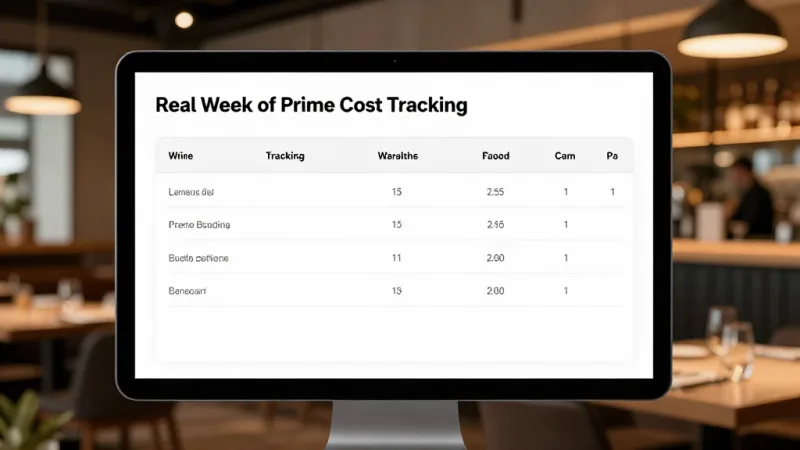
| Week | Revenue | COGS | Labor | Prime Cost | Prime % | Action |
|---|---|---|---|---|---|---|
| Week 1 | $28,400 | $8,240 | $9,230 | $17,470 | 61.5% | Baseline — no action |
| Week 2 | $27,100 | $8,670 | $9,180 | $17,850 | 65.9% | COGS spiked — investigate |
| Week 3 | $29,200 | $8,180 | $9,050 | $17,230 | 59.0% | Fixed portioning issue |
| Week 4 | $26,800 | $7,910 | $8,840 | $16,750 | 62.5% | Steady — adjusted Tue staffing |
Without weekly tracking, this operator would have seen a monthly prime cost of 62.2% and thought everything was fine. But they would have missed the 65.9% spike in Week 2 — and the $430 in unnecessary food cost that came with it. Catching it in real time meant fixing it before it became a pattern.
The Prime Cost Formula for Multi-Location Operators
If you run more than one location, prime cost tracking becomes exponentially more important — and more complicated. Every location has different revenue levels, staffing models, and vendor contracts. A 2% food cost variance at one store can hide behind strong performance at another when you're only looking at aggregate numbers.
The fix: track prime cost per location, per week. Compare stores against each other. Your best-performing location becomes the benchmark that every other location targets.
Crafty Crab Seafood does exactly this across 19 stores with 152 terminals. When Store 7 consistently ran 3 points higher on prime cost than Store 12 despite similar revenue, the investigation revealed that Store 7's GM was scheduling an extra prep cook on Wednesdays "just in case." Eliminating that one unnecessary shift saved $680/month at that single location.
Want to see how your costs compare to competitors? Check our POS comparison pages to understand where the industry's biggest operators are spending — and saving.
Track Prime Cost Automatically
KwickOS gives you real-time food cost, labor tracking, and daily flash reports across every location. See your prime cost without a spreadsheet.
Get a Free Demo