
 Ming Ye
A regular walks in. She's been coming every Friday for two years. She always sits in the corner booth. She's allergic to shellfish. Her husband's birthday is next week.
Your host seats her at a two-top by the kitchen. The server asks if she has any allergies. Nobody mentions the birthday.
You just treated a $7,000-per-year customer like she wandered in off the street.
Here's the thing: she won't complain. She won't leave a bad review. She'll just quietly start going somewhere else — somewhere that remembers.
The difference between restaurants that retain high-value regulars and restaurants that constantly churn through new customers is not the food. It's not the decor. It's whether the technology behind the operation captures and surfaces the details that make people feel known.
This guide shows you exactly how to build a guest preference tracking system that turns your POS into a memory bank — so every server, every shift, every visit delivers the kind of personalized experience that keeps your best customers coming back.
The Math Behind Remembering: Why Guest Data Is Your Most Valuable Asset
Before we get into the how, let's talk about the why — in dollars.
According to restaurant industry data, acquiring a new customer costs 5 to 7 times more than retaining an existing one. A repeat customer spends 67% more per visit than a first-timer. And customers who feel personally recognized visit 28-35% more frequently than those who don't.
Let's run the numbers for a mid-size restaurant doing 200 covers per day with a $35 average check:
| Metric | Without Tracking | With Tracking |
|---|---|---|
| Repeat customer rate | 30% | 42% |
| Average check (repeats) | $35 | $39 |
| Annual revenue from repeats | $766,500 | $1,194,660 |
| Revenue difference | +$428,160/year |
Even if your numbers are half of this model, that's still over $200,000 in annual revenue tied directly to whether your system remembers that Mrs. Park prefers still water with lemon and that Mr. Rodriguez always asks for extra bread.
But it gets worse. Without a system, your guest knowledge walks out the door every time a server quits. And in an industry with 75% annual turnover, that means you're losing institutional knowledge about your customers four times a year.
What to Track: The 7 Categories That Matter
Not all guest data is created equal. Track too little and you miss opportunities. Track too much and nobody reads the profiles. Here are the seven categories that deliver the highest return on effort:
1. Dietary Restrictions and Allergies
This is non-negotiable. A missed allergy isn't just bad service — it's a liability. Your POS should flag allergies at the order level so the kitchen sees a visible warning on every ticket. The critical allergens to track: nuts, shellfish, gluten, dairy, soy, eggs, and any guest-specified restrictions (vegan, halal, kosher).
And that's not all: when allergy data lives in the POS guest profile rather than a server's memory, it survives shift changes, staff turnover, and that Friday night when your best server calls in sick.
2. Seating Preferences
Corner booth. Window table. Away from the bar. Near the fireplace. Quiet section. These preferences seem minor until you realize that seating satisfaction directly correlates with check size. Industry research suggests guests seated at their preferred location spend 8-15% more and stay 12 minutes longer — which means more drinks, more desserts, and a higher tip for your server.
3. Order History and Favorites
Your POS already captures this data on every transaction. The question is whether it's connected to a guest profile. When it is, servers can say "Would you like your usual Cabernet, or would you like to try our new Malbec?" instead of starting from zero every visit. That's not just better service — it's a natural upsell opportunity.
4. Celebration Dates
Birthdays. Anniversaries. Graduations. Promotions. These are high-spend occasions, and the restaurant that remembers them wins the booking. A simple "Happy anniversary, the first round is on us" costs you $12 and generates a $200+ check.
Here's the thing: this is also where your loyalty program and guest profiles intersect. When celebration dates are in the system, you can trigger automated birthday emails with an e-gift card attached — zero staff effort, guaranteed return visit.
5. Communication Preferences
Some guests want SMS updates about specials. Others want email only. Some don't want to be contacted at all. Tracking this prevents the two biggest CRM mistakes: spamming people who hate it, and ignoring people who want to hear from you.
6. Visit Frequency and Spend Patterns
Your POS collects this automatically. The insight is in the segmentation. A guest who visits twice a week and spends $45 is worth $4,680 per year. That person should be in your VIP tier automatically, getting priority seating and a complimentary appetizer on their 50th visit — managed through your VIP program.
7. Service Notes
This is the catch-all: "Prefers to order slowly — don't rush." "Always asks for the manager to say hello." "Left-handed — set cutlery accordingly." "Brings own hot sauce." These details seem small. They're not. They're the reason a customer says "This is our place" instead of "This is a restaurant we go to."
The Technology: How Your POS Makes This Possible
Let's be direct: none of this works with paper notebooks, spreadsheets, or sticky notes on the host stand. You need a POS system with built-in CRM that creates and surfaces guest profiles in the natural workflow — not a separate app that nobody opens.
Here's what the technology stack looks like:
Automatic Data Capture
Every transaction should automatically log to a guest profile when the customer pays with a credit card, uses a gift card, checks in via their loyalty account, or is linked by a phone number at the POS. No manual entry required for order history, visit frequency, average spend, or time-of-visit patterns.
KwickOS does this automatically. Every card swipe, every loyalty scan, every online order gets attached to a unified guest record. Across all locations. In real time. With the hybrid local+cloud architecture, this data syncs instantly to every terminal even if your internet drops — because the local server holds the full profile database at 1ms latency.
Manual Note Entry
Servers need a way to add notes without leaving the order screen. One tap to open the guest profile, type the note, close it, and continue taking the order. If it takes more than 5 seconds, nobody will do it. The note should be visible to every terminal and every future server who pulls up that guest.
Profile Surfacing at the Right Moment
Data that nobody sees is data that doesn't exist. Guest profiles need to appear automatically in three places:
- At the host stand — when a reservation is pulled up or a loyalty member checks in. The host sees seating preferences, allergy flags, and VIP status before the guest reaches the table.
- At the table — when the server opens the check. Favorites, allergies, and notes are visible without an extra tap.
- At checkout — loyalty points, gift card balances, and lifetime spend are visible so the server can mention rewards or thank the guest for their 100th visit.
Fingerprint Authentication for Data Access
Guest data is sensitive. Not every employee should see every profile note. KwickOS uses fingerprint 1:N authentication to control access — managers see full profiles with spend data, servers see preferences and allergies, and bussers see nothing. This is built into the system, not bolted on as an afterthought.
Real-World Implementation: What the Best Restaurants Do
Theory is nice. Execution is what matters. Here's how actual multi-location operations handle guest preference tracking.
T. Jin China Diner: 15 Locations, One Guest Database
With 15 stores and 75 terminals, T. Jin China Diner needed guest profiles that worked across every location. A regular at the Chinatown location who visits the Flushing location for the first time should still be recognized.
Their KwickOS implementation syncs guest profiles across all 15 locations in real time. When a loyalty member scans at any terminal, the full profile appears — seating preference, order history from every location, allergy flags, and lifetime spend. The host at Flushing knows this is a $6,200/year customer before the guest says a word.
But it gets worse for restaurants without this capability: T. Jin estimated that before unified guest tracking, they were losing 15-20% of their high-value regulars when those customers visited a second location and received generic service. That's tens of thousands of dollars in annual revenue from regulars who just... stopped being regulars.
Shogun Japanese Hibachi: Personalized Teppanyaki Experience
At Shogun, the hibachi experience is theatrical — and guests have strong preferences about it. Some want the onion volcano. Some don't. Some are terrified of the flame tricks. Some want extra fried rice.
Shogun's staff logs these preferences in the POS guest profile after every visit. When a returning guest is seated at the hibachi table, the chef sees a note on the KDS: "No flame tricks — nervous about fire. Extra fried rice. Birthday next visit — 05/28." The guest doesn't have to explain anything. The experience is personalized before the first shrimp hits the grill.
The training time? Under 5 minutes. That's the advantage of a system designed for restaurant workflows rather than adapted from generic CRM software.
Gift Cards and Loyalty: The Preference Tracking Multiplier
Here's where most restaurants leave money on the table. Guest preference tracking, loyalty programs, and gift cards are usually three separate systems. When they're unified, the result is dramatically more powerful.
Consider this scenario: A guest named Sarah has a profile in your system. You know she visits every other Thursday, always orders the salmon, is allergic to dairy, and her birthday is in two weeks.
With separate systems, you can do exactly nothing with this information automatically.
With a unified system like KwickOS, here's what happens without any manual effort:
- Two weeks before her birthday, the system sends Sarah a personalized email: "Happy birthday, Sarah! Here's a $25 e-gift card for your celebration dinner."
- The e-gift card is pre-loaded into her loyalty account — she doesn't need to carry a physical card or remember a code.
- When she walks in on her birthday, the host sees a birthday flag and seats her at her preferred corner booth.
- The server sees the gift card balance and her allergy flag. The kitchen gets a dairy-free ticket.
- Her loyalty points from the visit push her into the next tier, triggering a VIP notification for her next visit.
That one dinner — driven entirely by preference data — generates a $180 check, earns a glowing review, and locks in another year of Thursday visits. The e-gift card cost you $25. The ROI? Roughly 620%.
This is why loyalty programs and gift card systems need to live inside the POS, not in a separate app. The magic is in the integration.
The POS Checkout Connection: Where Preferences Meet Payment
Every preference tracking system ultimately converges at one point: the POS checkout. This is where allergy flags prevent dangerous mistakes, where loyalty points get applied, where gift card balances get displayed, and where servers see the one-line note that transforms a transaction into a relationship.
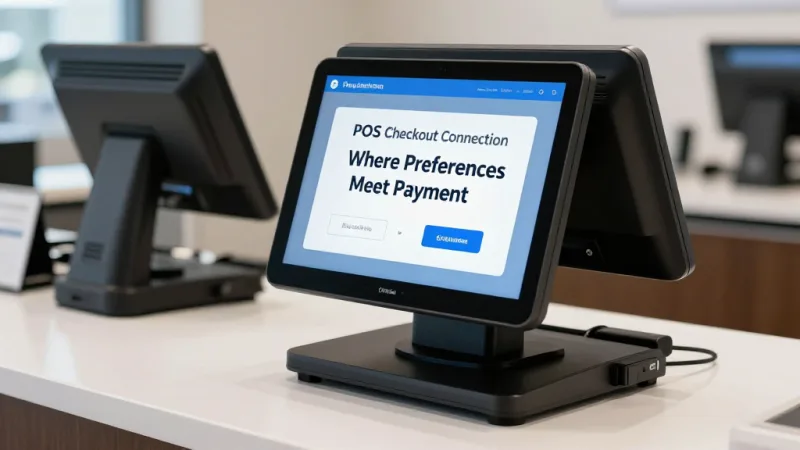
At checkout, a well-configured POS should display:
- Loyalty status and points balance — so the server can say "You're only 50 points from a free entree"
- Gift card balance — so the guest doesn't have to ask or guess
- Visit count — "Welcome back for your 25th visit!" costs nothing and means everything
- Applicable rewards or offers — automatically applied, not manually entered
- Guest notes — visible but not blocking the checkout flow
This is also where processor-agnostic POS systems have an advantage. When your system isn't locked to a single payment processor, you save $3,000 to $8,000 per year on processing fees — money that can fund the loyalty rewards and birthday gift cards that drive your preference tracking program. It's a virtuous cycle: lower processing costs fund better customer experiences, which drive more visits, which generate more revenue. Use our processing fee calculator to see how much you could reinvest.
Building Your Guest Database: The 30-Day Launch Plan
You don't need to overhaul your entire operation. Here's a practical 30-day plan to get guest preference tracking running:
Week 1: Foundation
- Enable guest profiles in your POS (KwickOS has this built-in — request a demo if you're on a system without CRM)
- Connect your loyalty program to guest profiles so every scan creates or updates a record
- Set up your gift card program if you don't have one — this becomes a key data collection channel
- Brief all servers on the 5-second note entry workflow
Week 2: Data Collection
- Have hosts ask one question at seating: "Do you have a seating preference we should note for next time?"
- Have servers note allergies in the profile when guests mention them (this should be happening already for safety — now it persists)
- Offer a 10% signup bonus for loyalty enrollment, which feeds the guest database automatically
Week 3: Activation
- Start surfacing profiles at the host stand for all reservation guests
- Set up automated birthday emails with e-gift card attachments
- Identify your top 50 customers by spend and ensure their profiles are complete
Week 4: Optimization
- Review which notes servers are adding — coach on useful vs. useless data
- Run your first VIP report: who are your top 5% by spend and visit frequency?
- Implement one VIP perk for top-tier guests (priority seating, complimentary appetizer, or exclusive menu access)
By day 30, you'll have a working guest database with hundreds of profiles, automated birthday outreach, and visible preference data at every touchpoint. The system gets smarter every day as more data accumulates.
Multi-Location Considerations
If you operate more than one location, guest preference tracking becomes exponentially more valuable — and exponentially more complex if your technology can't handle it.
The requirement is simple: one guest, one profile, accessible everywhere. A customer's nut allergy at your downtown location must be visible at your airport location. Their loyalty points earned in Dallas must be redeemable in Houston. Their seating preference should follow them.
Crafty Crab Seafood operates 19 locations with 152 terminals. Their one-click menu sync through KwickOS extends to guest profiles — a single unified database across all locations. When a guest who normally visits the Atlanta location walks into the Charlotte store, the system recognizes them instantly by loyalty scan or credit card match.
This kind of cross-location recognition is what separates a chain from a collection of individual restaurants. And it's only possible when your POS, loyalty program, gift card system, and guest profiles all live in the same platform. Check our multi-location guide for a deeper dive on unified operations.
Privacy and Trust: Getting It Right
Guest data is a responsibility, not just an asset. Here are the rules:
- Collect only what improves service. You need allergy data and seating preferences. You don't need a guest's employer or social media handles.
- Be transparent. A simple note on your menu or website: "We track dining preferences to personalize your experience. Ask us to update or remove your information at any time." That's it.
- Secure the data. Guest profiles should live in your POS system's encrypted database — not in a shared Google Sheet, not in a notebook behind the bar. KwickOS stores all guest data encrypted locally with cloud backup, accessible only through authenticated POS terminals.
- Let guests opt out. If someone asks you to delete their profile, do it immediately. The goodwill you earn from respecting that request is worth more than the data.
Most guests are not just comfortable with preference tracking — they expect it. In 2026, the restaurant that doesn't remember your allergy after three visits feels negligent, not privacy-conscious.
The Bottom Line
Guest preference tracking is not a luxury feature. It is the single most cost-effective way to increase repeat visits, check size, and customer lifetime value.
The technology exists today. Your POS system either does this natively or it doesn't. If it does, turn it on and start collecting data this week. If it doesn't, that's a more expensive problem than the software subscription you're paying — because every week without guest tracking is a week of treating your best customers like strangers.
A restaurant with 10,000 guest profiles, complete with preferences, allergies, celebrations, and visit history, has a competitive moat that no marketing campaign can replicate. Your competitor can copy your menu. They can't copy your relationships.
Track Every Guest Preference in One System
KwickOS unifies guest profiles, loyalty, gift cards, and order history across every location. See how personalized service becomes automatic.
Book a Demo