 Kelly Ho
Here is a number that should make every restaurant owner pause: according to restaurant industry data, the average delivery commission runs between 15% and 30% per order. For a restaurant processing 30 delivery orders a day at a $38 average ticket, that is $4,100 to $8,200 leaving your business every single month — just so someone else can drive food to a customer.
But it gets worse. A growing share of those "delivery" customers live within a 10-minute drive of your restaurant. They are not ordering delivery because they cannot come to you. They are ordering delivery because you have not given them a better option.
That better option? Curbside pickup. Zero delivery fee. Zero driver cost. Zero commission. The customer drives to your parking lot, you walk the food out, and you keep 100% of the revenue.
And that's not all: the customers who switch from delivery to curbside tend to order more frequently because there is no $5-$8 delivery fee inflating their total. The psychology is simple — when ordering feels cheaper, people order more often.
This guide covers everything you need to launch curbside pickup that actually works — from parking lot logistics to POS integration to the SMS notification flow that keeps food hot and customers happy.
Why Curbside Pickup Is the Most Profitable Order Channel
Let's compare the economics of every order channel for a $40 ticket:
| Order Channel | Fees / Costs | You Keep |
|---|---|---|
| DoorDash delivery | $6.00-$12.00 commission (15-30%) | $28.00-$34.00 |
| UberEats delivery | $6.00-$12.00 commission (15-30%) | $28.00-$34.00 |
| KwickDriver (own delivery) | $2.00 + $6.99 flat fee | $31.01 |
| Dine-in | Server labor + table overhead | $40.00 (minus labor) |
| Curbside pickup | $0 | $40.00 |
Curbside is the only order channel where you keep the entire ticket. No commission, no delivery fee, no third-party platform taking a cut. And unlike dine-in, you are not tying up a table or paying a server to manage the experience.
Here's the thing: the restaurant industry has been so focused on the delivery wars — DoorDash vs. UberEats vs. Grubhub — that operators forgot about the customers who are perfectly willing to drive 10 minutes if you make the experience seamless.
The 5-Part Curbside Setup That Works
A bad curbside experience is worse than no curbside at all. Customers who arrive, wait 15 minutes, and then have to walk inside to find their order will never use the service again. The system has to be fast, clear, and consistent.
Part 1: Designated Parking Spots
This sounds obvious, but most restaurants skip it or do it poorly. You need numbered parking spots with clear signage visible from the road.
- How many spots? Start with 2-3 for under 50 online orders per day. Scale to 4-6 for higher volume. Monitor usage during peak hours — if spots are consistently occupied for more than 10 minutes, you need more.
- Where? Close to your entrance but not blocking foot traffic. Ideally, the closest spots to your door. Customers who feel they got a "VIP parking spot" are psychologically primed to order again.
- Signage: Each spot gets a numbered sign: "Curbside Pickup — Spot #1." Include a short instruction: "Text your spot number to [phone] or use our app." Budget $20-$50 per sign.
Total parking setup cost: under $200. Compare that to the $6,300/month you're currently sending to DoorDash.
Part 2: SMS Notification Workflow
This is the backbone of the entire operation. The customer needs to know the moment their food is ready, and your staff needs to know where to bring it.
The ideal flow:
- Customer places order online (through your own ordering system, not a third-party app)
- POS sends automated confirmation with estimated ready time
- Kitchen display system (KDS) routes the order like any other
- Kitchen marks order complete → POS triggers SMS: "Your order #247 is ready! Pull into a numbered curbside spot and reply with your spot number."
- Customer replies "3" → staff sees notification on POS terminal
- Runner grabs the bag from the staging shelf and walks it to Spot #3
The whole handoff takes under 90 seconds. No phone calls. No customers wandering inside. No line.
But it gets worse when you try to do this manually. Restaurants that rely on staff to call customers or watch for cars in the lot add 5-8 minutes per order in wasted labor. At 30 curbside orders per day, that is 2.5-4 hours of labor burned on a process that should be automated.
Part 3: Order Staging Area
You need a dedicated staging shelf or rack near your exit door. This is not the same as your expo station.
- Labeled slots or bags with order numbers clearly visible
- Organized by promised pickup time, not completion time
- Heat lamps or insulated bags for orders waiting more than 3 minutes
- A maximum hold time of 10 minutes before a follow-up SMS is sent automatically
Rockin' Rolls Sushi Express, which operates 3 locations with 49 iPad self-ordering stations, uses a dedicated curbside staging rack at each store. Orders are bagged and placed on the rack the moment the KDS marks them complete. Their average curbside handoff time: 47 seconds from customer arrival to food in hand.
Part 4: POS Integration
Your curbside workflow is only as good as your POS system's ability to manage it. Here is what you need:
- Online ordering integration: Orders placed through your website or app flow directly into the POS — no re-keying, no tablet juggling
- Order type flagging: Curbside orders should be visually distinct from dine-in, takeout, and delivery on both the POS screen and the KDS
- Automated SMS triggers: When kitchen marks "complete," the system sends the pickup notification without staff intervention
- Spot tracking: A simple dashboard showing which curbside spots are occupied and which orders are assigned to them
- Payment processing at order time: Curbside orders should be prepaid online to eliminate the payment step at pickup
KwickOS handles all of this natively. Online orders from KwickMenu flow directly into the POS and KDS. The system auto-sends SMS on order completion, tracks spot assignments, and logs curbside handoff times for performance monitoring. Because KwickOS runs on a hybrid local+cloud architecture, the SMS triggers fire even during internet interruptions — orders queued locally push notifications the moment connectivity restores.
And that's not all: because KwickOS is processor-agnostic, the online payment for curbside orders goes through whatever processor gives you the best rate — not a locked-in 2.99% like Toast charges. On 30 curbside orders a day at $38 average, that processor freedom saves you an additional $3,000-$8,000 per year in processing fees alone.
Part 5: Customer Communication and Promotion
You can build the best curbside system in the world, but it only works if customers know about it and prefer it over third-party delivery. Here is how to drive adoption:
- Price incentive: Offer a 5-10% discount on curbside orders vs. delivery. You're saving 15-30% in commissions, so a 10% customer discount still puts you ahead by $2-$8 per order.
- Loyalty points bonus: Give 2x loyalty points on curbside orders. This drives repeat behavior and builds your customer database instead of DoorDash's.
- E-gift card integration: Let customers purchase and redeem e-gift cards through the same online ordering flow. Gift card recipients become new curbside customers — and according to industry data, gift card users spend 20-40% more than the card value per visit.
- Speed promise: Market a guaranteed pickup time: "Order online, pick up in 15 minutes or your next curbside order is 20% off." This beats the 30-45 minute delivery window every time.
- Social proof: Post a sign at the curbside spots: "Join 200+ customers who skip the line every week with curbside pickup."
The Economics: How Much You Actually Save
Let's get specific. Here is the monthly math for a restaurant that shifts 50% of its delivery orders to curbside:
| Metric | Before (All Delivery) | After (50% Curbside) |
|---|---|---|
| Daily off-premise orders | 30 | 30 |
| Average ticket | $38 | $38 |
| Monthly off-premise revenue | $34,200 | $34,200 |
| Third-party commission (25% avg) | $8,550 | $4,275 (only on 15 delivery/day) |
| Curbside cost | $0 | $0 |
| Monthly savings | — | $4,275 |
| Annual savings | — | $51,300 |
$51,300 per year — from adding a service that costs you $200 in parking signs and zero ongoing expense. That is not a marginal improvement. For a restaurant running on 5-8% net margins, saving $51,300 is equivalent to generating an additional $640,000-$1,000,000 in revenue.
Here's the thing: even if you only convert 25% of delivery orders to curbside, you are still saving $25,650 per year. The ROI on curbside pickup is effectively infinite because the operating cost rounds to zero.
Want to calculate the exact savings for your restaurant? Use our delivery fee savings calculator to model different conversion scenarios.
Real-World Curbside Success: What Multi-Location Operators Do Differently
Single-location restaurants can figure out curbside with a whiteboard and some hustle. Multi-location operators need systems.
T. Jin China Diner operates 15 locations with 75 POS terminals. When they rolled out curbside pickup across all stores, the challenge was not the parking lot — it was consistency. Every location needed the same SMS flow, the same staging process, and the same handoff time. Their solution: a centralized curbside workflow configured once in KwickOS and pushed to all 15 locations simultaneously. Managers at each location can monitor curbside handoff times in real-time through the mobile dashboard, and any store averaging over 3 minutes gets flagged for review.
Crafty Crab Seafood took a different approach across their 19 stores and 152 terminals. They created a "curbside menu" — a streamlined version of their full menu featuring only items that travel well in sealed containers. This eliminated customer complaints about food quality on pickup orders and actually increased curbside order frequency because customers trusted that everything on the menu would arrive in perfect condition.
But it gets worse for restaurants still relying on third-party apps: DoorDash and UberEats own your customer data. Every delivery order builds their customer database, not yours. When a customer orders curbside through your own system, you get their name, email, phone number, and order history. That data feeds your loyalty program, your email marketing, and your gift card promotions.
Gift Cards and Loyalty: The Curbside Revenue Multiplier
Smart operators do not treat curbside pickup as just an order fulfillment channel. They treat it as a customer acquisition and retention engine.
E-gift cards at checkout: When a customer completes a curbside order online, prompt them to purchase an e-gift card for a friend: "Add a $25 gift card and get $5 bonus credit on your next order." Every gift card sold is a new customer who will likely try curbside pickup themselves. KwickOS processes e-gift cards directly through the online ordering flow — the recipient gets a code via SMS that works at the POS terminal, the kiosk, or on their next online order.
And that's not all. Physical gift cards can be slipped into the curbside bag with a simple card: "Give the gift of great food — $25 gift cards available at kwickmenu.com." It costs pennies and converts a percentage of every curbside customer into a gift card buyer.
Loyalty program integration: Every curbside order should automatically earn loyalty points. But the real power move is offering tier bonuses for curbside frequency:
- 5 curbside orders in a month → free appetizer
- 10 curbside orders → free entree
- 20 curbside orders → VIP status with exclusive menu items
This gamification works because curbside customers are already convenience-driven. Give them a reason to choose your curbside over the competitor's, and they will build the habit.
Tiger Sugar, which operates 2 stores with self-ordering kiosks, integrated their curbside pickup with the same loyalty system that runs on their in-store kiosks. Customers earn points whether they order at the kiosk, on the website, or through curbside — and they can redeem rewards in any channel. The result: curbside customers visit 40% more frequently than delivery-only customers because the loyalty program makes switching to a competitor feel like losing progress.
The Checkout Flow: Frictionless or Forget It
The curbside checkout process must be faster than opening the DoorDash app. If it is not, customers will default to what they already know.
The ideal curbside checkout flow:
- Customer opens your website or scans a QR code (no app download required)
- Selects "Curbside Pickup" as order type
- Browses menu, adds items, customizes modifiers
- Applies loyalty points or redeems gift card balance
- Pays online (Apple Pay, Google Pay, card on file, or gift card)
- Receives confirmation with estimated ready time
- Gets SMS when food is ready
- Pulls into numbered spot, replies with spot number
- Food arrives at their window
Nine steps, but most of them happen in under 60 seconds. The customer never leaves their car after arriving. No line. No waiting. No human interaction required (unless they want it).
This is where your POS system either makes or breaks the experience. Systems that require manual order re-entry, separate tablets for online orders, or staff phone calls for pickup coordination create friction that drives customers back to DoorDash. With KwickOS, the entire flow — from online order to KDS routing to SMS notification to spot tracking — is a single automated pipeline. The online ordering module connects directly to the kitchen, and the kitchen connects directly to the customer.
Common Mistakes That Kill Curbside Programs
We have seen restaurants launch curbside pickup with great intentions and abandon it within three months. Here are the five mistakes that kill the program:
- No dedicated staging area. Curbside orders mixed with takeout and dine-in to-go creates confusion. The runner cannot find the right bag. The customer waits. Trust dies.
- Manual notification. Calling customers or texting them manually from a personal phone does not scale past 10 orders per day. Automate it or do not offer curbside.
- No time estimate. Customers who do not know when their food will be ready arrive too early and sit in the lot getting frustrated. Always provide an estimated ready time at order confirmation, and update it if the kitchen falls behind.
- Deprioritizing curbside orders. Kitchen staff sometimes treat curbside orders as lower priority than dine-in. This is backwards — the curbside customer is sitting in a car with nothing to do, and their patience erodes faster than a dine-in guest who has a drink and a menu to browse. Flag curbside orders as high priority on your KDS.
- Not tracking performance. If you are not measuring average handoff time, customer wait time, and curbside order volume, you cannot improve. KwickOS logs every curbside event — order placed, kitchen completed, SMS sent, customer arrived, food delivered — so you can identify bottlenecks instantly.
Curbside + Delivery: The Hybrid Strategy
Curbside pickup does not replace delivery. It complements it. The smartest operators offer both and let the customer choose.
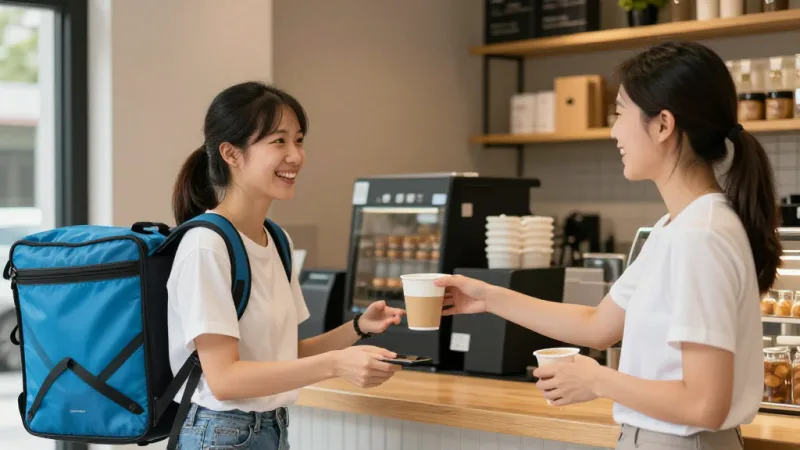
The hybrid approach:
- Curbside: Free, available through your own online ordering system. Promoted as the fastest and cheapest option.
- Own delivery (KwickDriver): $2 flat fee + $6.99 per delivery within 5 miles. For customers who genuinely cannot come to you. That is $8.99 total — compared to the $6-$12 per order that DoorDash or UberEats charges you in commission.
- Third-party delivery: Keep your DoorDash and UberEats listings active for visibility, but add marketing inserts in every delivery bag: "Order direct next time — free curbside pickup or $6.99 delivery at [your website]." Convert third-party customers to first-party over time.
This three-tier strategy captures every customer segment: the price-sensitive ones choose curbside, the convenience-driven ones choose your own delivery, and new customers discover you through third-party apps before migrating to your direct channels.
See how delivery commissions compare across platforms and why owning the customer relationship matters more than ever.
Getting Started This Week
You do not need a six-month rollout plan. You need a weekend and some parking signs.
Day 1: Order numbered parking signs online. Configure curbside pickup as an order type in your POS. Enable SMS notifications.
Day 2: Set up a staging shelf near your exit door. Brief your kitchen and front-of-house staff on the workflow. Do a test run with 5 staff orders.
Day 3: Go live. Add "Free Curbside Pickup" to your website, your Google Business Profile, and a table tent at every dine-in table. Offer double loyalty points on curbside orders for the first two weeks.
Week 2: Review your curbside handoff times. Anything over 3 minutes needs process adjustment. Survey the first 20 curbside customers for feedback.
Month 1: Analyze how many third-party delivery orders have shifted to curbside. Calculate your commission savings. Expand spots if needed.
The restaurants that execute curbside well do not just save on delivery fees. They build a direct customer channel that no third-party platform can take away, feed their loyalty program with real customer data, and turn their parking lot into the most profitable square footage in the business.
Launch Curbside Pickup With KwickOS
Online ordering, SMS notifications, loyalty integration, and curbside spot tracking — all built in. See how KwickOS makes curbside pickup seamless across every location.
Get a Free Demo