 Ming Ye
You know the sting. You check your residual statement and see the number is lower than last month. You scroll through the list and there it is — a merchant you installed nine months ago, processing $45,000/month, generating $300 in monthly residuals. Gone.
That is not just $300 lost this month. That is $3,600 per year, every year, for as long as that merchant would have stayed. If the average merchant lifespan is five years, you just lost $18,000 in lifetime revenue from a single account.
But it gets worse: replacing that merchant costs 5 to 7 times more than keeping them would have. The prospecting, the demos, the install, the training — you are looking at 40 to 60 hours of work to replace what you could have protected with a 15-minute quarterly phone call.
Here's the thing: merchant churn is not random. It follows predictable patterns, has identifiable warning signs, and responds to systematic prevention. The resellers who build portfolios worth $200,000+ in annual residuals are not closing more deals than everyone else. They are losing fewer merchants.
This guide gives you the complete retention playbook — the same framework that top KwickOS partners use to maintain 93%+ retention rates while their competitors bleed 15 to 20% of their portfolios every year.
The Real Cost of Merchant Churn (It Is Worse Than You Think)
Most resellers think about churn in terms of the monthly residual they lose. That is like measuring an iceberg by the part above water. The true cost of losing a merchant includes layers of damage that compound over time.
Let us do the math on a portfolio of 50 merchants averaging $250/month in residuals:
| Annual Churn Rate | Merchants Lost/Year | Annual Residual Loss | 5-Year Cumulative Loss |
|---|---|---|---|
| 5% (excellent) | 2.5 | $7,500 | $37,500 |
| 10% (average) | 5 | $15,000 | $75,000 |
| 20% (poor) | 10 | $30,000 | $150,000 |
The difference between excellent and poor retention on a 50-merchant portfolio is $112,500 over five years. That is not a rounding error. That is a house down payment. And that calculation does not even include the referrals you lose — every churned merchant was a potential source of 2 to 3 warm introductions per year that now will never happen.
And that's not all: the merchants most likely to churn are often your highest-volume accounts. They get the most attention from competitors. They process the most transactions. They generate the fattest residuals. When a $500/month residual merchant walks, it takes two average merchants just to break even.
5 Reasons Merchants Leave (And 4 Are Preventable)
Before you can prevent churn, you need to understand what causes it. After analyzing patterns across thousands of POS installations, the reasons break down into five categories:
1. Unresolved support issues (34% of churn). This is the number one killer, and it is entirely preventable. A merchant calls about a printer that stopped working. Nobody follows up. Two weeks later, the merchant is fielding calls from Toast reps who promise "seamless migration and 24/7 support." The merchant does not leave because Toast is better. They leave because you made them feel abandoned.
2. Competitor offering lower processing rates (22% of churn). A Square or Toast rep walks in and shows a rate comparison that looks favorable on paper. The merchant panics about "overpaying" and switches before doing the full math. This is preventable with proactive rate reviews — if you show the merchant their total cost of ownership before a competitor does, the competitor's pitch falls flat.
3. Outdated hardware or software (18% of churn). The merchant's terminal is slow. The receipt printer jams twice a day. The software has not been updated in a year. Meanwhile, the restaurant next door just installed shiny new iPads with a sleek interface. Perception of neglect drives this churn, and hardware refresh programs eliminate it.
4. Poor communication from their reseller (15% of churn). The merchant has not heard from you since the install. They do not know about the new online ordering module you could set up for them. They do not know you exist as a resource. When something goes wrong, they call the POS company directly instead of you — and the POS company does not have the same relationship incentive to keep them happy.
5. Change in business ownership (11% of churn). The restaurant sells. The new owner wants to bring in their own systems. This is the one category that is largely outside your control — but even here, building a relationship with the new owner early can save the account 30 to 40% of the time.
Here's the thing: the top four reasons — representing 89% of all churn — are preventable with a systematic retention program. You do not need to be a better salesperson to keep merchants. You need to be a better partner after the sale.
The Quarterly Business Review: Your Most Powerful Retention Tool
If you implement only one retention strategy from this article, make it this one. The quarterly business review (QBR) is a structured 15 to 30 minute conversation with each merchant, four times per year, that covers their business health and your value as a partner.

Here is the framework that top KwickOS partners use:
Part 1: Processing rate review (5 minutes). Pull the merchant's last three months of processing statements. Calculate their effective rate. Compare it to what they would pay on Toast (2.99% + $0.15) or Square (2.6% + $0.10). Show them the savings in dollar terms. A merchant processing $40,000/month on KwickOS with interchange-plus pricing is saving approximately $3,000 to $5,000 per year compared to a locked platform — and they need to hear that number from you, every quarter, before a competitor makes them forget it.
Use our processing fee calculator to generate a professional savings comparison for each QBR.
Part 2: Feature utilization check (5 minutes). Most merchants use only 30 to 40% of the features available to them. During each QBR, identify one underused module and show them how to activate it. Online ordering not set up yet? That is a conversation about launching first-party ordering and saving 25% in delivery commissions through KwickDriver's $2 flat fee. Loyalty program not running? Walk them through setup. Every new feature you activate is another lock-in that makes switching more painful for the merchant.
Part 3: Pain point discovery (5 minutes). Ask three questions: "What is the most frustrating thing about your current setup?" "Is there anything your staff complains about?" "What would make your daily operations easier?" Write down every answer. Resolve the issues within one week. This is where you intercept the unresolved support problems that cause 34% of churn — before they become cancellation requests.
Part 4: Business growth conversation (5 minutes). Ask about expansion plans, new menu items, seasonal changes, staffing challenges. Position yourself as a business advisor, not just a tech vendor. When a merchant sees you as someone who understands their business, switching POS systems means losing that relationship — and that is harder to replace than hardware.
The 72-Hour Rule: How Fast Response Saves Accounts
When a merchant has a problem, the clock starts ticking. Industry data shows that the probability of churn increases dramatically based on resolution time:

| Issue Resolved Within | Churn Risk |
|---|---|
| 4 hours | 2% |
| 24 hours | 8% |
| 72 hours | 22% |
| 1 week | 41% |
| Unresolved after 2 weeks | 67% |
A merchant whose issue goes unresolved for two weeks is 33 times more likely to leave than one whose problem was fixed in four hours. That is the difference between a 15-minute remote session and a $3,600/year loss.
But it gets worse: unhappy merchants do not just leave quietly. They tell other business owners. One lost merchant can cost you two to three referrals you never even knew were coming.
Here is how to build a response system that protects your portfolio:
- Set up alerts. KwickOS's hybrid local+cloud architecture means you can monitor merchant system health remotely. Set up notifications for offline terminals, failed transactions, and hardware errors. Fix problems before the merchant even notices them.
- Create an escalation path. When a merchant contacts KwickOS support directly, you should know about it. Establish a communication channel with the support team so you are notified of any tickets from your merchants within one hour. Follow up personally — even if support resolved the issue, your call shows the merchant they have a dedicated partner watching their back.
- Stock spare hardware. Keep one backup terminal, one receipt printer, and one cash drawer in your trunk. A merchant whose printer dies during Friday dinner service does not want to hear "we can ship a replacement by Tuesday." They want someone who shows up in 30 minutes with a working printer. That kind of response turns a potential churn event into a loyalty-building moment.
Value-Add Services That Make You Irreplaceable
The resellers who build the most durable portfolios are the ones merchants cannot imagine operating without. They are not just POS vendors — they are technology consultants, operations advisors, and growth partners. Here are the value-add services that create that kind of stickiness:
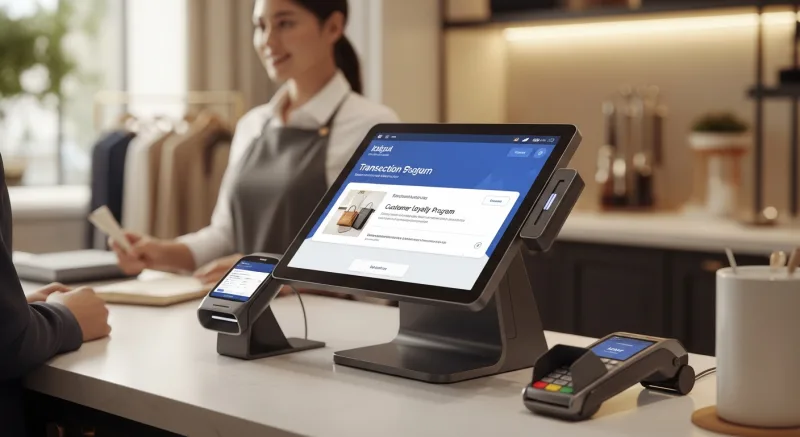
Annual processing rate negotiation. Every year, contact each merchant's payment processor and negotiate a rate reduction based on their updated volume. A merchant who processed $30,000/month last year but now processes $45,000/month has leverage they do not know about. You bringing them a $1,200/year rate reduction costs you a phone call and earns you another year of loyalty. This is especially powerful on KwickOS's processor-agnostic platform, where you can shop rates across multiple processors — something Toast and Square merchants cannot do.
Staff training refreshers. Offer free quarterly training sessions for new staff. Restaurant turnover runs 75%+ annually, which means the staff you trained at install are mostly gone within a year. The new hires are using 20% of the system's capability because nobody showed them the rest. A 30-minute training session for new staff is the cheapest retention investment you can make — and it increases the merchant's satisfaction with the POS because their team actually knows how to use it.
This is where KwickOS's multi-language support (English, Chinese, Spanish) becomes a massive differentiator. In markets with diverse staff, being able to train employees in their native language cuts onboarding from hours to minutes. Shogun Japanese Hibachi got new staff proficient in under five minutes thanks to this capability.
Proactive hardware health checks. Visit each merchant location twice a year to inspect hardware. Clean thermal printer heads. Check cable connections. Test backup power. Replace worn-out peripherals before they fail during service. This 20-minute visit prevents the "my equipment is outdated" perception that drives 18% of churn.
Menu and operations consulting. Use the POS data to help merchants make better decisions. "Your lunch combo is your highest-margin item but you are not promoting it on the kiosk home screen — want me to move it?" "Your Friday 5-7pm throughput is 30% lower than Saturday — here is how we can optimize your KDS routing." When you use POS data to improve a merchant's business, you are not selling technology. You are selling results.
The Hardware Refresh Program: Preventing Silent Defection
Hardware ages. After 3 to 4 years, terminals slow down, screens dim, and buttons stick. The merchant starts comparing their aging equipment to the shiny new setups they see at other restaurants. This is when competitors make their move.
Build a hardware refresh program into your retention strategy:
- Track install dates. Maintain a spreadsheet or CRM entry for every piece of hardware at every merchant location. Flag anything approaching the 3-year mark.
- Proactive outreach at 30 months. Contact the merchant six months before their hardware reaches the replacement threshold. Frame it as an upgrade opportunity, not a cost. "Your terminal has been running great for 30 months. The new models are 40% faster and have a brighter screen — and since you are a current merchant, I can offer the upgrade at cost."
- Bundle hardware with feature upgrades. A new terminal alone is not exciting. A new terminal with contactless payment, a customer-facing display for upsell prompts, and KwickSign digital signage integration? That is a business upgrade that happens to include new hardware.
- Offer financing or lease options. Not every merchant can write a check for $2,400 in hardware. Offering a monthly payment option removes the barrier and keeps the merchant on current equipment.
Consider T. Jin China Diner — 15 stores, 75 terminals. A reseller managing that account has 75 pieces of hardware on a rolling replacement cycle. Proactive hardware management on an account that size is not optional. It is the difference between protecting $60,000+ in annual residuals and losing the entire portfolio to a competitor who showed up with new equipment and a competitive quote.
Early Warning Signs: Spot Churn Before It Happens
Merchants rarely leave without warning. The signs are there if you know where to look:
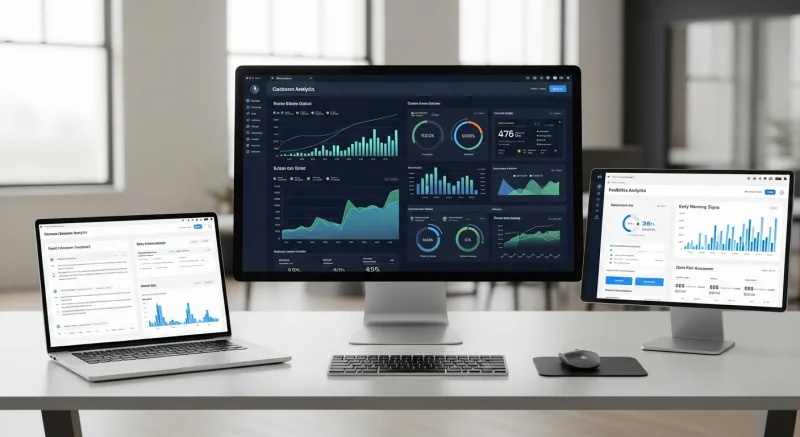
- Processing volume drops. A sudden 20%+ decline in monthly processing volume means either the business is struggling or they have started splitting transactions to another system. Either way, it requires immediate outreach.
- Support ticket frequency increases. A merchant who opens three tickets in a month after opening zero for the previous six months is frustrated. Something is breaking, or their needs have outgrown the current setup. Call them before the fourth ticket.
- Stops responding to communications. The merchant who used to reply to your emails within a day is now ghosting you. They have either mentally checked out or are actively evaluating competitors. A personal visit — not an email, not a call — is required.
- Asks about contract terms or cancellation policy. This is the reddest flag of all. When a merchant asks about their contract, they are already shopping. Drop everything and schedule an in-person meeting within 48 hours. Bring a rate review, a feature demo, and a hardware upgrade offer.
- New ownership or management. When a restaurant changes hands, the new owner's first instinct is to bring in their own vendors. Get in front of the new owner within the first week. Offer a free system walkthrough and training for their team. Position yourself as the expert who already knows the location's setup — a significant advantage over any new vendor who would need to start from scratch.
The Win-Back Playbook: Recovering Lost Merchants
Sometimes, despite your best efforts, a merchant leaves. But the story does not have to end there. Win-back campaigns targeting former merchants have a 20 to 25% success rate — dramatically higher than cold prospecting — because the merchant already knows your platform.
The best time to attempt a win-back is 90 days after the merchant switches. By then, the honeymoon period with the new system has worn off, and the merchant is experiencing the pain points they did not anticipate.
Did they leave for Toast? They are now discovering they cannot choose their own processor, and that 2.99% + $0.15 rate is eating into their margins. They are paying $300+ per month in Toast software fees. Their staff is struggling with a system that does not support bilingual tickets or fingerprint authentication.
Did they leave for Square? They are learning that Square's flat 2.6% rate costs more than interchange-plus on their volume. They miss the hybrid local+cloud architecture that kept their POS running during internet outages — because Square's cloud-only system goes down when the WiFi drops.
Call them. Do not email. Call. Say: "I wanted to check in and see how the transition has been. I'm not trying to sell you anything — I just want to make sure you're taken care of." Then listen. If they are frustrated, offer to run a cost comparison. The numbers usually speak for themselves.
Building a Retention-First Portfolio
The most successful KwickOS partners think about retention from the moment they close a deal — not six months later when the cancellation notice arrives. Here is the retention-first timeline:

- Day 1-7: Flawless installation and training. The first impression sets the tone for the entire relationship.
- Day 30: First check-in call. Ask about any issues. Resolve them immediately.
- Day 90: First QBR. Run a processing rate comparison. Introduce one new feature.
- Day 180: Second QBR. Staff training refresher for new hires. Hardware inspection.
- Day 270: Third QBR. Annual processing rate negotiation. Menu or operations consultation.
- Day 365: Fourth QBR. Year-in-review with total savings calculated. Hardware refresh discussion if approaching 3 years. Referral request — a retained, happy merchant is your best source of new business.
This cycle repeats every year, with each QBR deepening the relationship and adding more value. After two years of this cadence, switching POS systems means losing a trusted advisor who knows the merchant's business inside and out. That is a barrier no competitor can overcome with a lower rate quote.
Crafty Crab Seafood's reseller manages 19 locations and 152 terminals. That portfolio generates significant residual income — but only because the reseller treats retention as a system, not an afterthought. One-click menu sync across all 19 locations, centralized reporting, and a dedicated hardware refresh schedule keep that account locked in year after year.
Build a Portfolio That Grows Every Month
KwickOS's processor-agnostic platform, hybrid architecture, and all-in-one modules give resellers the tools to retain merchants long-term. Join 5,000+ businesses across 50 states.
Become a KwickOS Partner