 Ming Ye
You close the register at 11 PM. Then you spend the next 45 minutes copying sales totals into QuickBooks. Re-entering delivery orders from three different tablets. Cross-referencing time cards against your scheduling app. Updating inventory counts in a spreadsheet that is already outdated by morning.
Sound familiar? According to restaurant industry data, the average multi-system business loses 6 to 10 hours per week on manual data re-entry between disconnected software tools. That is 300 to 500 hours per year. At $20/hour for a manager's time, you are burning $6,000 to $10,000 annually on work that a properly integrated POS eliminates automatically.
But it gets worse: manual entry doesn't just waste time. It introduces errors. A transposed number in your accounting software. A missed delivery order that never hits inventory. A payroll discrepancy that triggers a labor audit. These are not hypothetical risks — they are Tuesday night realities for businesses running disconnected systems.
Here's the thing: the fix is not complicated. It is a three-letter word — API. And once you understand how POS API integrations work, you will never go back to copying numbers between screens.
What a POS API Actually Does (Plain English Version)
API stands for Application Programming Interface. In plain terms, it is a digital handshake between two pieces of software that lets them share data automatically.
When your POS has an open API, it can talk to your accounting tool, your delivery platforms, your loyalty program, your scheduling app, and your inventory system — all in real time, without you touching anything.
Every time a sale happens, the POS sends the transaction data to QuickBooks. Every time a DoorDash order comes in, it lands directly in your POS kitchen queue. Every time an employee clocks in, the hours flow to payroll. Every time inventory dips below a threshold, a purchase order gets generated.
No copying. No spreadsheets. No errors. No 45 minutes after closing.
And that's not all: API integrations do not just save labor — they give you access to data you could never compile manually. Cross-referencing delivery platform performance against in-house orders. Comparing labor cost percentages across locations in real time. Tracking which loyalty members spend the most and when they visit.
6 POS Integrations That Pay for Themselves Immediately
Not all integrations are created equal. These six deliver the highest return on the time it takes to set them up — and most can be configured in under 30 minutes.
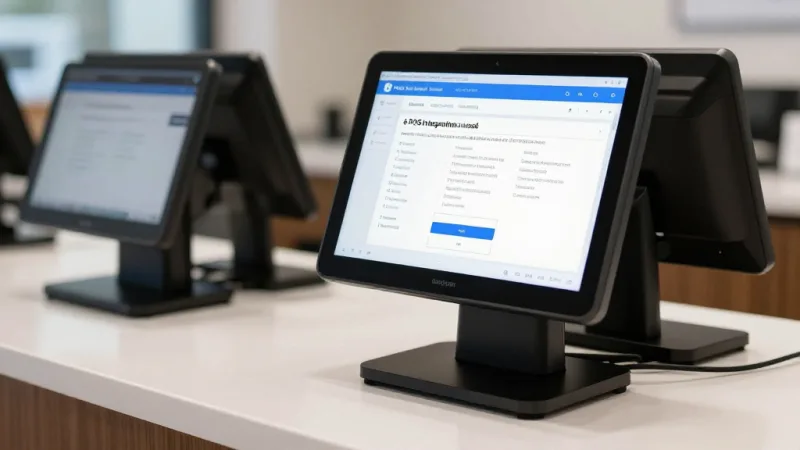
1. Accounting Sync (QuickBooks, Xero, FreshBooks)
This is the single most time-saving integration you can make. Instead of manually exporting daily sales, categorizing revenue by payment type, and entering tax collected — the POS does it for you. Every transaction flows to the correct account in your chart of accounts. Every night, automatically.
Time saved: 3 to 4 hours per week. For a multi-location operation like T. Jin China Diner (15 stores, 75 terminals), eliminating manual accounting across all locations saves over 200 hours per year — the equivalent of hiring a part-time bookkeeper.
The checkout flow matters here too. When your POS correctly splits tender types at the register — cash, credit, debit, gift card, e-gift card — the accounting sync categorizes each automatically. No more end-of-day reconciliation puzzles.
2. Delivery Platform Aggregation
If you are on DoorDash, UberEats, and GrubHub, you probably have three separate tablets behind the counter. Three devices chirping. Three sources of orders that need manual entry into your POS for inventory to stay accurate.
An API integration pulls all third-party delivery orders directly into your POS and KDS (kitchen display system). One screen. One ticket queue. Automatic inventory deduction. And you can see the commission impact of each platform side by side.
Here's the thing: this integration also makes the case for moving delivery in-house. When you see that DoorDash takes 25% of a $40 order ($10) while KwickDriver charges a flat $2 + $6.99 delivery fee ($8.99, paid by the customer), the math is impossible to ignore. API visibility makes the hidden costs visible.
3. Loyalty and Gift Card Programs
A loyalty program that is disconnected from your POS is a loyalty program that fails. Customers should not have to remind your staff to add points. The cashier should not have to open a separate app mid-checkout to check a gift card balance.
With API-integrated loyalty, points accrue automatically at checkout. Gift card balances deduct in real time. E-gift cards activate instantly when purchased online and work at any terminal across all locations. Members earn rewards whether they order in-store, online, or through delivery — and the system knows their purchase history across every channel.
Crafty Crab Seafood runs loyalty and e-gift cards across 19 locations with 152 terminals. Because the loyalty engine is API-integrated with the POS, a customer who buys a gift card at one location can redeem it at any other — instantly, with no manual transfer or phone call to management.
Industry data shows that gamified loyalty programs with seamless POS integration see 340% more repeat visits. The integration is what makes it seamless.
4. Employee Scheduling and Payroll
Your scheduling app knows when employees are supposed to work. Your POS knows when they actually clock in and out. Without an API connection, reconciling these two sources is a weekly headache.
Integrated scheduling syncs the schedule to the POS for clock-in validation, then sends actual hours worked back to payroll. Overtime alerts trigger before they happen, not after. And with KwickOS fingerprint 1:N authentication, buddy punching — where one employee clocks in for another — is physically impossible.
Time saved: 2 to 3 hours per week on payroll reconciliation. For Diva Nail Beauty (4 stores), automating commission calculations through the POS integration increased operational efficiency by 90%. Stylists' commissions, tip distributions, and product sales bonuses all calculate automatically at the end of each pay period.
5. Inventory Management and Purchase Orders
Every item sold through the POS should automatically deduct from inventory. When stock hits a reorder threshold, the system should generate a purchase order and send it to your supplier — or at least alert you before you run out of chicken wings on a Friday night.
This integration closes the loop between sales and supply. Instead of discovering you are out of a popular item when a customer orders it, you see real-time inventory levels and projected stockout dates based on current sales velocity.
For retail businesses, this becomes even more critical. Barcode scanning at the POS deducts items instantly, and API-connected inventory management tracks movement across multiple locations, online orders, and in-store sales simultaneously.
6. Marketing Automation and CRM
Your POS knows who your best customers are, what they order, how often they visit, and when they stopped coming. An API-connected CRM turns that transaction data into automated marketing campaigns — birthday offers, win-back emails for lapsed customers, VIP rewards for top spenders.
When the CRM is integrated, a customer who has not visited in 60 days automatically receives a re-engagement offer. A member who just hit 500 loyalty points gets a congratulation push notification. A regular who always orders the salmon on Friday gets a text about your new weekend special.
This is not theoretical. This is what happens when checkout data flows to marketing through an API instead of sitting in a database nobody queries.
The Closed Ecosystem Problem: Why Your POS Might Not Play Well With Others
Here is where it gets frustrating. Not every POS system gives you API access to your own data.
| POS System | API Openness | Integration Flexibility |
|---|---|---|
| Toast | Limited — partner marketplace only | Must use Toast-approved integrations; no direct API for merchants |
| Square | Public API but restricted features | Many advanced features locked to Square ecosystem |
| Clover | App marketplace with Fiserv controls | Third-party apps available but limited data export |
| KwickOS | Open REST API + pre-built connectors | Connect any tool, any processor, any platform |
The pattern is clear: POS systems that lock you into proprietary payment processing also tend to lock you into a closed integration ecosystem. You're paying 2.99% + $0.15 per swipe and you cannot connect your own accounting software without going through their approved marketplace. That is a $3,000 to $8,000/year processing premium on top of limited integration options.
A processor-agnostic POS with an open API gives you two freedoms at once: the freedom to choose your payment processor (and save on processing fees) and the freedom to connect any software tool your business needs.
Real-World Integration Architecture: How KwickOS Connects Everything
Let me walk you through how this works in practice. I designed the KwickOS integration layer to handle exactly the workflows described above — and a few that most POS vendors never think about.
The hybrid local-plus-cloud architecture is critical here. Most cloud-only POS systems lose all integration capability when the internet drops. Your DoorDash orders stop flowing. Your accounting sync pauses. Your loyalty system goes offline mid-checkout.
KwickOS processes transactions locally at 1ms latency — your checkout never slows down, even during an internet outage. Integration data queues locally and syncs to the cloud the moment connectivity returns. No lost transactions. No data gaps in your accounting. No loyalty points that disappear because the WiFi dropped during lunch rush.
Shogun Japanese Hibachi runs a customized KDS integration where hibachi station displays show only the items routed to their specific cooking station. That is a custom API integration that took less than a day to configure — and their staff was proficient on the new system in under 5 minutes.
Tiger Sugar uses integrated self-ordering kiosks (2 stores, 2 kiosks) where the customer customization flow — sweetness level, ice level, toppings — syncs to the POS and kitchen in real time. The loyalty points from a kiosk order are identical to a counter order. The e-gift card purchased on the website works at the kiosk. Every channel is connected through the same API layer.
Integration Checklist: What to Connect First
If you are starting from scratch — or switching to a POS with better integration capabilities — here is the priority order based on immediate time and money saved:
- Accounting sync — Eliminate daily manual data entry (saves 3-4 hrs/week)
- Delivery aggregation — One screen for all platforms (saves 1-2 hrs/week, reduces order errors)
- Loyalty + gift cards — Automatic point accrual, gift card balance at checkout (increases repeat visits 20-40%)
- Scheduling + payroll — Clock-in validation, auto hours export (saves 2-3 hrs/week)
- Inventory management — Real-time deduction, reorder alerts (reduces waste 15-25%)
- CRM + marketing — Automated campaigns from transaction data (increases customer lifetime value)
Each of these integrations compounds the value of the others. Accounting sync is more accurate when delivery orders are already in the POS. Loyalty insights are more powerful when CRM data includes all channels. Inventory projections are more reliable when every transaction — in-store, online, kiosk, delivery — is captured automatically.
Want to see how your current POS compares on integration flexibility? Check our comparison pages for side-by-side breakdowns of KwickOS vs Toast, Square, Clover, and more.
The Hidden Cost of No Integration
Let's put real numbers on it. Here is what disconnected systems actually cost a mid-size restaurant processing $50,000/month:

| Manual Task | Hours/Week | Annual Cost (@$22/hr) |
|---|---|---|
| Accounting data entry | 3.5 | $4,004 |
| Delivery order re-entry | 1.5 | $1,716 |
| Payroll reconciliation | 2.0 | $2,288 |
| Inventory counting & updates | 2.0 | $2,288 |
| Manual loyalty tracking | 0.5 | $572 |
| Total | 9.5 | $10,868 |
That is nearly $11,000 per year in labor cost for work that an integrated POS does automatically. Add in the cost of errors — a miskeyed $200 delivery order, a payroll discrepancy that triggers overtime recalculation, an inventory gap that causes a weekend stockout — and the real cost is significantly higher.
For multi-location operators, multiply accordingly. Crafty Crab at 19 locations? That is potentially $200,000+ per year in avoidable manual labor across all stores. That is not a rounding error. That is the difference between expanding and standing still.
How to Evaluate POS API Capabilities Before You Buy
If you are shopping for a new POS — or reconsidering your current one — ask these questions before you sign anything:
- Is there a public REST API? If the vendor says "we have integrations" but cannot show you API documentation, run. That means they control what connects and what doesn't.
- Can I export my own data? Your transaction data, customer data, and inventory data are yours. If you cannot pull them via API at any time, you are locked in.
- What happens offline? Ask specifically: "If the internet drops for 2 hours during dinner service, which integrations stop working?" The answer reveals whether you are on a cloud-only or hybrid system.
- Are there integration fees? Some POS vendors charge $50 to $200/month per integration. Others include API access in the base subscription. Calculate the total cost of your integration stack, not just the POS subscription.
- Can I choose my own payment processor? Integration freedom and processor freedom go hand in hand. A POS that locks your processing is likely to lock your integrations too.
Use our free tools — including the processing fee calculator and POS cost comparison tool — to model the total cost of ownership before making a decision.
Connect Your Business. Automate Everything.
KwickOS integrates with your accounting, delivery, loyalty, scheduling, and inventory tools out of the box — with an open API for everything else. Serving 5,000+ businesses across 50 states.
Get a Free Integration Consultation