 Ming Ye
Open your last processing statement. Not the summary page — the detail page, the one with dozens of line items you've never read.
Now try to answer this question: how much of your total processing cost is interchange, and how much is your processor's markup?
If you can't answer that, you're not alone. A survey by the Electronic Transactions Association found that 78% of small business owners cannot identify the markup portion of their processing fees. And that's exactly how processors want it.
Here's the thing: interchange fees are public information. Visa publishes their rates. Mastercard publishes theirs. Every April and every October, both networks update their schedules. The rates are not secret. But your processor has zero incentive to help you understand them — because the moment you do, you'll see exactly how much profit they're making on every swipe.
For a restaurant processing $50,000/month in card transactions, the difference between understanding interchange and not understanding it is $3,600 to $7,200 per year. That's not a rounding error. That's a line cook's salary.
This guide breaks down the interchange system piece by piece. By the end, you'll be able to read your statement, calculate your true markup, and negotiate from a position of knowledge instead of confusion.
What Interchange Actually Is (And Who Sets It)
Every card transaction involves four parties: the cardholder, the issuing bank (the bank that gave the customer their card), the acquiring bank (your bank or payment processor), and the card network (Visa, Mastercard, Discover, or American Express).

When a customer pays $50 at your restaurant with a Visa card, approximately $0.90 to $1.20 goes to the issuing bank as an interchange fee. This is the largest component of your processing cost, typically representing 70% to 80% of the total fee.
But it gets worse: you never negotiate interchange directly. It's set by the card networks on a fixed schedule. Your processor can't lower it. No one can. What your processor can control is everything they add on top of interchange — and that's where the games begin.
The three layers of every processing fee:
- Interchange (70-80% of total fee) — Goes to the issuing bank. Set by Visa/Mastercard. Non-negotiable.
- Assessment fees (5-8% of total fee) — Goes to the card network itself. Typically 0.13% to 0.15%. Non-negotiable.
- Processor markup (15-25% of total fee) — Goes to your processor. This is the only part you can negotiate.
When a processor quotes you a "rate" of 2.6% flat, they're bundling all three layers into one number. You have no idea whether their markup is 0.20% or 0.80%. And that's not an accident.
The 47 Rate Categories You've Never Seen
Here's where it gets complicated — and where processors profit from your confusion.
Interchange is not one rate. It's dozens. Visa alone publishes over 160 rate categories for U.S. transactions. For a typical restaurant, about 47 of those categories will appear on statements over the course of a year. The rate depends on three variables:
1. Card Type
Not all Visa cards are created equal. A basic Visa debit card has interchange of roughly 0.05% + $0.21 (capped by the Durbin Amendment for banks with over $10 billion in assets). A Visa Signature rewards card? That's 2.10% + $0.10. A Visa Infinite premium card? Even higher.
| Card Type | Typical Interchange | Cost on $50 Transaction |
|---|---|---|
| Regulated debit (Durbin) | 0.05% + $0.21 | $0.24 |
| Non-regulated debit | 0.80% + $0.15 | $0.55 |
| Standard credit | 1.51% + $0.10 | $0.86 |
| Rewards credit | 1.65% + $0.10 | $0.93 |
| Visa Signature | 2.10% + $0.10 | $1.15 |
| Visa Infinite | 2.40% + $0.10 | $1.30 |
| Corporate/Purchasing | 2.50% + $0.10 | $1.35 |
That $1.11 difference between a regulated debit card and a corporate card on the same $50 transaction? Multiply that by hundreds of transactions per day, and you start to see why card mix matters enormously.
And that's not all: the percentage of customers using premium rewards cards has increased every year for the past decade. In 2025, rewards cards represented 63% of all credit card spending in the U.S. Your interchange costs are quietly rising even if your processor's markup hasn't changed.
2. Transaction Method
How the card is processed changes the interchange rate. In-person chip (EMV) transactions get the lowest rates because they carry the least fraud risk. Keyed-in transactions — where someone types the card number manually — get the highest.
| Transaction Method | Interchange Impact |
|---|---|
| EMV chip insert | Base rate (lowest) |
| Contactless (NFC tap) | Base rate (same as chip) |
| Magnetic stripe swipe | +0.10% to +0.22% higher |
| Keyed entry (card not present) | +0.30% to +0.50% higher |
| E-commerce | +0.40% to +0.65% higher |
This is why phone orders and manually keyed transactions are the most expensive to process. If your staff is still typing card numbers instead of using chip or tap, you're paying a premium on every one of those transactions.
3. Merchant Category Code (MCC)
Visa and Mastercard assign every merchant a four-digit MCC based on their business type. Restaurants (MCC 5812) get different interchange rates than retail stores (MCC 5411) or gas stations (MCC 5541). The rates aren't dramatically different across categories, but they do vary — and getting classified under the wrong MCC can cost you.
Here's the thing: most merchants never verify their MCC. If your processor set you up with the wrong code, you could be paying interchange rates meant for a different industry. It's worth checking.
Wholesale vs. Bundled: The Pricing Model That Changes Everything
Now that you understand what interchange is, here's the critical question: does your processor show you the interchange cost, or hide it?
There are two fundamentally different approaches:
Interchange-Plus (Wholesale/Cost-Plus)
Your statement shows the actual interchange category and rate for every transaction, plus a fixed processor markup. You can see exactly what the issuing bank charged and exactly what your processor added. If interchange on a transaction was 1.65% + $0.10, and your processor markup is 0.20% + $0.10, your total is 1.85% + $0.20.
This is the gold standard. It's how every large retailer, every multi-location chain, and every financially sophisticated business pays for processing.
Bundled/Tiered (Retail Pricing)
Your processor groups all transactions into two or three tiers — "qualified," "mid-qualified," and "non-qualified" — at rates they set. A qualified rate might be 1.69%. Sounds great. But the processor decides which transactions qualify, and they tend to push more and more transactions into the expensive tiers over time.
The problem? You can't see the real interchange cost. You can't calculate the markup. You can't compare processors because everyone defines their tiers differently. It's a black box designed to make price comparison impossible.
But it gets worse: some processors use a practice called "rate optimization" where they re-classify transactions to maximize their profit. A transaction that should be mid-qualified gets pushed to non-qualified. You'd never know unless you cross-referenced every transaction against the published interchange schedule — which requires industry expertise and hours of work per statement.
Flat-Rate (The Simplicity Tax)
Flat-rate processors like Square (2.6% + $0.10) and Toast (2.99% + $0.15) charge one rate regardless of card type. Simple? Yes. Expensive? Absolutely.
When a customer pays with a regulated debit card at 0.05% + $0.21 interchange and you're paying 2.99% + $0.15, the processor is keeping roughly 2.73% of that transaction as markup. On a $50 debit transaction, the interchange cost is $0.24 but you paid $1.65. The processor made $1.41 on a transaction that cost them $0.24 to process.
That's a 587% markup. On a single swipe.
How to Read Your Processing Statement (A Line-by-Line Guide)
Most merchants receive their processing statement and look at exactly one number: the total fees. Everything else is ignored. That's like getting a hospital bill and only looking at the grand total without questioning whether you were charged $47 for an aspirin.
Here's how to actually read the statement:
Step 1: Find your total processing volume. This is the total dollar amount of all card transactions for the month. It's usually on the summary page.
Step 2: Find your total fees. Add up every fee on the statement — not just the "processing fees" line. Include monthly fees, PCI fees, statement fees, batch fees, and any other charges. Processors love to split fees across multiple line items so no single number looks too large.
Step 3: Calculate your effective rate. Divide total fees by total volume. If you processed $50,000 and paid $1,350 in total fees, your effective rate is 2.70%.
Step 4: Benchmark your effective rate.
| Effective Rate | What It Means |
|---|---|
| Under 2.2% | Excellent — competitive interchange-plus pricing |
| 2.2% - 2.5% | Good — reasonable for most restaurants |
| 2.5% - 2.8% | Above average — likely on flat-rate or padded markup |
| 2.8% - 3.2% | Overpaying — switch immediately |
| Over 3.2% | Severely overpaying — possible surcharges or wrong MCC |
Step 5: If you're on interchange-plus, verify the markup. Your statement should show each interchange category separately. Add up the processor markup on several transactions. It should match what your contract says. If your contract says "interchange + 0.20% + $0.10" but the math shows you're paying interchange + 0.35% + $0.12, you have a billing discrepancy worth investigating.
Want to run these numbers automatically? Our processing fee calculator does the math for you — just plug in your monthly volume and current rate.
The Hidden Fees Your Processor Doesn't Advertise
Beyond the interchange markup, processors add fees that many merchants don't realize are negotiable — or removable entirely:
- PCI compliance fee ($7.95 - $14.95/month) — Charged for "maintaining" your PCI compliance. Many processors include this automatically. Some waive it if you complete a self-assessment questionnaire. Others charge it regardless of your compliance status.
- PCI non-compliance fee ($19.95 - $49.95/month) — Charged if you haven't completed your annual PCI questionnaire. This is pure profit for the processor. Complete the questionnaire and this fee disappears.
- Statement fee ($5 - $15/month) — Charged for generating your monthly statement. In 2026, when statements are PDF downloads. This is a legacy fee that competitive processors have eliminated.
- Batch fee ($0.10 - $0.35/batch) — Charged every time you settle your terminal at end of day. At $0.25/batch for 30 days, that's $7.50/month for the processor to run an automated process.
- Annual fee ($49 - $199/year) — A fee for the privilege of being their customer. The best processors don't charge it.
- Early termination fee ($250 - $500) — Charged if you leave before your contract expires. Some contracts auto-renew for additional years if you don't cancel within a narrow window.
These fees might seem small individually, but they add up. A merchant paying PCI compliance fee ($9.95), statement fee ($10), and batch fees ($7.50) is losing $329.40/year on fees that have nothing to do with processing transactions.
What a Fair Deal Actually Looks Like
After analyzing thousands of processing statements across our 5,000+ KwickOS merchant base, here's what a competitive interchange-plus deal looks like for different volume levels:

| Monthly Volume | Fair Markup (Percentage) | Fair Per-Transaction Fee | Expected Effective Rate |
|---|---|---|---|
| Under $15,000 | 0.30% - 0.40% | $0.10 - $0.12 | 2.3% - 2.6% |
| $15,000 - $40,000 | 0.20% - 0.30% | $0.08 - $0.10 | 2.1% - 2.5% |
| $40,000 - $100,000 | 0.15% - 0.25% | $0.07 - $0.10 | 2.0% - 2.4% |
| Over $100,000 | 0.10% - 0.20% | $0.05 - $0.08 | 1.9% - 2.3% |
If your markup is significantly above these ranges, you're leaving money on the table. Crafty Crab Seafood, running 19 locations with 152 terminals on KwickOS, negotiated their markup down to 0.12% + $0.06 based on their combined volume across all stores. That's over $40,000/year less than what they'd pay on a locked flat-rate system.
T. Jin China Diner uses the same strategy — 15 stores and 75 terminals processing on interchange-plus through a processor they chose. Their CIO monitors effective rates across all locations from a single KwickOS dashboard and renegotiates annually.
How to Switch: The 5-Step Processor Negotiation Playbook
Armed with your interchange knowledge, here's how to get a better deal:
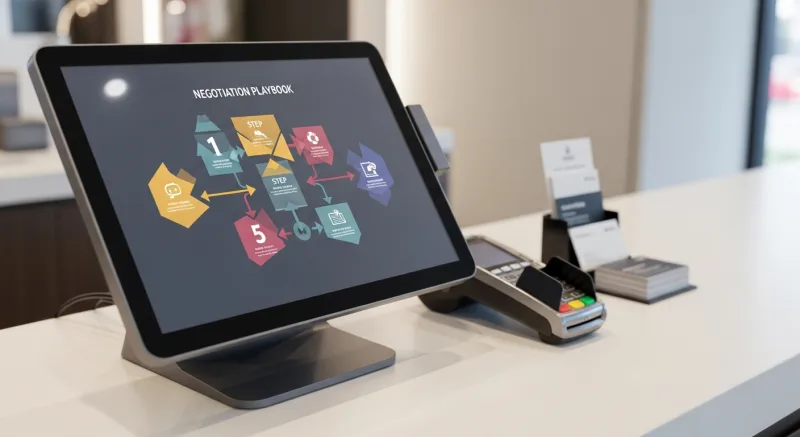
Step 1: Calculate your current effective rate and markup. Use the method above. If you're on tiered or flat-rate pricing, your first move is switching to interchange-plus. Period.
Step 2: Verify your POS supports processor freedom. If your POS locks you to a specific processor (Toast, Square, Clover), you can't negotiate. You need to switch POS first. A processor-agnostic system like KwickOS lets you connect any processor and switch whenever you want. See our KwickOS vs Toast comparison for the full cost analysis.
Step 3: Get three interchange-plus quotes. Contact three processors and give them your monthly volume, average ticket size, and transaction count. Ask for interchange-plus pricing with no annual fee, no PCI compliance fee, and no statement fee. If they won't do interchange-plus, move on.
Step 4: Compare markup only. Since interchange is identical across all processors, the only variable is their markup. Compare the percentage and per-transaction fee. A difference of 0.05% on $50,000/month is $300/year. A difference of 0.10% is $600/year.
Step 5: Renegotiate every 12 months. Set a calendar reminder. Processing is a competitive market and rates drop over time. Your processor would rather lower your markup by 0.05% than lose your account entirely. Use your annual review to get better terms or switch.
For multi-location operators, the leverage is even greater. Our restaurant solutions page shows how chains like Crafty Crab consolidate volume across locations to negotiate enterprise-level interchange-plus rates.
The Interchange Rate Update Schedule (Mark Your Calendar)
Visa and Mastercard update their interchange rates twice per year:
- April — New rates take effect in April. Published 60-90 days before.
- October — Second annual update. Same advance notice.
Why does this matter? Because when interchange goes down, your costs should go down too — if you're on interchange-plus. Processors on tiered or flat-rate models pocket the difference. When the Durbin Amendment capped debit interchange in 2011, flat-rate processors kept charging the same rates. Their margins expanded, and merchants saw none of the savings.
On interchange-plus, the savings flow through automatically. That's the structural advantage of transparency.
Your Processing Statement Is a Profit Leak — Or a Competitive Weapon
Most business owners treat processing fees as a cost of doing business. They are — but they're a negotiable cost that varies by thousands of dollars per year depending on three decisions:
- Your pricing model — Interchange-plus beats tiered and flat-rate every time for businesses processing over $10,000/month.
- Your POS system — Processor-agnostic platforms give you leverage. Locked systems take it away.
- Your knowledge — Understanding interchange categories, reading your statement, and benchmarking your effective rate puts you in control of the negotiation.
A restaurant processing $50,000/month that switches from a locked flat-rate system at 2.99% to interchange-plus at IC + 0.20% + $0.10 saves approximately $4,800 per year. Over five years, that's $24,000 — enough to renovate your dining room, upgrade your kitchen, or fund a full delivery operation with KwickDriver at $2 flat + $6.99 instead of paying DoorDash 25% on every order.
The information has always been public. Your processor just hoped you'd never look.
See Your Real Processing Cost
KwickOS is processor-agnostic — connect any processor, negotiate your own rate, switch anytime. Calculate what you'd save with interchange-plus pricing.
Calculate Your Savings