 Kelly Ho
You opened a juice bar because you believe in healthy living. But somewhere between the third blender breakdown this month and the line of customers walking out during the lunch rush, healthy living started feeling like a losing battle.
Here's the real problem: your ingredient cost is probably fine. Your margins on paper look great — 65%, maybe 70%. But your actual take-home tells a different story.
And that's not all: the gap between your theoretical food cost and your real food cost is where juice bars bleed money. Overpouring, ingredient waste from improper prep, and a checkout process that takes 90 seconds when it should take 15 — these operational failures are costing you $100 to $200 every single day.
Multiply that by 365. You're looking at $36,500 to $73,000 in lost revenue per year from operational inefficiency alone.
This guide covers everything you need to fix it: equipment layout, menu engineering, POS configuration, and the daily workflows that separate juice bars doing $340/day from those doing $800/day in the same square footage.
Equipment Layout: The Station System That Eliminates Bottlenecks
Most juice bars are set up wrong from day one. The owner buys great equipment, places it wherever it fits, and then wonders why two employees keep crashing into each other behind the counter.
Here's the thing: juice bar workflow is fundamentally different from a coffee shop or restaurant. Every order is made from scratch, every ingredient is perishable, and every drink requires 60-90 seconds of active labor. There is no "fire and forget" like putting bread in a toaster.
The solution is a four-station workflow:
Station 1: Order & Pay (POS Terminal or Kiosk)
This station exists for one purpose — capturing the order and collecting payment as fast as possible. The goal is under 30 seconds from "Hi, what can I get you?" to receipt printed.
A POS system with modifier-driven menus is non-negotiable here. Juice orders aren't simple. A customer wants a medium Green Machine, sub almond milk for water, add protein, add collagen, extra spinach. That's five modifiers on a single item. If your cashier is punching in a custom item or scribbling on a cup, you've already lost 30 seconds and introduced error risk.
With a system like KwickOS, every base drink has its modifier groups pre-configured — milk alternatives, protein add-ons, superfood boosters, size options — so the cashier taps through a logical flow. The order fires instantly to the kitchen display system at the blending station. No shouting, no handwritten tickets getting splashed with açaí.
But it gets worse if you're still using a basic cash register or a POS designed for restaurants. Those systems treat every modification like a special instruction. They slow you down. They don't track ingredient-level costs. And they definitely don't let you run a loyalty program that brings health-conscious customers back five times a week.
Station 2: Blending
Two commercial blenders minimum. Three if you do more than $500/day. Vitamix Drink Machine Advance ($500-$700) or Blendtec Stealth ($900-$1,100) are the industry standards. Do not buy consumer-grade blenders — they'll burn out in two weeks at commercial volume.
Position ingredient bins within arm's reach in a cold well or refrigerated rail. Most popular ingredients at the front. Measure cups pre-portioned for small, medium, and large to eliminate overpouring.
A KDS screen mounted at eye level shows incoming orders in queue. The blender operator grabs ingredients, blends, and slides the cup to Station 4. Average time: 45-60 seconds per drink.
Station 3: Juicing
Fresh-pressed juice requires a separate station because the equipment is different (cold-press or centrifugal juicer), the prep is different (whole produce needs washing and cutting), and the cleanup cycle is constant. A Goodnature M-1 cold press ($3,200) handles commercial volume and produces a premium product that commands $9-$12 per 16oz serving.
Pro tip: batch-press your top 3 juices every morning before open. Store in sealed glass bottles in a display cooler for grab-and-go sales. This eliminates juice wait times entirely during rush and adds a retail revenue stream — pre-bottled juices at $10-$14 carry 55-65% margins and require zero labor at point of sale.
Station 4: Topping, Quality Check, and Handoff
Final assembly: granola on açaí bowls, garnishes on juices, lids, straws, and a quick quality check before calling the customer's name. This station also handles gift card sales and loyalty enrollment. When a customer picks up their drink, the handoff person says: "Have you joined our rewards program? You're already halfway to a free smoothie." That 5-second conversation converts 30-40% of new customers into loyalty members on the spot.
Menu Engineering: 15 Items That Outperform 40
The biggest mistake juice bar owners make is offering too many items. A 40-item menu feels impressive on paper. In reality, it means:
- More ingredients to stock, more waste from spoilage
- Longer decision time for customers (adding 30-60 seconds to every order)
- More training for staff, more mistakes during rush
- Higher food cost from low-volume items expiring before they're used
Industry research suggests the sweet spot is 12-18 signature items organized into 4-5 categories:
| Category | Items | Avg Price | Avg Food Cost | Margin |
|---|---|---|---|---|
| Classic Smoothies | 4 | $8.50 | $2.40 | 72% |
| Green Juices | 3 | $9.50 | $3.30 | 65% |
| Protein Shakes | 3 | $10.00 | $2.90 | 71% |
| Acai & Pitaya Bowls | 3 | $12.50 | $4.10 | 67% |
| Seasonal Specials | 2 | $9.00 | $2.60 | 71% |
Now here's where it gets interesting. The real money isn't in the base drinks — it's in the modifiers.
The Modifier Strategy: Where 85% Margins Live
A scoop of protein powder costs you $0.18. You charge $2.00. That's a 91% margin on a single add-on. Collagen peptides: $0.25 cost, $2.00 charge. Spirulina: $0.12 cost, $1.50 charge. CBD oil: $0.40 cost, $3.00 charge.
The average juice bar customer adds 1.3 modifiers per order. The top-performing juice bars? Their customers average 2.4 modifiers per order. The difference comes down to how your POS presents these options.
When a customer orders on a self-ordering kiosk, modifier attachment rates jump 40-60% compared to verbal ordering. Why? No social pressure ("Am I being annoying adding all this stuff?"), visual presentation of each booster with benefits listed, and a smooth tap-to-add interface.
Tiger Sugar, a KwickOS customer with 2 stores and 2 kiosks, saw this exact pattern with their customizable drink orders. Minimal-step personalization plus electronic receipts with loyalty points drove both higher average tickets and repeat visits.
Your POS needs to support:
- Required modifier groups (size selection forces before adding to cart)
- Optional modifier groups with visual prompts (boosters shown as images, not text lists)
- Conditional modifiers (show "extra thick" only for bowls, not juices)
- Price-aware modifiers that update the total in real time
KwickOS handles all of these natively. Every modifier fires to the KDS so the blender operator sees exactly what goes in each drink. No guessing, no waste from misheard add-ons.
POS Configuration That Actually Fits a Juice Bar
Most juice bars make the mistake of using a generic restaurant POS. It works — technically. But it's like using a screwdriver as a hammer. You can do it, but everything takes longer and nothing feels right.
Here's what a juice bar POS needs to do that a restaurant POS often can't:
- Modifier-first order flow. The base item is almost secondary. A "Build Your Own Smoothie" button should open a guided flow: choose base → choose liquid → add fruits → add boosters → choose size. Not a flat list of 200 items.
- Speed screen for regulars. If 60% of your orders are the same 5 drinks, those should be one-tap from the home screen. KwickOS lets you build custom speed screens per station.
- Real-time ingredient tracking. Every smoothie that gets rung up should automatically deduct bananas, blueberries, almond milk, and protein from your inventory. At the end of the day, you should know your theoretical vs. actual usage — and the variance tells you exactly where waste is happening.
- Gift card and e-gift card support. Juice bars are one of the top gift card categories in food service. "Give the gift of health" is a messaging goldmine, especially around New Year's and back-to-school season. Your POS needs to sell physical gift cards, send digital e-gift cards via email or text, and redeem both seamlessly at checkout. KwickOS supports all of this — and e-gift cards have zero production cost compared to $0.75-$1.50 per physical card.
- Built-in loyalty program. Health-conscious customers are creatures of habit. They come every day or every other day. A points-based loyalty program that rewards this frequency is the single most effective retention tool for juice bars. Digital punch cards are dead — your POS should track visits and spending automatically and deliver rewards without the customer thinking about it.
- Processor-agnostic payments. You're already operating on thin net margins (15-20% after labor and rent). You cannot afford to lose an extra 0.5-0.8% on every transaction to a locked-in processor. A processor-agnostic POS like KwickOS saves the average juice bar $3,000-$5,000/year in payment processing alone.
And that's not all. Your POS should work even when your WiFi drops — because it will. During the lunch rush. When you have 15 people in line. KwickOS runs on a hybrid local+cloud architecture with 1ms local response time. If your internet goes down, orders keep flowing, payments keep processing, and the KDS keeps displaying. When connectivity returns, everything syncs automatically.
Daily Workflow: The 3-Phase Operating System
The highest-performing juice bars run on a tight three-phase daily cycle. Here's what separates the $340/day operators from the $800/day operators in the same square footage.
Phase 1: Pre-Open Prep (60-90 minutes before opening)
- Batch-press top 3 juice flavors, bottle for grab-and-go cooler
- Pre-portion frozen fruit packs for the 5 most popular smoothies
- Cut and prep all produce (wash, peel, portion into bins)
- Stock blending stations with full ingredient rails
- Test all equipment — blenders, juicer, POS, card reader, KDS
- Print daily special signage (or update digital signage remotely)
Pre-portioned ingredient packs are the single biggest speed hack in juice bar operations. Instead of measuring bananas, blueberries, and spinach for every Green Monster during rush, your blender operator grabs one pre-made pack, dumps it in, adds liquid, blends. Time saved per drink: 20-30 seconds. Over 100 drinks a day, that's 33-50 minutes of labor recovered.
Phase 2: Service (All Operating Hours)
During service, the four-station system runs continuously. Key metrics to track on your POS dashboard:
| Metric | Target | Red Flag |
|---|---|---|
| Average order time (POS to handoff) | Under 3 minutes | Over 5 minutes |
| Average ticket size | $11.50+ | Under $8.00 |
| Modifier attachment rate | 2.0+ per order | Under 1.0 |
| Loyalty enrollment rate | 40%+ of new customers | Under 15% |
| Transactions per labor hour | 12+ | Under 7 |
If your average ticket is under $8.00, your modifier game needs work. If your order time is over 5 minutes, your station layout or prep system is broken. The POS should give you these numbers in real time — not in a spreadsheet you build at midnight.
Phase 3: Close-Down & Inventory (30-45 minutes after close)
- Deep clean all blenders and juicers (disassemble, sanitize, air dry)
- Run end-of-day inventory count on perishables
- Compare POS theoretical usage vs. actual inventory levels
- Flag any variance over 5% for investigation
- Prep next-day order list based on par levels
- Review daily sales report — identify top sellers, slow movers, and modifier trends
That inventory variance check is where most juice bars find their hidden losses. If your POS says you should have 14 bananas left but you only have 8, someone is overpouring, produce is spoiling, or portions aren't standardized. Across a month, that's $400-$800 in banana waste alone — and bananas are cheap. Imagine the variance on açaí packets at $3.50 each.
Pricing Strategy: The Psychology of a $12 Açaí Bowl
Juice bars operate in a unique pricing environment. Your customers are health-conscious, often affluent, and willing to pay premium prices — but only if the perceived value matches.
Here's the framework that works:
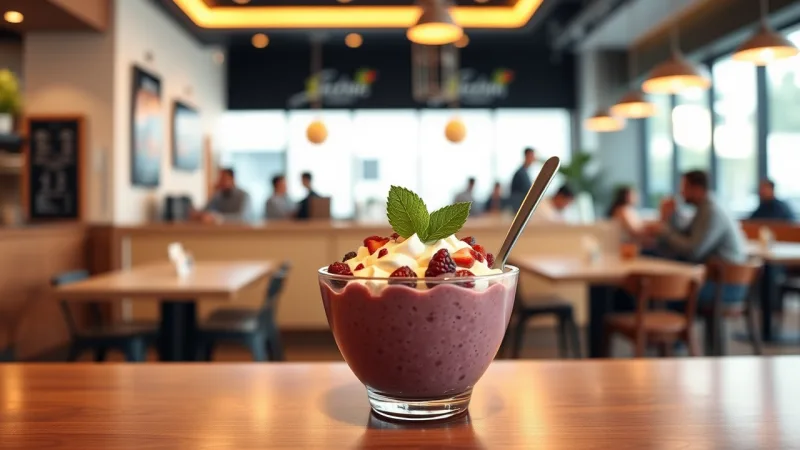
- Anchor high with bowls. Açaí and pitaya bowls at $12-$15 make your $8.50 smoothies feel reasonable. Always list bowls first on the menu.
- Three sizes, push the middle. Small ($6), Medium ($8.50), Large ($10.50). The medium should be the obvious choice — and the most profitable. Most customers pick it, and the incremental ingredient cost from small to medium is only $0.40-$0.60.
- Name your boosters, don't just list them. "Collagen Beauty Boost — $2.00" outperforms "Collagen — $2.00" by a significant margin according to restaurant industry data. Give each add-on a benefit-driven name.
- Seasonal premium. Limited-time seasonal drinks should be priced $1-$2 above your regular menu. Scarcity + novelty = willingness to pay more. Rotate monthly.
Use your POS data to test prices. Raise the price of your best seller by $0.50. If volume doesn't drop more than 5-8% over two weeks, keep it. That $0.50 increase on 40 daily orders = $7,300/year in pure profit. Run this experiment using our food cost calculator to model the impact before committing.
Gift Cards and Loyalty: Your Two Secret Weapons
Juice bars have a unique advantage when it comes to gift cards and loyalty programs — your customers visit frequently. A coffee shop customer might visit 3-4 times per week. A juice bar regular visits just as often, with a higher average ticket.
Gift card strategy for juice bars:
- New Year's resolution season (January) — "Give the Gift of Health" campaign. E-gift cards sent by text or email with a health-themed digital wrapper. Zero cost to produce, instant delivery.
- Back-to-school (August-September) — Parent-to-college-student gift cards. $50 denomination with a bonus $10 (funded from your marketing budget at $10 cost to you, returning a customer worth $300+/year).
- Corporate wellness — Sell bulk gift cards to local gyms, yoga studios, and corporate wellness programs. A $500 bulk order at 10% discount still earns you $450 in guaranteed revenue, plus 15-20% gift card breakage (unused balance) becomes pure profit.
Loyalty program design:
Points-per-dollar works better than stamps for juice bars. Here's why: a $12 açaí bowl buyer and a $6 small smoothie buyer shouldn't earn the same reward for one visit. Points-per-dollar rewards your highest spenders proportionally.
A structure like 1 point per $1 spent, with a $5 reward at 50 points, gives you a 10% effective discount that feels generous without destroying margins. KwickOS tracks this automatically at the POS — customers just provide their phone number at checkout. No app download required, no card to carry.
Rockin' Rolls Sushi Express, a KwickOS customer with 3 stores and 49 iPad self-ordering stations, saw similar loyalty dynamics. When the reward is frictionless, customers engage. When it requires extra steps, they don't.
The Checkout Flow: 15 Seconds, Not 90
Let's talk about the moment of truth — when the customer is standing at your register, ready to pay.
On a typical generic POS, here's what happens: cashier finds the item (5 seconds), opens modifier screen (3 seconds), selects size (2 seconds), scrolls for add-ons (5 seconds), confirms order (2 seconds), customer taps card (3 seconds), receipt prints (2 seconds), asks about loyalty — wait, the system doesn't have loyalty. Total: 22+ seconds minimum, and that's without any fumbling.
On a properly configured KwickOS system: cashier taps speed button or customer scans at kiosk (1 second), modifier flow auto-prompts in sequence (3 seconds), customer taps contactless payment (2 seconds), loyalty points auto-applied by phone number (1 second), order fires to KDS instantly. Total: 7-10 seconds.
Over 100 daily transactions, that's 20+ minutes of labor saved per day just at checkout. But the real win is throughput. During a lunch rush with 15 people in line, 10-second orders mean your line clears in under 3 minutes. With 22-second orders, it takes 5.5 minutes — and the people at the back walk out.
Every customer who walks out of a juice bar line represents $8-$12 in lost revenue. If you lose just 5 customers per day to line length, that's $14,600-$21,900/year in walkaway revenue.
Multi-Language Support: Reaching Every Customer
If your juice bar is in a diverse urban area — and most are — multi-language support isn't optional. KwickOS operates in English, Chinese, and Spanish natively, both for staff-facing POS screens and customer-facing kiosks and receipts.
For self-ordering kiosks, language selection on the welcome screen means every customer can navigate modifiers, allergen info, and payment in their preferred language. It's the difference between a confused customer ordering a plain smoothie and a confident customer adding three boosters.
Scaling: From 1 Location to 3+
Once your single juice bar is running efficiently, the playbook for scaling is straightforward — if your technology supports it.
Crafty Crab Seafood scaled from 1 to 19 locations using KwickOS's centralized management. For juice bars, the same principle applies: one-click menu sync across all locations, centralized pricing control, and consolidated reporting so you can compare performance across stores from a single dashboard.
T. Jin China Diner manages 15 stores and 75 terminals remotely through KwickOS. The same infrastructure works for juice bar chains — update a seasonal menu at HQ, push it to all locations in seconds, and monitor real-time sales from your phone.
The processor-agnostic advantage magnifies with scale. If you're processing $40,000/month across 3 locations, switching from a locked processor at 2.99% to negotiated interchange-plus saves $7,200-$9,600/year. That covers the annual rent increase on one location. Compare your options on our KwickOS vs. Toast comparison page.
Ready to Optimize Your Juice Bar Operations?
KwickOS gives juice and smoothie bars modifier-driven menus, real-time inventory tracking, built-in loyalty programs, and processor-agnostic payments — all in one platform. See why 5,000+ businesses across 50 states trust KwickOS.
Get Your Free Demo