
 Kelly Ho
Imagine walking into your restaurant Monday morning. You open the walk-in freezer and the air hits you — warm. The compressor died sometime overnight. Inside: $8,400 worth of proteins, seafood, and frozen desserts, all above 40°F for hours. Every item has to be thrown away.
Now multiply that by the health department fine that's coming because your temperature logs show a gap — or worse, they show someone penciled in "36°F" at 11 PM when the unit was already failing.
This scenario costs the average restaurant between $5,000 and $15,000 per incident. According to restaurant industry data, equipment failures account for roughly $34,000 in annual losses across food spoilage, emergency repairs, and health code penalties for a typical full-service restaurant.
Here's the thing: a $200 wireless sensor could have sent a text message the moment that freezer climbed above 38°F. The repair tech could have been called at 2:15 AM instead of discovered at 7 AM. The inventory would have been saved.
That's what IoT (Internet of Things) sensors do for restaurant kitchens. And the technology has gotten cheap enough, reliable enough, and simple enough that there's no longer a good reason not to use it.
What IoT Sensors Actually Do in a Restaurant Kitchen
Strip away the buzzwords and IoT sensors are straightforward: small wireless devices that measure something (temperature, humidity, door openings, energy draw) and send that data to a central hub, which forwards it to your phone, your POS dashboard, or both.
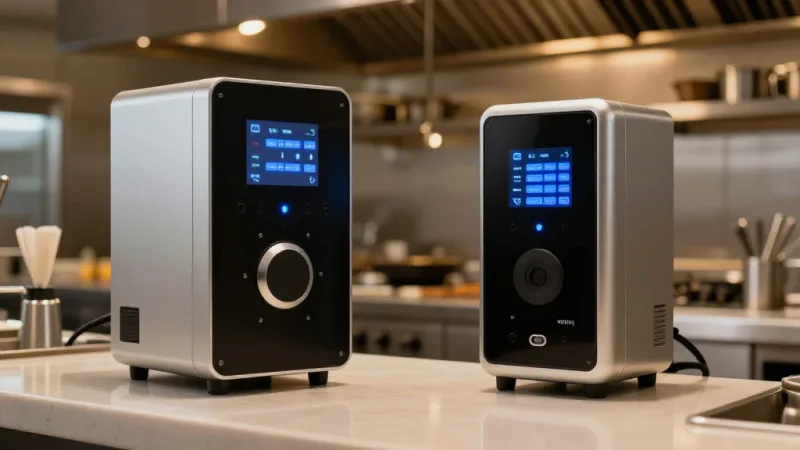
The five categories of sensors that matter for restaurants:
- Temperature sensors — Monitor walk-ins, reach-ins, hot-holding units, and prep stations. The most critical and highest-ROI sensor type.
- Door/contact sensors — Track how often and how long cooler and freezer doors stay open. A walk-in door left ajar for 20 minutes can raise internal temp by 8-12°F.
- Humidity sensors — Essential for dry storage areas where moisture causes premature spoilage of grains, spices, and baking supplies.
- Energy monitors — Clamp onto equipment electrical lines to detect unusual power draw patterns that signal compressor strain or heating element failure before a full breakdown.
- Leak/water sensors — Placed under dishwashers, ice machines, and water heaters to catch leaks before they become floods.
But it gets worse when you realize what most restaurants are doing instead: manual temperature logging. A line cook writes down numbers on a clipboard every 2-4 hours. Industry research suggests that up to 40% of manual temperature logs contain fabricated entries — staff writing down the expected number without actually checking.
The Real Cost of Not Monitoring: A Breakdown
Let's put actual numbers to what unmonitored equipment costs a restaurant annually.
| Loss Category | Average Annual Cost | How IoT Prevents It |
|---|---|---|
| Walk-in/freezer failure (1-2 incidents) | $5,000 - $15,000 | Instant alerts at first temp deviation |
| Health code violations | $1,000 - $5,000 | Automated HACCP-compliant logs |
| Energy waste (inefficient equipment) | $3,000 - $8,000 | Power draw monitoring flags inefficiency |
| Gradual spoilage (slow temp drift) | $2,000 - $6,000 | Trend analysis catches drift before loss |
| Total preventable losses | $11,000 - $34,000 |
Now compare that to the cost of a sensor system: $500-$2,000 in hardware, $30-$100/month in monitoring fees. You're looking at full ROI in 2-4 months. After that, every prevented incident is pure savings.
And that's not all: the energy monitoring alone can pay for the system. A compressor running 18% harder than it should because of a worn gasket draws an extra $40-$60/month in electricity — and left unchecked, it burns out the compressor entirely, costing $2,000-$5,000 to replace.
How to Set Up IoT Monitoring: The Practical Guide
Here's the step-by-step for getting smart sensors into your kitchen without overcomplicating it.
Step 1: Prioritize Your Equipment
Don't sensor everything at once. Start with the equipment that holds the most inventory value and has the highest failure risk:
- Walk-in freezer — Highest inventory value, most catastrophic when it fails overnight
- Walk-in cooler — Second highest value, fails more frequently than freezers
- Reach-in refrigerators — Line units that open 200+ times per shift
- Hot-holding equipment — Health code compliance critical
- Ice machines — Often the canary in the coal mine for kitchen infrastructure issues
For a single-location restaurant, 4-6 sensors cover the critical equipment. Multi-location operators like Crafty Crab Seafood (19 stores, 152 terminals) deploy centralized monitoring dashboards that aggregate sensor data across every location — one operations manager can watch temperature compliance at all 19 kitchens from a single screen.
Step 2: Choose Your Sensor Hardware
Here's the thing most vendors won't tell you: the sensors themselves are commodity hardware. What matters is the gateway, the software platform, and how it integrates with your existing systems.
Key specs to look for:
- Wireless range — At least 300 feet through walls (commercial kitchens have steel and tile that kill signal)
- Battery life — 2+ years minimum. Anything less means constant maintenance headaches
- Reporting interval — Every 5 minutes for temperature, every 1 minute for door sensors
- Local storage — The gateway must store data locally during internet outages
- Alert channels — SMS, push notification, email, and ideally POS dashboard integration
That last point matters more than most people realize. When your IoT alerts live in a separate app from your POS, your sales data, and your inventory system, you're managing multiple dashboards. KwickOS's hybrid local+cloud architecture is built for exactly this kind of integration — sensor data flowing into the same dashboard where you track sales, inventory, and labor. And because KwickOS processes data locally at 1ms latency, temperature alerts don't depend on cloud round-trips. Even if your internet drops, the local system continues monitoring and triggering alarms.
Step 3: Configure Alert Thresholds
Default thresholds are almost never right for your specific equipment. Here are the settings that actually work:
| Equipment | Target Temp | Warning Alert | Critical Alert |
|---|---|---|---|
| Walk-in freezer | 0°F (-18°C) | +5°F above target | +15°F above target |
| Walk-in cooler | 36°F (2°C) | +3°F above target | +5°F (above 41°F = danger zone) |
| Reach-in refrigerator | 38°F (3°C) | +2°F above target | +3°F above target |
| Hot holding | 140°F+ (60°C) | -5°F below target | Below 135°F |
Set a time delay on warning alerts — 10 minutes before firing. Walk-in doors opening during delivery or prep cause temporary spikes that resolve on their own. You don't want alert fatigue killing the system's credibility with your team.
Predictive Maintenance: The Game-Changer You Didn't Know You Needed
Temperature monitoring is reactive — it tells you something went wrong. Energy monitoring is predictive — it tells you something is about to go wrong.
Here's how it works: every refrigeration compressor draws a predictable amount of power. When a condenser coil gets dirty, a door gasket weakens, or refrigerant starts leaking, the compressor works harder. Power draw increases 10-20% before any temperature change is visible.
An energy monitoring sensor catches this pattern weeks before failure. You schedule a $150 maintenance call instead of dealing with a $5,000 emergency repair and $8,000 in lost inventory.
T. Jin China Diner — with 15 stores and 75 terminals — uses centralized equipment monitoring across all locations. Their operations team reviews energy trends weekly and schedules preventive maintenance during off-hours. The result: zero unplanned equipment failures in the last 18 months across all 15 locations.
But it gets better: the data compounds over time. After 6-12 months of monitoring, you have a complete energy profile of every piece of equipment. You know which units are aging, which are running inefficiently, and exactly when to budget for replacements — not when they force your hand by failing on a Saturday night.
HACCP Compliance on Autopilot
If you've ever watched a line cook scribble "38" on a temperature log without touching a thermometer, you know the dirty secret of manual HACCP compliance. It's theater.
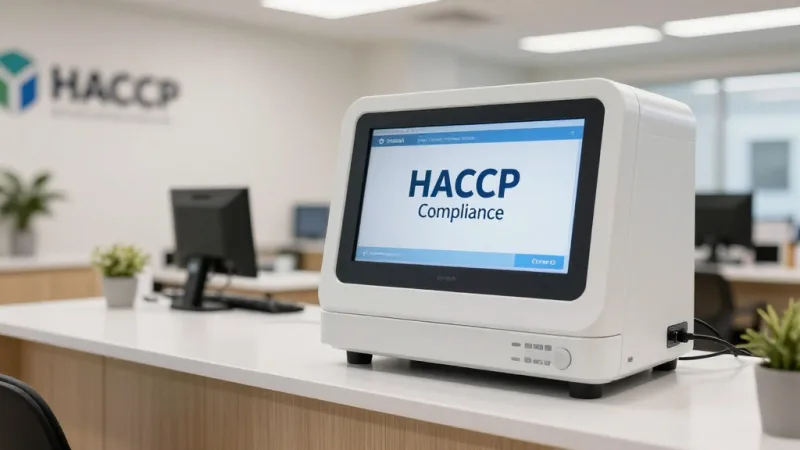
IoT sensors eliminate this entirely. Every temperature reading is automatically recorded with a timestamp, stored in an immutable digital log, and available for instant export when the health inspector asks for documentation.
The compliance benefits:
- Continuous monitoring — Readings every 5 minutes vs. manual checks every 2-4 hours
- Tamper-proof records — No one can fabricate or alter sensor data after the fact
- Instant inspection readiness — Pull up 90 days of data on your phone in 10 seconds
- Corrective action documentation — Alerts create timestamped records showing when an issue occurred and when it was resolved
This is where POS integration becomes especially powerful. When your sensor data, food cost data, and inventory management live in the same system, you can correlate temperature excursions with specific inventory batches. If the walk-in hit 45°F for 90 minutes Thursday night, you know exactly which items received that day need to be pulled — no guesswork, no blanket disposal.
Gift Cards, Loyalty, and the IoT Connection You're Missing
Here's a pattern interrupt that connects two seemingly unrelated systems: your IoT monitoring data directly impacts your gift card and loyalty program profitability.
Think about it. Every time a freezer failure forces you to 86 menu items the next day, customers who came in specifically to redeem a gift card or use loyalty points on their favorite dish leave disappointed. That's not just a lost sale — it's a damaged relationship with your most valuable customers. Loyalty members visit 2-3x more often than non-members, according to restaurant industry data.
KwickOS connects these systems. When inventory is flagged from a temperature event, the POS automatically updates available menu items, and the CRM and loyalty module can trigger a targeted notification to loyalty members: "Your favorite Seafood Platter is back tomorrow — here's 50 bonus points for your patience." That turns a crisis into a retention moment.
The same logic applies to e-gift card promotions. Running a holiday gift card push? IoT monitoring ensures your kitchen can actually fulfill the increased demand those gift cards will generate during redemption season. Nothing kills gift card ROI faster than operational failures during your busiest weeks.
Energy Tracking: The Hidden Savings Layer
Restaurant kitchens consume 2.5 to 3.5 times more energy per square foot than any other commercial building type. For a typical full-service restaurant, that's $3,000 to $8,000 per year in energy costs just for refrigeration and HVAC.
IoT energy monitors reveal exactly where that money goes:
- Equipment cycling patterns — A healthy compressor cycles on/off at regular intervals. Constant running means trouble.
- After-hours waste — Is equipment running harder at night because the AC shuts off and ambient kitchen temp rises?
- Peak demand charges — Some utility plans charge premium rates during peak hours. Knowing which equipment draws the most power lets you schedule ice production and other deferrable loads to off-peak times.
- End-of-life identification — When a 12-year-old reach-in draws 35% more power than its rated specification, the math on replacing it becomes obvious.
Shogun Japanese Hibachi discovered through energy monitoring that their teppanyaki grills were drawing 22% more power than specification because of worn heating elements. The $600 repair saved an estimated $1,800/year in energy costs — and their kitchen display station, set up with customized views in under 5 minutes on KwickOS, now shows an energy dashboard alongside order tickets.
Multi-Location Monitoring: One Dashboard, Every Kitchen
The ROI of IoT monitoring multiplies with scale. A single-location operator saves thousands. A multi-location group saves tens of thousands — and gains operational visibility that's impossible with manual processes.
What centralized monitoring looks like in practice:
- Real-time status grid — Green/yellow/red status for every piece of monitored equipment across all locations
- Automated compliance reports — Weekly and monthly temperature logs generated and emailed to district managers
- Comparative analytics — Which locations have the most door-open events? Which have the highest energy costs per revenue dollar? Where are gaskets failing fastest?
- Predictive budgeting — Equipment age and performance data feeds directly into CapEx planning
This is how operations teams at groups like Crafty Crab Seafood manage 19 locations without physically visiting every kitchen daily. The data comes to them — and it tells the truth, unlike the phone call where a manager says "everything's fine."
KwickOS's processor-agnostic architecture matters here too. When you're not locked into a single vendor's ecosystem, you can choose IoT hardware that fits your specific kitchen layout, connect it through open APIs, and avoid the $3,000-$8,000/year premium that locked-in POS platforms charge. That savings alone can fund IoT sensors for every location.
The Checkout Connection: How IoT Data Improves Front-of-House
Smart kitchen monitoring doesn't just prevent losses — it speeds up service. When your POS system knows in real-time which equipment is at capacity, it can intelligently manage order flow.
At checkout, this means:
- Automatic 86ing — Items requiring equipment that's down are removed from kiosks, online ordering, and server terminals instantly
- Prep time accuracy — If the fryer is recovering temperature, quoted wait times adjust automatically
- Smart upselling — The POS suggests alternatives when monitored equipment flags an issue, keeping average ticket size up
Rockin' Rolls Sushi Express runs 49 iPad self-ordering stations across 3 stores. When their sushi prep cooler at one location showed a temperature warning, the system automatically added a 5-minute delay to raw fish items on all 16 tablets at that location while the unit recovered — no manager intervention needed.
Implementation Timeline and Budget
Here's a realistic deployment plan for a single-location restaurant:
| Week | Action | Cost |
|---|---|---|
| Week 1 | Audit equipment, order sensors and gateway | $500 - $1,500 |
| Week 2 | Install sensors, configure thresholds and alerts | $0 - $200 (install) |
| Week 3 | Baseline monitoring — learn normal patterns, adjust alert thresholds | $30 - $100/month |
| Week 4+ | Full operation — automated logging, POS integration, energy tracking | Ongoing monthly |
Total first-year cost: $860 - $3,400. Total first-year preventable losses: $11,000 - $34,000. The math speaks for itself.
Want to calculate the exact savings for your operation? Use our restaurant cost calculator to model equipment loss scenarios against monitoring costs.
Connect Your Kitchen to Your POS
KwickOS integrates IoT sensor data with your POS, inventory, and loyalty systems — all on one dashboard. See how smart monitoring fits into your operation.
Get a Free ConsultationFrequently Asked Questions
How much does a restaurant IoT sensor system cost to install?
A basic IoT monitoring setup for a single-location restaurant costs between $500 and $2,000 for hardware (wireless temperature sensors, a gateway hub, and optional door sensors). Monthly monitoring service fees range from $30 to $100. Most restaurants see full ROI within 2-4 months from prevented food loss alone.
Can IoT sensors help pass health inspections?
Yes. IoT sensors create automated, timestamped temperature logs that health inspectors accept as HACCP-compliant documentation. This eliminates manual temp logging (which is often fabricated or missed), provides a continuous audit trail, and immediately flags any temperature excursion before it becomes a violation.
What happens if the internet goes down — do IoT sensors still work?
Quality IoT sensor systems store data locally on the gateway hub during internet outages and sync when connectivity returns. The sensors themselves continue monitoring and will trigger local alarms (audible alerts) even without internet. Paired with a hybrid local+cloud POS like KwickOS, your entire operation stays functional offline.
Which kitchen equipment should be monitored with IoT sensors first?
Start with walk-in coolers and freezers — they hold the most inventory value and fail most often overnight when no one is watching. Next priority is reach-in refrigerators on the line, then hot-holding equipment. A single walk-in freezer failure can destroy $5,000-$15,000 in inventory in under 8 hours.
How do IoT sensors integrate with a POS system?
Modern POS platforms like KwickOS can receive IoT sensor data through API integrations, displaying real-time equipment status on the manager dashboard. This means temperature alerts, energy usage, and equipment health appear alongside sales data, inventory levels, and labor costs — giving operators a single pane of glass for the entire operation.