
 Ming Ye
You spent money designing them. You loaded them into your POS. You maybe even posted about them on Instagram once.
And then you put them on a shelf near the entrance and forgot about them.
Here's the problem: gift cards placed on a back wall or near the door sell at roughly one-third the rate of gift cards placed at the checkout counter. That's not a rounding error. That's the difference between a gift card program that barely covers its printing costs and one that deposits $12,000+ per year into your account — much of it pure profit, since according to industry research, around 15% of gift card value is never redeemed.
But it gets worse: most business owners never test placement at all. They pick a spot, leave the cards there, and assume that's just "what gift card sales look like" for their business.
It's not. It's what gift card sales look like for that spot.
This guide breaks down exactly where to place gift cards, how to package them, when to rotate displays, and — most importantly — how to turn your checkout staff into a passive gift card sales engine without a single awkward script.
Why Gift Card Placement Matters More Than Gift Card Design
Walk into any grocery store. Notice where they keep the gift cards. It's not an accident that they're stacked at eye level, right next to the register, in a dedicated spinning rack that customers bump into while waiting in line.
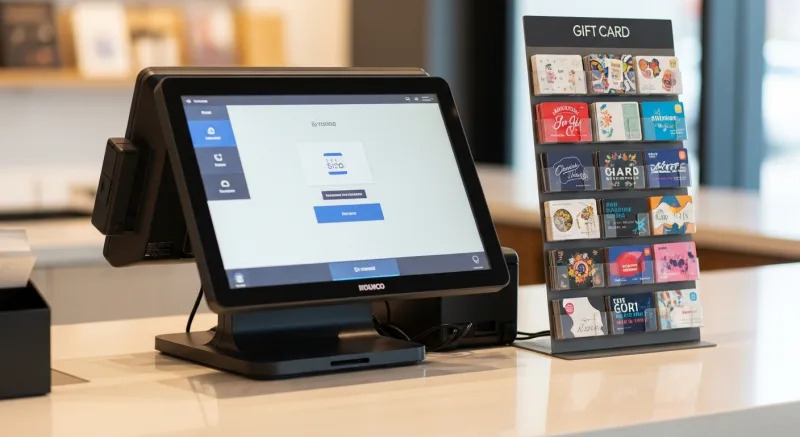
Grocery chains figured this out decades ago: gift cards are impulse purchases. Nobody wakes up planning to buy one. They see them, remember someone's birthday, and grab one while they're already paying for something else.
And that's not all: the psychology works the same way in restaurants, salons, retail shops, and coffee shops. The customer has their wallet out. They're in a spending mindset. The friction of one more purchase is nearly zero.
Move that same gift card display 15 feet away from the register — to a wall, an entrance table, or a waiting area — and the impulse dies. The customer would have to leave the checkout line, walk over, pick up a card, walk back, and add it to their transaction. That's five extra steps. In retail psychology, each step eliminates roughly 40% to 60% of potential buyers.
Here's the thing: you don't need a psychology degree to get this right. You just need to follow the data.
The 4 Display Zones, Ranked by Conversion
Not all locations in your store or restaurant are created equal. Based on merchandising data from retail and hospitality businesses, here's how gift card display locations rank:
Zone 1: The Checkout Counter (Best)
This is the highest-converting position in any business. Customers are already paying. Their wallet is out. The decision to add a $25 or $50 gift card is nearly frictionless.
What works here:
- A small acrylic holder or display rack within arm's reach of the customer
- 3-4 denomination options visible ($25, $50, $100, custom amount)
- Seasonal sleeve or envelope sitting next to the cards
- A small sign: "Gift cards available — any amount"
The key is visibility without clutter. A single, clean display next to the terminal converts better than a sprawling rack that competes with tip jars, mints, and business cards for counter space.
And that's not all: if your POS system supports e-gift cards, place a small QR code next to the physical display that lets customers purchase digital gift cards on their phone and send them instantly. This captures the "I want to send one right now" impulse that physical cards can't fulfill.
Zone 2: The Wait Area (Good)
Restaurants with a host stand or waiting area have a natural second display location. Customers waiting 10 to 20 minutes for a table are browsing, fidgeting, and looking for something to do. A gift card display on or near the host stand catches them in this idle moment.
What works here:
- A tabletop display with a "Give the gift of [your restaurant name]" header
- Cards pre-loaded in seasonal packaging ready to grab
- A note that says "Ask your server or the host to activate any amount"
Wait-area displays work especially well during holidays when customers are already thinking about gifts. They don't convert as well as register displays because the customer still has to take action later (give the card to a server or cashier to activate), but they plant the seed.
Zone 3: Tabletop or Menu Insert (Moderate)
For restaurants, a small table tent or menu insert that mentions gift cards catches customers during the meal — when they're enjoying the experience and most likely to think "my friend would love this place."
This works best as a complement to register placement, not a replacement. The table tent creates awareness; the register display closes the sale.
Zone 4: Wall Display or Entrance (Weakest)
This is where most businesses put their gift cards by default. And it's the worst-performing position.
Wall displays and entrance racks suffer from two problems: customers walk past them before they're in a buying mindset, and the cards are physically separated from the point of payment. The result is predictable — gift cards that sit there for months, occasionally noticed but rarely purchased.
If your only current display is a wall or entrance position, move it to the register today. According to industry merchandising research, businesses that relocate gift card displays from back-wall or entrance positions to checkout counters typically see a 200% to 240% increase in gift card unit sales within the first 30 days.
Seasonal Packaging: The $0.12 Investment That Adds 28% to Sales
A plain gift card looks like a last-minute afterthought. A gift card in a holiday envelope looks like a thoughtful present.
Here's the thing: the actual product is identical. The perceived value is not.
Seasonal packaging — printed cardstock sleeves, holiday envelopes, or branded gift boxes — transforms a piece of plastic into something that feels gift-ready. The customer doesn't need to find wrapping paper, a card, or an envelope. They can hand it directly to the recipient and it looks intentional.
The math on seasonal packaging:
- A printed holiday sleeve costs $0.08 to $0.15 per unit in bulk
- A branded gift box costs $0.40 to $0.75 per unit
- Industry data suggests seasonal packaging increases gift card sales by 28% to 45% during peak gifting periods
- The ROI is enormous: $0.12 in packaging cost on a $50 gift card that wouldn't have otherwise sold
Seasonal rotation schedule that works:
| Season | Packaging Theme | Peak Sales Window |
|---|---|---|
| Valentine's Day | Red/pink envelope, "Date Night" messaging | Feb 1–14 |
| Mother's Day / Father's Day | "For Mom/Dad" sleeve, family-themed | April 25–May 11 / May 25–June 15 |
| Graduation | "Congrats Grad" envelope | May 1–June 15 |
| Holiday / Christmas | Festive sleeve, ornament-style box | Nov 15–Dec 25 |
| Year-round | Branded sleeve with your logo | Always available |
Want to calculate the revenue impact for your specific business? Use our free gift card revenue calculator to see what seasonal packaging could add to your bottom line.
The Staff Prompt: 22% More Sales From One Sentence
Display placement gets the card in front of the customer. Seasonal packaging makes it look gift-worthy. But it's the staff prompt that closes the sale.
Now here's where most businesses get it wrong: they write a long script, train the staff once, and watch compliance drop to zero within a week. Nobody wants to deliver a pitch. And customers can smell a rehearsed upsell from across the room.
What works instead is one natural sentence, delivered at the right moment:
"Would you like to grab a gift card for anyone today?"
That's it. One question. No pitch. No benefits list. No awkward pause waiting for a response.
This approach works because it's conversational, not transactional. The customer says yes or no, and the interaction moves on. But that one question, asked consistently, increases gift card sales by 22% to 35% — because it reminds customers of something they were already vaguely thinking about.
When to ask:
- After the total is announced but before payment is processed
- During holiday weeks (November through January, Valentine's week, Mother's Day week)
- When the customer mentions a birthday, anniversary, or celebration during the meal
How to sustain consistency:
Tie gift card sales to a small staff incentive. Even $0.50 to $1.00 per gift card sold keeps the prompt top of mind without requiring management to monitor every interaction. With a POS system that tracks gift card activations by employee, you can run weekly leaderboards and reward your top sellers.
Diva Nail Beauty runs exactly this system across their 4 locations. Their POS tracks every gift card activation by employee, making it easy to see who's prompting and who isn't. The result: consistent gift card revenue month over month, even outside peak holiday windows. Their automated commission tracking — which increased overall operational efficiency by 90% — extends to gift card incentives seamlessly.
How Your POS System Makes or Breaks Gift Card Merchandising
Here's what nobody talks about: your gift card display strategy is only as good as your checkout flow.
If activating a gift card takes 8 taps, a manager override, and a separate receipt, your staff will stop asking. If the customer has to wait an extra 90 seconds while the cashier fumbles through menus, the impulse dies and the person behind them in line gets irritated.
But it gets worse: some POS systems don't even support custom-amount gift cards. The customer wants to load $75, but the system only offers $25, $50, or $100. Sale lost.
What a good gift card checkout flow looks like:
- Cashier taps "Gift Card" on the POS (one tap)
- Enters any custom amount or selects a preset denomination
- Swipes or scans the physical card — or generates an e-gift card code on the spot
- Card activates instantly, receipt prints with balance
- Total time: under 15 seconds
KwickOS handles this in 2 taps. Physical cards, e-gift cards, custom amounts, balance checks, and reload — all from the same checkout screen. No separate module. No manager override. No switching between apps.
And because KwickOS runs on a hybrid local + cloud architecture, gift card activation works even if your internet connection drops. The transaction processes locally in under 1ms and syncs to the cloud when connectivity returns. For multi-location businesses like T. Jin China Diner (15 stores, 75 terminals), this means a gift card purchased at one location can be redeemed at any other location — and the balance updates in real time across all 15 stores.
Compare that to POS systems that require cloud connectivity for every gift card transaction. Internet goes down during the Saturday dinner rush? No gift card sales. No gift card redemptions. No balance checks. Your staff has to tell the customer "sorry, our system is down" — and that customer's impulse to buy a gift card evaporates permanently.
E-Gift Cards: The Display That Doesn't Need a Counter
Physical gift card displays are limited by physical space. E-gift cards are not.
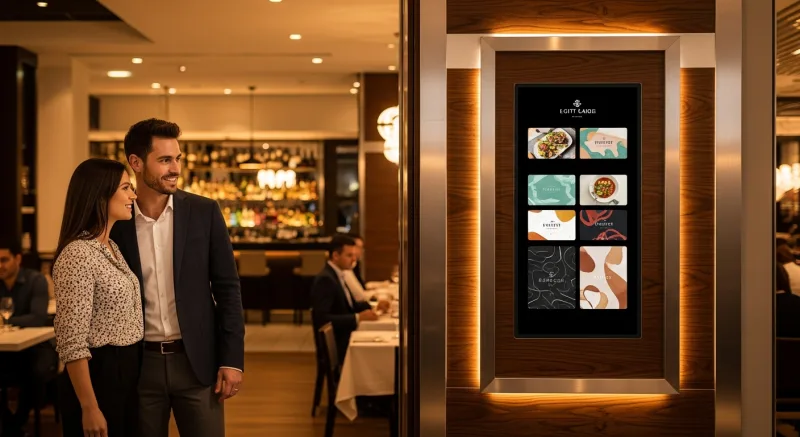
A well-designed e-gift card program extends your gift card merchandising to every channel where customers interact with your brand:
- Your website — a "Send a Gift Card" button on your homepage and menu page
- Social media — Instagram story links, Facebook shop integration
- Email campaigns — "Give the gift of [restaurant name]" during holidays
- Google Business Profile — direct link to purchase
- In-store QR code — next to your physical display for customers who prefer digital
According to industry data, digital gift card purchases have grown significantly year over year, with mobile purchases driving much of that growth. Businesses that offer both physical and digital gift cards typically see 35% to 50% more total gift card revenue than those offering only one format.
The key is making e-gift card purchase as frictionless as physical. With KwickOS, customers can buy e-gift cards through your first-party ordering site (powered by KwickMenu), receive them instantly via email or text, and redeem them at any location. The gift card, loyalty points, and customer profile all live in one system — so when someone redeems a $50 e-gift card, they also earn loyalty points on the purchase, encouraging them to come back and spend their own money next time.
The Loyalty Connection: Gift Cards That Build Repeat Customers
Here's where most businesses miss the biggest opportunity in gift card merchandising.
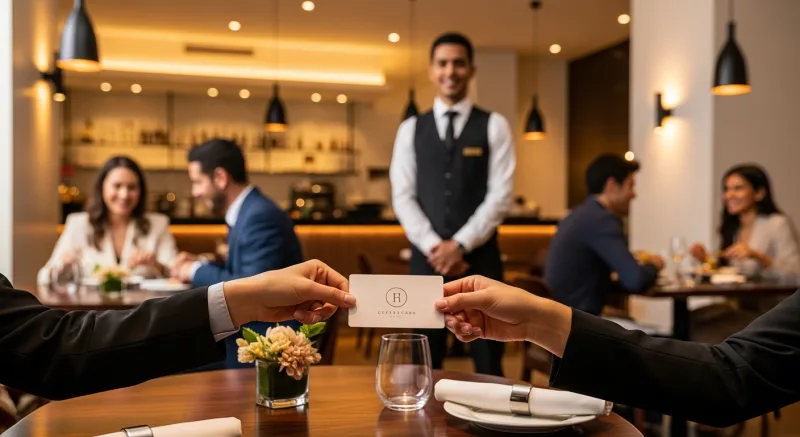
A gift card doesn't just generate immediate revenue. It creates a new customer. The recipient walks into your restaurant, uses the card, and — if the experience is good — becomes a regular. But only if you capture them into your loyalty program at the point of redemption.
The sequence that maximizes lifetime value:
- Customer buys a gift card (you get revenue now)
- Recipient redeems the card at your business
- At checkout, POS prompts: "Join our loyalty program and earn points on this visit?"
- Recipient enrolls with phone number or email
- They earn points on the gift card transaction
- They receive a "Welcome — here's 50 bonus points" notification
- They come back to use their points — and now they're paying with their own money
This is the gift card flywheel, and it only works when your gift card system and loyalty program are integrated in the same POS. If they're separate systems — or if your POS doesn't support loyalty at all — the recipient redeems the card, walks out, and you never see them again.
Tiger Sugar uses this exact approach with their 2 kiosk locations. When a customer redeems a gift card at their self-ordering kiosk, the system prompts for loyalty enrollment with minimal steps. The kiosk handles the entire flow — gift card balance check, redemption, loyalty enrollment, and points accrual — in a single seamless transaction. Combined with electronic receipts, every gift card redemption becomes a potential long-term customer acquisition.
Multi-Location Gift Card Displays: Consistency Without Micromanagement
If you operate more than one location, gift card display consistency becomes a real challenge. Store 1 has a beautiful counter display. Store 3 buried the cards behind the tip jar. Store 7 ran out of cards three weeks ago and nobody reordered.
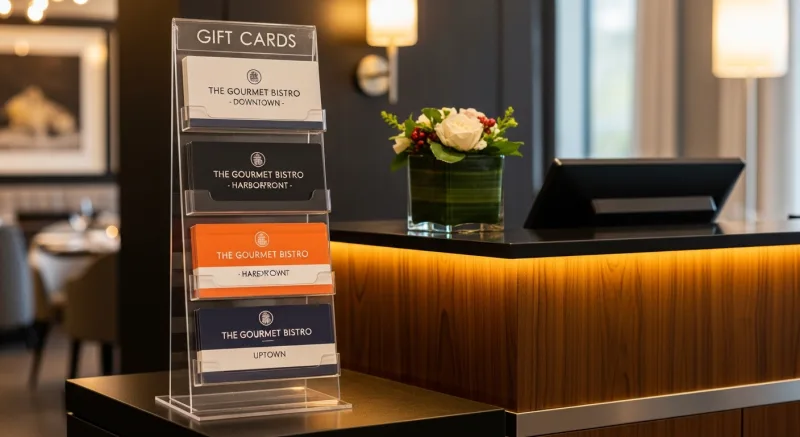
Crafty Crab Seafood solved this across their 19 locations by standardizing gift card display fixtures as part of their POS station setup. Every terminal has the same acrylic display, the same card denominations, and the same seasonal packaging rotation — all managed from one central dashboard that also handles their one-click menu sync across 152 terminals.
Multi-location gift card merchandising checklist:
- Standardize display fixtures — same size, same position relative to the terminal
- Pre-ship seasonal packaging to all locations 2 weeks before each gifting holiday
- Set low-stock alerts in your POS so locations reorder before running out
- Track gift card sales per location weekly — if one location is underperforming, the display or staff prompt probably needs attention
- Include gift card display setup in your new-location opening checklist
With a processor-agnostic POS like KwickOS, you save $3,000 to $8,000 per year on processing fees across your locations — and that savings alone more than covers the cost of professional gift card displays, seasonal packaging, and staff incentives for every single location.
Measuring What Works: Gift Card Display KPIs
You can't improve what you don't measure. Track these numbers monthly to optimize your gift card merchandising:
| KPI | What It Tells You | Benchmark |
|---|---|---|
| Gift cards sold per 100 transactions | Overall program health | 3-6 per 100 (good), 7+ (excellent) |
| Average gift card denomination | Whether your pricing options are right | $35-$60 for restaurants, $25-$50 for retail |
| Physical vs digital split | Channel optimization opportunity | 70/30 physical/digital in-store, inverse online |
| Redemption rate | Card quality and program health | 75-85% is typical; 15-25% breakage |
| Avg spend above card value at redemption | Upsell opportunity captured | $12-$20 above card value |
Your POS should give you these numbers without manual counting. If it doesn't, you're flying blind. KwickOS provides real-time gift card analytics — sold, redeemed, outstanding balance, breakage, and per-location performance — all accessible from the owner dashboard or the mobile reporting app on your phone.
The 7-Day Gift Card Display Overhaul
You don't need a month to fix your gift card merchandising. Here's a one-week action plan:
Day 1: Move your gift card display to the checkout counter. If you don't have a counter display, order a simple acrylic holder ($8-$15 on Amazon).
Day 2: Order seasonal packaging for the next upcoming holiday. Even generic "Happy Birthday" and "Thank You" sleeves work year-round.
Day 3: Set up e-gift cards in your POS if you haven't already. Place a QR code next to your physical display.
Day 4: Brief your staff on the one-sentence prompt: "Would you like to grab a gift card for anyone today?" No script. No pressure. One question.
Day 5: Announce a small staff incentive — $0.50 to $1.00 per gift card sold — for the next 30 days.
Day 6: Check that your POS tracks gift card activations by employee and by location. If it doesn't, compare systems that do.
Day 7: Take a baseline measurement — gift cards sold this week vs. the same week last month. You'll have your first data point in 7 days.
Turn Gift Cards Into a Revenue Engine
KwickOS makes gift card activation, e-gift cards, balance tracking, and loyalty integration seamless — across every location, even offline. See how it works.
Get a Free Demo