
 Tom Jin
You didn't invest $80,000 in a food truck to watch customers walk away because your payment terminal says "No Connection."
But that's exactly what happens to food truck operators running cloud-dependent POS systems at crowded events. Ten thousand people hitting the same cell towers. Your Square reader spinning. Your line growing. Your revenue disappearing — one frustrated customer at a time.
Here's the thing: according to industry research, the average food truck loses $2,400 per season to connectivity-related payment failures alone. At festivals where you're doing $3,000-$5,000 in a single day, even 15 minutes of downtime costs you $200+.
But it gets worse. The POS system you chose for your brick-and-mortar restaurant probably can't survive your food truck environment. Heat, vibration, power fluctuations, rain, and intermittent connectivity destroy systems designed for climate-controlled restaurants with hardwired ethernet.
And that's not all: most food truck operators are overpaying on processing fees by $3,000-$8,000 per year because they're locked into flat-rate processors like Square (2.6% + $0.10) when they should be on interchange-plus pricing at half the markup.
Let's fix all of this. Here's the complete POS setup guide for food truck operators who refuse to lose money to bad technology.
The 5 Non-Negotiable POS Features for Food Trucks
I've been in the restaurant technology business for 30 years. I've seen food truck operators try everything from cash-only registers to consumer iPads with generic apps. Here's what actually works when you're serving 100+ customers per hour from a moving kitchen:
1. Offline Mode That Actually Works
This is the single most important feature for any mobile food business. Your POS must process transactions locally — not just "queue" them for later.
The difference matters. A system that queues transactions stores the card data and hopes it processes later. If it fails, you eat the loss. A system with true local processing completes the authorization locally using stored encryption keys, then syncs when connectivity returns.
KwickOS uses a hybrid local+cloud architecture with 1ms local processing latency. Transactions complete on the device regardless of internet status. When connectivity returns — whether that's 30 seconds or 3 hours later — everything syncs automatically. No manual intervention. No lost sales.
This is the same architecture that powers Baked Cravings' self-serve kiosk at Lego Land, where connectivity can be unreliable in certain areas of the venue, and they still process every single transaction.
2. Battery-Capable Hardware
Your generator is for the grill, not your POS. You need hardware that runs all day on battery or can survive power fluctuations without corrupting data.
The ideal food truck POS hardware setup:
- Tablet: 10-12 hour battery life, sunlight-readable display, IP54 water resistance minimum
- Payment terminal: Bluetooth-connected, 8+ hour battery, tap/chip/swipe capable
- Printer: Bluetooth thermal, compact, 4-hour battery (or skip receipts entirely with digital delivery)
Total power draw for a modern food truck POS setup: under 15 watts. Compare that to a traditional terminal-based system drawing 60-80 watts. That's the difference between running all day on a small inverter versus needing dedicated power from your generator.
3. Quick-Change Menus
Here's what every food truck owner knows: your Tuesday lunch menu is not your Saturday festival menu.
You need the ability to switch your entire POS menu in under 30 seconds. Different events require different items, different prices, different modifiers. A street fair might call for your full menu. A corporate catering event might be three pre-set options. A festival might be your top 5 items with festival-surge pricing.
With KwickOS, you create multiple menu profiles and switch between them with one tap. Your "Festival Mode" menu shows 5-8 large buttons, no sub-menus, no complex modifiers. Your "Full Service" menu shows everything. Your "Catering" menu shows packages. Switch between them in 2 seconds flat.
4. Mixed Payment Processing
Food trucks see a wild mix of payment types. Industry data suggests the typical food truck payment breakdown looks like:
- Contactless (Apple Pay, Google Pay, tap): 38%
- Chip credit/debit: 34%
- Cash: 22%
- Other (Venmo QR, gift cards): 6%
Your POS needs to handle all of these without fumbling. The fastest checkout is tap-to-pay at 2-3 seconds. Chip is 4-6 seconds. Cash depends on your drawer and math skills.
And here's a critical insight most food truck operators miss: gift cards and e-gift cards aren't just for brick-and-mortar restaurants. Food trucks with loyal followings sell thousands in gift cards — especially at festivals where customers buy them as gifts for friends in line. Your POS needs to sell, reload, and redeem gift cards at full speed, even offline.
5. Real-Time 86 Tracking
You brought 200 portions of brisket. At 2 PM, you're down to 40. Your POS needs to track inventory in real time and automatically 86 items when they hit zero — updating the display instantly so customers in line don't order something you've already sold out of.
Nothing kills a food truck's reputation faster than telling customer #37 in a 40-person line that the thing they've been waiting 25 minutes for is gone.
Festival Mode: Your High-Volume Secret Weapon
Regular POS interfaces are designed for restaurants where a server takes 2-3 minutes per order. At a festival, you have 15-30 seconds per transaction.
Festival mode strips your POS down to the essentials:
- Simplified grid: 6-8 large buttons, one tap per item
- Pre-built combos: "Taco Combo" = 2 tacos + drink, one button press
- Auto-calculated totals: Tax included in displayed prices (no mental math for customers)
- Rapid payment: Default to card, one tap to switch to cash
- No receipt by default: Saves 5-8 seconds per transaction
- Volume counter: Live "sold" count per item so you know when to 86
The result? Average transaction time drops from 45 seconds to 18 seconds. That's the difference between serving 80 customers per hour and serving 200.
Here's the math that matters: at a festival where you average $14 per transaction, going from 80 to 200 transactions per hour means an extra $1,680 per hour in revenue. Over a 6-hour event, that's $10,080 in additional revenue — just from having a faster POS interface.
Connectivity Solutions That Actually Work on the Road
Don't rely on a single connection method. The food trucks that never go down use a layered approach:
- Primary: Cellular hotspot — Dedicated hotspot device (not your phone), ideally dual-SIM with AT&T + T-Mobile for maximum coverage
- Secondary: Phone tethering — Your personal phone as backup when the hotspot struggles
- Failsafe: Offline mode — Your POS processes everything locally when both connections fail
Cost for bulletproof connectivity: $50-$80/month for a dedicated hotspot with 50-100GB data. That's less than what you'd lose from one hour of downtime at a busy event.
And here's where processor-agnostic architecture pays off again. Systems locked to specific processors often require constant cloud validation. KwickOS validates locally, so even degraded connectivity (1-2 bars) is enough for basic sync operations while full transaction processing continues offline.
The Processing Fee Trap Food Trucks Fall Into
Most food trucks start with Square because it's easy. No merchant account application. Flat 2.6% + $0.10. Simple.
But here's what that simplicity costs you:
A food truck doing $15,000/month in card transactions pays Square $4,290/year in processing fees. The same volume on interchange-plus pricing through a processor you negotiate with? Approximately $2,700/year.
That's $1,590 per year you're donating to Square for the privilege of easy setup. Over 5 years of truck operation, that's $7,950. Enough to buy a second generator, replace all your POS hardware twice, or fund an entire month of commissary kitchen rent.
A processor-agnostic POS lets you shop rates, negotiate based on volume, and switch processors if a better deal appears — without replacing any hardware or software. You keep 100% of that processing revenue freedom.
Want to see your exact savings? Use our processing fee calculator to compare your current rate against interchange-plus pricing.
Building Your Loyalty Program on Wheels
Here's an open loop most food truck owners never close: your regular customers — the ones who find you every Tuesday at the office park — have no reason to stay loyal beyond the quality of your food. One new truck parks next to you, and suddenly your Tuesday crowd is split.
A loyalty program changes that equation completely.
Food truck loyalty programs work differently than restaurant programs. You can't do paper punch cards (they get destroyed in pockets). You need digital — phone number or app-based points that travel with the customer, not the location.
The most effective food truck loyalty structure:
- Simple earn: 1 point per dollar spent
- Fast reward: $5 off at 50 points (10% effective discount)
- Surprise bonus: Double points at festivals or new locations
- Birthday reward: Free item during birthday week (captured at enrollment)
Industry data shows that food businesses with active loyalty programs see 34% more repeat visits compared to those without. For a food truck averaging $800/day at regular spots, that's an extra $272/day from loyalty-driven returns — or $5,440 extra per month working 20 regular days.
Your POS handles enrollment at checkout: customer taps their phone number, points accumulate, rewards auto-apply. No app download required. No friction. Works offline too — points sync when you reconnect.
Gift Cards: The Revenue Tool Food Trucks Underestimate
Here's a pattern interrupt for you: Baked Cravings sells thousands in gift cards from a self-serve kiosk. Your food truck can do the same thing — without the kiosk.
E-gift cards are perfect for food trucks because:
- No physical inventory: No plastic cards to stock, store, or lose
- Instant delivery: Customer buys, recipient gets a text/email immediately
- Social viral effect: Friends at festivals buy gift cards for friends in other cities who might find your truck later
- Breakage revenue: According to industry research, 15-20% of gift card value is never redeemed — that's pure profit
- Pre-paid cash flow: You get the money now, deliver the food later
A food truck selling just $500/month in e-gift cards generates $6,000/year in pre-paid revenue, plus approximately $1,000 in breakage. And every gift card redemption brings a customer to your truck who might not have come otherwise — and who almost always spends more than the gift card value.
Set up QR codes on your truck's serving window that link directly to your e-gift card purchase page. Customers in line buy them while they wait. It's revenue from customers who haven't even reached the register yet.
Multi-Truck Operations: When One Truck Becomes Three
The jump from one food truck to a fleet introduces management complexity that breaks most operators. Suddenly you need:
- Real-time sales visibility across all trucks from your phone
- Centralized menu management (update once, push to all trucks)
- Per-truck inventory tracking
- Employee fingerprint authentication (no shared PINs, no buddy punching)
- Unified loyalty program across all truck locations
This is exactly what Crafty Crab Seafood manages across 19 brick-and-mortar locations with 152 terminals — one-click menu sync, centralized reporting, and real-time visibility into every location. The same architecture scales down perfectly for a 3-truck food truck fleet.
T. Jin China Diner operates 15 locations with 75 terminals, all managed remotely. The owner monitors real-time sales, adjusts menus, and tracks labor from a phone. That same capability — remote management from anywhere — is essential for food truck operators who can't physically be at every truck simultaneously.
KwickOS fingerprint 1:N authentication means each employee clocks in with their fingerprint. No shared PINs. No buddy punching. You know exactly who ran which truck, who processed which transactions, and who was working when that $50 shortage happened. Toast doesn't offer fingerprint authentication at all.
The Complete Food Truck POS Hardware Checklist
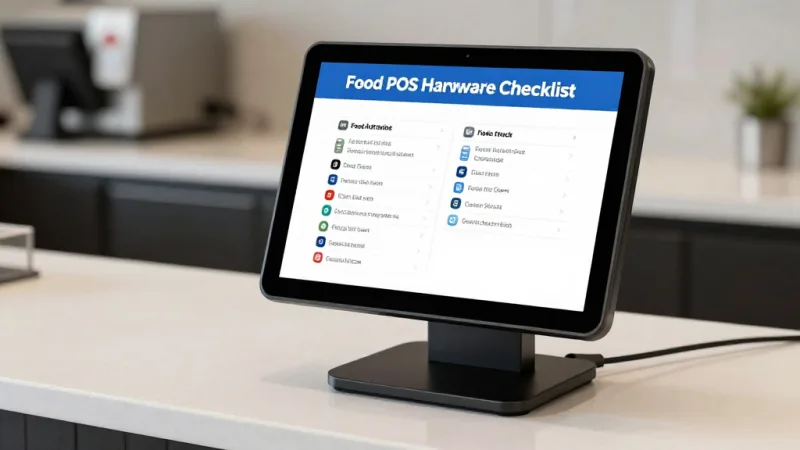
| Component | Requirement | Budget Range |
|---|---|---|
| Tablet/Terminal | 10"+ screen, 10hr battery, sunlight readable, IP54+ | $300-$800 |
| Payment Terminal | Bluetooth, NFC/tap, chip, 8hr battery | $200-$500 |
| Thermal Printer | Bluetooth, compact, splash-resistant | $150-$300 |
| Cash Drawer | Compact, manual or auto-open, lockable | $50-$150 |
| Cellular Hotspot | Dual-SIM, 50GB+/month, external antenna port | $100 device + $50-80/mo |
| Mounting Hardware | RAM mount or custom bracket, vibration-dampened | $50-$100 |
Total hardware investment: $850-$1,850. Compared to a traditional fixed POS setup costing $3,000-$6,000, food truck operators get a complete system for significantly less — and it's built to survive the road.
For a deeper dive into hardware selection, check our complete POS hardware guide and our mobile POS device comparison.
Daily Operations Workflow: From Parking to Packing Up
Pre-Service (15 minutes):
- Power on POS tablet and payment terminal
- Verify connectivity (hotspot connects, POS syncs overnight data)
- Select today's menu profile (street, festival, catering, or custom)
- Enter starting inventory counts for limited items
- Staff clock in via fingerprint
- Process a $0.01 test transaction to confirm payment processing
During Service:
- Monitor inventory counters — 86 items before they run out
- Watch transaction times — if averaging over 30 seconds, switch to Festival Mode
- Check connectivity status every hour — switch to backup if degraded
- Run a quick sales report at the halfway point to forecast remaining inventory
Post-Service (10 minutes):
- Run end-of-day report: total sales, transaction count, payment mix, tips
- Count cash drawer and reconcile against POS report
- Staff clock out via fingerprint
- Sync any offline transactions (usually automatic, verify completion)
- Charge all devices overnight
Pricing Strategy: When to Surge, When to Discount
Smart food truck operators don't charge the same price everywhere. Your $12 taco at a Tuesday office park should be $15 at a Saturday music festival — and $10 during your slow 3 PM window.
Quick-change menu profiles make this effortless:
- Regular pricing: Weekday lunch spots, consistent customer base
- Festival pricing: 15-25% markup for high-demand events (customers expect it)
- Happy hour pricing: 10-15% discount during slow periods to drive volume
- Catering pricing: Per-head packages with built-in margin for prep and delivery
Your loyalty members? They get consistent pricing across all modes. That's the VIP perk that keeps them coming back — they know they're getting the best deal regardless of when or where they find you.
For more on dynamic pricing strategy, read our guide on dynamic pricing for restaurants.
The KwickOS Advantage for Food Trucks
After 20 years in the restaurant industry and 30 years in IT, I've seen food truck operators struggle with the same technology failures over and over. The solution isn't more gadgets. It's smarter architecture:
- Processor-Agnostic: Save $3,000-$8,000/year vs locked-in Square/Toast processing
- Hybrid Local+Cloud: 1ms local processing, works offline at dead-zone festivals
- Fingerprint Authentication: Know who's running your truck even when you're not there
- Multi-Language: English, Chinese, Spanish — serve diverse festival crowds and diverse staff
- Multi-Location Ready: Scale from 1 truck to a fleet without switching systems
- All-in-One: POS + loyalty + gift cards + online ordering + reporting in one platform
KwickOS serves 5,000+ businesses across 50 states, processing over $2M in daily sales. From Baked Cravings' self-serve kiosk at Lego Land to Rockin' Rolls' 49 iPad self-ordering stations across 3 locations, our architecture handles everything from a single food truck to enterprise-scale operations.
Ready to Upgrade Your Food Truck POS?
KwickOS gives food trucks the same enterprise-grade technology that powers 5,000+ businesses — with offline mode, processor freedom, and festival-ready speed.
Get My Free Demo