
Labor cost is the single largest controllable expense in a restaurant. While food costs get more attention (because they fluctuate with commodity prices), labor is where most operators have the greatest opportunity to improve profitability without compromising quality. The National Restaurant Association benchmarks labor costs at 25–35% of gross revenue for full-service restaurants and 20–28% for quick-service. Every percentage point you shave off labor costs while maintaining service quality drops directly to your bottom line.
The common reaction to high labor costs is cutting hours—running thinner staffing, sending people home early, leaving shifts uncovered. This approach backfires almost every time. Understaffing leads to longer wait times, worse service, higher employee turnover (burned-out staff quit), and ultimately lower revenue. The restaurants that win on labor cost do not cut staff. They schedule smarter.
Smart scheduling means putting the right number of people in the right positions at the right times, based on data rather than gut feeling. It means preventing unplanned overtime before it happens, managing shift trades without chaos, and integrating your time clock with your payroll so that hours worked match hours paid. Here is how to build that system.
Daypart Analysis: The Foundation of Smart Scheduling
Every restaurant has predictable demand patterns, but most operators schedule based on general assumptions rather than actual data. “Friday nights are busy” is a general assumption. “Friday nights between 6:30 and 8:45 PM average 42 covers per hour, dropping to 18 covers per hour after 9:00 PM” is actionable data.
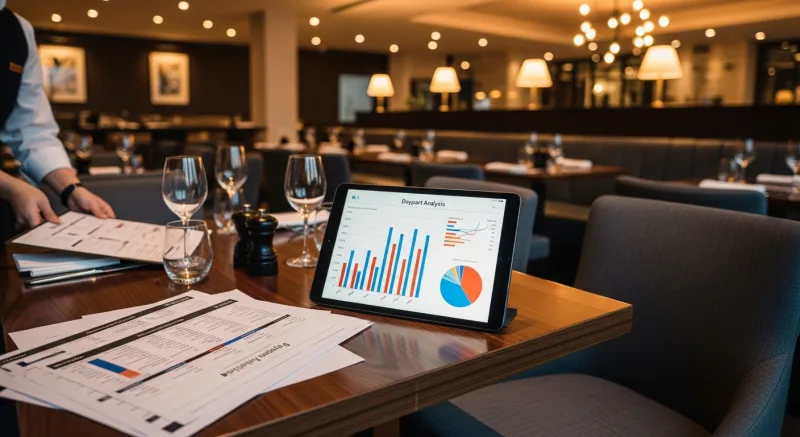
Daypart analysis breaks your operating hours into segments and measures demand for each segment. The typical dayparts for a full-service restaurant are:
- AM prep: Before opening. Kitchen prep staff only.
- Lunch build: 11:00 AM–11:45 AM. Transition from prep to service.
- Lunch peak: 11:45 AM–1:30 PM. Maximum lunch volume.
- Lunch decline: 1:30 PM–2:30 PM. Volume drops, begin releasing lunch staff.
- Afternoon gap: 2:30 PM–4:30 PM. Minimal volume. Skeleton crew.
- Dinner build: 4:30 PM–5:30 PM. Prep for dinner, early birds arrive.
- Dinner peak: 5:30 PM–8:30 PM (varies by market). Maximum dinner volume.
- Dinner decline: 8:30 PM–close. Volume drops, release staff in waves.
Your POS data tells you exactly how many transactions, covers, and revenue dollars occur in each daypart. KwickOS reporting breaks down sales by 15-minute increments, by day of the week, over any date range you specify. Pull a 12-week rolling average and you have a statistically reliable demand curve for every day of the week.
Once you have this data, you can build staffing grids—the number of employees needed per position per daypart. For example:
| Daypart | Servers | Bussers | Line Cooks | Prep | Host |
|---|---|---|---|---|---|
| Lunch build (11:00–11:45) | 2 | 1 | 3 | 2 | 1 |
| Lunch peak (11:45–1:30) | 4 | 2 | 4 | 1 | 1 |
| Lunch decline (1:30–2:30) | 2 | 1 | 2 | 0 | 0 |
| Afternoon gap (2:30–4:30) | 1 | 0 | 1 | 2 | 0 |
| Dinner build (4:30–5:30) | 2 | 1 | 3 | 1 | 1 |
| Dinner peak (5:30–8:30) | 5 | 2 | 5 | 0 | 1 |
| Dinner decline (8:30–close) | 2 | 1 | 2 | 0 | 0 |
This grid becomes your scheduling template. Instead of scheduling four servers from 11 to close (wasting labor during the afternoon gap), you schedule split shifts, staggered starts, and targeted releases that match your staffing to actual demand.
Overtime Prevention: The Most Expensive Scheduling Mistake
Unplanned overtime is the most common and most expensive scheduling failure. At time-and-a-half, every hour of overtime costs 50% more than a regular hour. For a cook making $18/hour, overtime costs $27/hour. Across a team of 20 employees, even 3–4 hours of unplanned overtime per week adds up to $8,000–$12,000 per year in avoidable labor expense.
Overtime happens for three reasons, all of which are preventable with the right scheduling system:
1. Lack of Visibility Into Approaching Overtime
Managers do not realize an employee is approaching 40 hours until the payroll report comes in. By then, it is too late. A scheduling system should show real-time hours worked against scheduled hours for every employee, with alerts when someone approaches 35 hours (5-hour buffer before overtime triggers).
KwickOS scheduling shows cumulative weekly hours for every employee on the schedule view. When a manager is building next week’s schedule, the system flags any employee whose assigned shifts would push them over 40 hours. During the current week, managers receive alerts when any employee hits 36 hours so they can adjust remaining shifts before overtime kicks in.
2. Shift Trades That Create Overtime
Employee A (at 32 hours) picks up Employee B’s Saturday shift (8 hours), putting A at 40 hours. Then A works their own Sunday shift (6 hours) = 46 hours and 6 hours of overtime. This happens constantly in restaurants that manage shift trades informally.
The fix: all shift trades go through the scheduling system, which automatically checks whether the trade would create overtime for either employee. If it would, the trade is flagged for manager approval or blocked entirely. KwickOS shift trading works through a mobile-accessible portal where employees can post, claim, and swap shifts—but the system enforces overtime rules automatically.
3. Late Clock-Outs
Employees clocking out 10–15 minutes after their scheduled shift end does not seem like a big deal. But 15 minutes per shift, 5 shifts per week, across 20 employees is 25 hours per week of unscheduled labor. Over a year, that is $23,000+ in labor cost at $18/hour—and it can push employees into overtime thresholds.
Set clear expectations around shift end times and configure your time clock to alert managers when an employee works past their scheduled shift end. KwickOS time clock integrates with the schedule, so managers see real-time variance between scheduled hours and actual hours worked.
The Buddy Punching Problem
Buddy punching—one employee clocking in or out for another—costs U.S. businesses an estimated $373 million per year according to the American Payroll Association. In restaurants, where shift workers come and go at irregular hours and managers are often occupied during clock-in periods, buddy punching is particularly prevalent.
The scope of the problem is significant. Studies estimate that 16% of hourly employees have engaged in buddy punching, and the average time theft per incident is 10–15 minutes. For a restaurant with 25 hourly employees, even modest buddy punching can add $5,000–$10,000 per year in fraudulent labor costs.
Traditional solutions (PIN codes, badge cards) are easy to share. A PIN can be texted to a coworker. A badge card can be handed off in the parking lot. The only reliable solution is biometric authentication.
KwickOS uses fingerprint authentication for employee clock-in and clock-out. Every time punch is verified by the employee’s fingerprint, making buddy punching physically impossible. The fingerprint scanner works in under one second, so it does not slow down shift transitions. And because it is built into the same POS terminal employees already use, there is no additional hardware to install or maintain at the time clock station.
The ROI calculation is straightforward. If fingerprint authentication eliminates $7,500 per year in buddy punching (a conservative estimate for a 25-person restaurant), and the KwickOS platform costs are already justified by its other capabilities, the time theft savings are pure upside.
Availability Management and Shift Preferences
One of the most time-consuming parts of manual scheduling is tracking employee availability. Who has class on Tuesdays? Who cannot work before 4 PM? Who requested off next Saturday? Managers who build schedules on paper or in spreadsheets spend 3–6 hours per week on scheduling, largely because they are cross-referencing availability from texts, sticky notes, and memory.

A modern scheduling system should allow employees to:
- Set recurring availability: “I am available Monday–Thursday 4 PM–close, Friday–Sunday all day.” This updates once and applies to every future schedule.
- Request time off: Employees submit time-off requests through the system. Managers approve or deny with a tap. Approved time off is automatically blocked on the schedule.
- Set shift preferences: “I prefer morning shifts” or “I prefer to work the bar station.” Preferences inform scheduling suggestions without creating hard constraints.
- Update availability in real time: If a student’s class schedule changes mid-semester, they update their availability in the system and the change takes effect for all future schedules.
KwickOS scheduling includes a mobile-accessible employee portal where all of this self-service happens. The manager builds the schedule with full visibility into availability, time-off requests, and preferences. Conflicts (scheduling someone during their unavailable hours) are flagged automatically. This cuts scheduling time from hours to minutes and dramatically reduces the “I told you I could not work that day” conflicts that damage manager-employee relationships.
Predictive Scheduling Laws: Compliance Is Not Optional
A growing number of cities and states have passed predictive scheduling laws (also called “fair workweek” or “secure scheduling” laws) that impose specific requirements on how employers schedule hourly workers. If you operate in any of these jurisdictions, non-compliance can result in significant penalties.
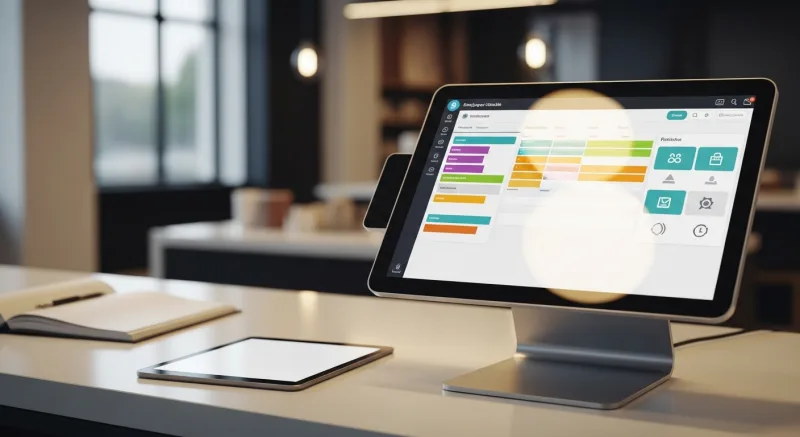
Key requirements common across most predictive scheduling laws:
- Advance notice: Employers must post schedules 7–14 days in advance (varies by jurisdiction). Changes after this deadline require premium pay to affected employees.
- Predictability pay: If you change an employee’s schedule after the advance notice deadline, you must pay a premium—typically 1–4 hours of additional pay per schedule change.
- Right to rest: Employees must have a minimum number of hours between shifts (typically 10–11 hours). “Clopening”—closing one night and opening the next morning—may require premium pay or be prohibited.
- Access to hours: Before hiring new employees, you must offer additional hours to existing part-time employees who want them.
- Good faith estimate: At hiring, you must provide a written estimate of the employee’s expected work schedule, including average hours per week.
Jurisdictions with predictive scheduling laws include (as of 2026): New York City, San Francisco, Seattle, Los Angeles, Chicago, Philadelphia, Portland (Oregon), Oregon (statewide), and several others. New jurisdictions continue to adopt these laws.
Compliance requires a scheduling system that:
- Tracks when schedules are posted and documents advance notice compliance
- Calculates predictability pay automatically when post-deadline changes occur
- Enforces minimum rest periods between shifts
- Logs all schedule changes with timestamps for audit purposes
KwickOS scheduling is built with predictive scheduling compliance in mind. The system enforces configurable advance notice rules, calculates premium pay obligations when schedules change after the deadline, flags clopening violations, and maintains a complete audit trail of every schedule published and every change made. For multi-location operators like Crafty Crab (19 stores across multiple states), this compliance automation is essential because the rules differ by jurisdiction.
Integration with Time Clock and Payroll
The scheduling system is only as valuable as its connections to your time clock and payroll. Without integration, you are creating the schedule in one system, tracking actual hours in another, and reconciling discrepancies manually before submitting payroll. This reconciliation process is where errors happen—and payroll errors go in both directions (overpaying through missed overtime flags and underpaying through missed hours, which creates legal liability).
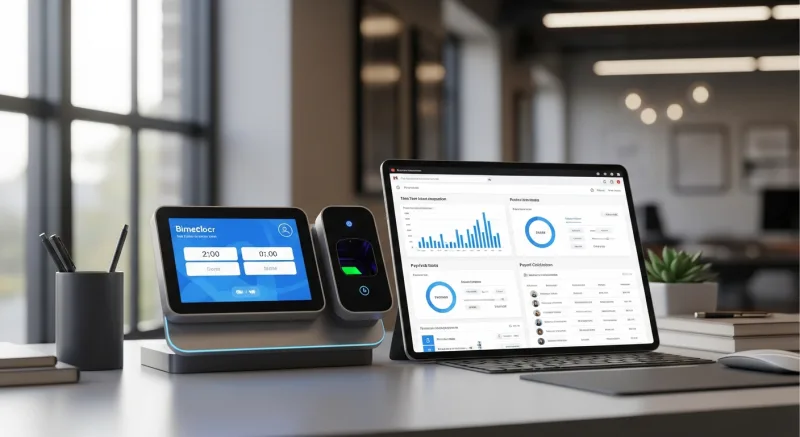
A fully integrated system works like this:
- Schedule is created in the scheduling module with labor cost projections based on each employee’s pay rate.
- Employees clock in and out using biometric authentication (fingerprint) at the POS terminal. Clock-in is verified against the schedule—early clock-ins are held until the scheduled start time unless manager-approved.
- Real-time variance tracking: Throughout the day, the system shows actual labor cost vs. scheduled labor cost. If actual is running 10% over schedule, the manager knows immediately and can adjust.
- Automatic payroll preparation: At the end of the pay period, the system generates payroll data with regular hours, overtime hours, tips, and any premium pay (predictability pay, holiday pay). This data exports directly to your payroll provider.
KwickOS runs scheduling, time clock (with fingerprint authentication), and payroll reporting on a single platform. There is no reconciliation step because the schedule, the time punches, and the payroll report all share the same data. Labor cost is calculated in real time using actual hours worked and each employee’s pay rate, giving managers live visibility into whether they are on budget for the day.
Scheduling by Sales Forecast
The most advanced scheduling approach ties staffing levels to revenue forecasts rather than static templates. Instead of “we always schedule 4 servers on Friday,” the system says “based on historical patterns, this Friday is projected to do $8,200 in revenue, which requires 5 servers to maintain our target labor cost percentage of 28%.”

This approach requires:
- Historical sales data by day of week, daypart, and season
- Event awareness: Local events, holidays, weather, and promotions that affect demand
- Labor cost targets: Your target labor percentage and the specific dollar amount for each shift
- Employee cost data: Each employee’s hourly rate, so the system can optimize the mix of higher-paid and lower-paid staff
KwickOS AI insights analyze your historical POS data to generate sales forecasts by daypart. The scheduling module uses these forecasts to suggest optimal staffing levels that meet your labor cost target. The manager reviews and adjusts the suggestion, then publishes the schedule. Over time, the system learns from actual vs. projected outcomes and improves its recommendations.
Reducing Turnover Through Better Scheduling
Restaurant employee turnover averages 75% annually according to the Bureau of Labor Statistics, and poor scheduling is one of the top-cited reasons employees leave. Inconsistent hours, last-minute schedule changes, unfair shift distribution, and clopening shifts all drive turnover. Each turnover event costs approximately $3,500–$5,000 when you factor in recruiting, training, lost productivity, and the impact on team morale.
Scheduling practices that reduce turnover:
- Consistent schedules: Give employees the same core shifts week after week. Predictability matters more to most hourly workers than a few extra hours.
- Fair distribution: Distribute high-value shifts (Friday dinner, Saturday brunch) equitably across the team. Favoritism in shift assignment is the fastest way to lose good employees.
- Respect availability: When an employee says they cannot work Tuesdays, do not schedule them on Tuesdays and expect them to find coverage. Honor availability commitments.
- Advance notice: Post schedules at least two weeks in advance (even if your jurisdiction does not require it). Employees need to plan their lives around their work schedule.
- Easy shift trading: Give employees the tools to trade shifts among themselves (within overtime and compliance rules). Flexibility reduces callouts and no-shows.
Better scheduling will not solve the restaurant industry’s turnover problem entirely, but it addresses one of the primary controllable factors. If you reduce turnover from 75% to 50% on a team of 25, you save approximately $15,000–$25,000 per year in turnover costs alone.
The Bottom Line
Cutting labor costs is not about cutting people. It is about precision: scheduling based on data-driven demand forecasts, preventing overtime before it happens, eliminating time theft through biometric authentication, managing shift trades within rules, and complying with increasingly complex labor laws—all while treating employees with the consistency and respect that reduces turnover.
This level of precision requires tools that work together. When your scheduling system does not talk to your time clock, you reconcile hours manually. When your time clock does not connect to your POS, you cannot match labor cost to revenue in real time. When your scheduling does not know your labor laws, you find out about violations when the penalty arrives.
KwickOS integrates scheduling, fingerprint time clock, POS, reporting, and AI-driven forecasting into one platform. Labor cost visibility is real-time. Overtime alerts are automatic. Predictive scheduling compliance is built in. And buddy punching is eliminated at the hardware level. For the 5,000+ businesses already on the platform—from single-location restaurants to chains like Haidilao with 600+ locations—it is the difference between managing labor reactively and managing it strategically.
Take Control of Your Labor Costs
See how KwickOS scheduling, fingerprint time clock, and real-time labor reporting work together to cut costs without cutting staff. Schedule a free demo.
Get Your Free Demo