
 Kelly Ho
You already know cash is a problem. The line at the dining hall backs up because a freshman is counting quarters. The vending machine jams on a wrinkled bill. Your finance team spends 6 hours a week reconciling register tills across 12 food service locations.
But it gets worse: cash cannot tell you anything. You have no idea which dining station sells the most at 11:45 AM, which vending machine needs restocking by Thursday, or whether that new grab-and-go concept is actually working. Cash is blind money.
And that's not all: every dollar of cash you handle carries theft risk. Industry research suggests that employee cash theft accounts for up to 4% of revenue in food service environments. On a $500,000 campus food program, that is $20,000 walking out the door — and you will never see it on a spreadsheet.
The fix is not complicated: a closed-loop prepaid card system that replaces cash with trackable, instant, frictionless digital transactions. Campuses that make this switch typically see checkout speeds increase 40-60%, cash handling costs drop to near zero, and complete visibility into every transaction across every location.
Here is exactly how it works, what it costs, and why the ROI math is so compelling that the only real question is why you have not done it already.
What a Closed-Loop Prepaid System Actually Is
A closed-loop prepaid card system is a self-contained payment ecosystem. Students, employees, or visitors load money onto a card (physical or digital) that works only within your campus or facility. It is not a Visa or Mastercard. It does not work at the gas station down the street. It works at your dining halls, your vending machines, your bookstore, your coffee kiosk — and nowhere else.
Here's the thing: that restriction is the entire point.
Because the money stays inside your ecosystem, you avoid interchange fees on every transaction. A credit card swipe costs 2.5-3.5% in processing fees. A closed-loop prepaid transaction? As low as $0.05 flat. On $500,000 in annual food service volume, that is the difference between $15,000 in processing fees and $2,500.
The system has four core components:
- Card or credential — physical ID card with magnetic stripe/NFC chip, mobile wallet integration, or QR code on a phone
- POS terminals — at every checkout point, configured to read the card, deduct the balance, and print or send a receipt
- Top-up channels — online portal for parents, kiosk machines on campus, mobile app, auto-reload rules
- Management dashboard — real-time balance monitoring, spending reports, location analytics, refund processing
The POS checkout flow is straightforward: student taps card, system reads balance, deducts the meal amount, displays remaining balance on the customer-facing display, and the transaction is done in under 2 seconds. No signatures. No PIN pads. No tip screens (unless you want them). Just tap and go.
The 5 Environments Where Prepaid Cards Dominate
Prepaid card systems are not just for universities. Any controlled environment where the same people transact repeatedly is a candidate.
1. University and College Campuses
The classic use case. Students load meal plan funds at the start of each semester. Parents top up remotely. The card works at dining halls, food courts, campus coffee shops, the bookstore, and vending machines. With 4,000+ students each spending $1,500-$3,000/semester on food alone, campus dining is a $6-12 million annual operation — and managing that in cash is a logistical nightmare.
But here's the part most campus administrators overlook: the gift card angle. During orientation, move-in weekend, and graduation, parents and family members buy campus gift cards for students at staggering rates. A well-marketed e-gift card program during back-to-school season can generate $50,000-$100,000 in pre-loaded funds — money that is in your system before the first day of classes.
2. Corporate Office Campuses
Tech companies, hospitals, and large corporate campuses with on-site cafeterias and micro-markets. Employees get a corporate prepaid account funded by meal stipends. The card handles breakfast, lunch, afternoon snacks, and the coffee bar. Some companies subsidize 50-100% of meal costs as a retention perk — the prepaid system tracks exactly how much subsidy each employee uses.
3. Military Bases and Government Facilities
Security-controlled environments where cash accountability is mandatory. Prepaid cards eliminate the need to transport and secure cash inside restricted areas. Every transaction is logged, auditable, and tied to an individual credential.
4. Theme Parks and Entertainment Venues
Guests load a wristband or card at entry and spend freely inside the park. This is exactly what Baked Cravings does at Lego Land — their self-service kiosk handles a 24-hour retail operation with zero cash handling. The checkout happens through a PaxA35 terminal that accepts both prepaid cards and standard payment methods, giving guests the flexibility to choose.
5. Senior Living and Healthcare Facilities
Residents use prepaid accounts for dining rooms, snack bars, and on-site stores. Family members fund accounts remotely. The system simplifies billing for facilities that manage hundreds of individual dining accounts and need to track dietary spending for medical records.
The ROI Math: Why Every Dollar Invested Returns $3-5
Let's build the business case for a mid-size campus with 3,000 users and 8 food service locations processing $1.2 million/year in food transactions.
Cost Savings
| Category | Cash System Cost | Prepaid System Cost | Annual Savings |
|---|---|---|---|
| Cash handling labor (counting, deposits, reconciliation) | $18,000 | $0 | $18,000 |
| Cash shrinkage/theft (estimated 2-4%) | $36,000 | $0 | $36,000 |
| Payment processing fees | $33,600 (2.8% avg) | $6,000 ($0.05/txn) | $27,600 |
| Breakage revenue (8% avg unused balance) | $0 | +$96,000 | $96,000 |
| Total Annual Benefit | $177,600 |
Implementation Cost
| Item | Cost |
|---|---|
| 8 POS terminals with NFC readers | $12,000 |
| 2 self-service top-up kiosks | $6,000 |
| Card printing (3,000 cards) | $3,000 |
| Software setup and integration | $5,000 |
| Staff training | $2,000 |
| Total One-Time Investment | $28,000 |
Payback period: under 2 months. After that, every dollar of savings drops straight to your bottom line. Use our processing fee calculator to estimate savings for your specific volume.
How Meal Plans and Prepaid Accounts Work Together
Most campus prepaid systems operate two types of accounts simultaneously:
Meal plan accounts — structured plans where students get a set number of swipes per week (e.g., 14 meals/week) or a declining balance allocated per semester. These are typically part of the housing package and non-refundable.
Flex/bonus accounts — open prepaid wallets that students, parents, or employers fund on demand. These work like a stored-value gift card with auto-reload options.
Here's the thing: the best systems let both account types coexist on a single card. A student taps once at the dining hall — the POS system checks the meal plan first, then falls back to the flex account if meal swipes are exhausted. No fumbling with two cards. No confused cashiers. The system handles the logic automatically.
This is where a loyalty and membership program becomes powerful. Students who spend above their meal plan on flex accounts can earn points toward free items — a coffee after every 10 purchases, a free entree after spending $200. According to restaurant industry data, gamified loyalty programs increase visit frequency by up to 340%. On a captive campus audience, that effect is amplified because students have limited dining options and respond strongly to reward incentives.
The Technology Stack: What You Actually Need
A prepaid card system is only as reliable as the infrastructure running it. Here is what matters.
Hybrid Local + Cloud Architecture
This is non-negotiable for campus environments. A dining hall serving 800 lunches between 11 AM and 1 PM cannot afford a 30-second cloud outage. If the POS system depends entirely on an internet connection to verify balances, one WiFi hiccup turns your lunch rush into chaos.
KwickOS uses a hybrid architecture that stores balance data locally on each terminal — transactions process at 1ms local latency regardless of internet status. When connectivity returns, everything syncs to the cloud automatically. Pure cloud systems like Toast run at 20ms+ latency and fail completely during outages. For a campus processing 800+ transactions in a 2-hour lunch window, that difference matters.
This is the same architecture that powers T. Jin China Diner's 15-store, 75-terminal operation. Each location processes transactions independently while the central office monitors everything in real time through the cloud dashboard. The same principle scales perfectly to a campus with multiple dining locations.
Multi-Location Sync
When a student loads $50 at the main dining hall kiosk, that balance needs to be available instantly at the coffee shop across campus. Crafty Crab Seafood runs exactly this scenario — one-click sync across 19 stores and 152 terminals. The same centralized management that syncs menus across restaurant chains syncs prepaid balances across campus locations.
Fingerprint Authentication
Lost or stolen cards are the bane of prepaid systems. A student loses their card, someone else picks it up, and suddenly $200 in meal plan funds disappears before the card is reported missing.
Fingerprint 1:N authentication eliminates this entirely. Students verify identity with a fingerprint scan — no card needed. KwickOS supports both 1:N identification (scan to identify) and 1:1 verification (scan to confirm card holder), the same biometric security that Diva Nail Beauty uses across 4 locations to prevent buddy punching and unauthorized register access.
Self-Service Kiosks for Loading and Ordering
Self-service kiosks serve dual purposes in campus environments: they are both a top-up station (load funds) and an ordering terminal (spend funds). During peak hours, kiosks offload 30-40% of cashier transactions, reducing wait times and labor costs.
Tiger Sugar's 2-store, 2-kiosk setup demonstrates the concept at a smaller scale — minimal-step personalization lets customers build custom orders in under 60 seconds. Scale that to a campus food court with 6 self-ordering kiosks and you have eliminated the longest bottleneck in the lunch rush.
Gift Cards and E-Gift Cards: The Campus Revenue Multiplier
Most campus operators think of prepaid cards purely as a payment tool. That's leaving money on the table.
Here's the pattern interrupt: campus gift cards are a massive untapped revenue channel.
Think about every touchpoint where gift cards make sense:
- Orientation and move-in weekend — parents buy $50-$100 dining cards for incoming freshmen. A single orientation weekend with 1,000 new students can generate $50,000-$100,000 in prepaid loads.
- Graduation gifts — family members send e-gift cards to celebrate. "Give the gift of meals" is an easy sell when every graduate needs to eat.
- Corporate gifting — local businesses purchase campus dining cards as employee incentives, door prizes, or charitable donations.
- Holiday promotions — "Load $50, get $60 in dining credit" bonus campaigns during finals week or before winter break. According to industry data, bonus credit programs see acceptance rates approaching 89% because the perceived value far exceeds the actual cost to the issuer.
- Alumni events — visiting alumni buy campus dining credit for homecoming weekend.
The key is making gift cards easy to buy digitally. A parent in another state should be able to send an e-gift card from their phone in 30 seconds. The right gift card system integrates directly with the prepaid platform, so there is no manual reconciliation — the gift card balance appears on the student's account automatically.
Loyalty and Points: Driving Repeat Behavior in a Captive Audience
You might think loyalty programs are unnecessary on a campus — after all, students have to eat somewhere. But that misses the point entirely.
A loyalty program on campus is not about getting people to show up. It is about controlling where they spend and increasing how much they spend per visit.
Consider this scenario: your campus has 3 dining halls and 2 independent food trucks. Without loyalty incentives, spending distributes randomly. With a points program tied to the prepaid card — say, 1 point per dollar spent, 100 points = $5 credit — you can steer traffic to underutilized locations by offering double points during off-peak hours or at specific venues.
The same CRM and loyalty platform that KwickOS uses to help restaurants build membership programs works identically in campus environments. Points accrue automatically with every prepaid transaction. No separate loyalty card. No app download required. The prepaid card IS the loyalty card.
Diva Nail Beauty saw a 90% efficiency increase after implementing automated tracking — the same automation applies to campus loyalty, where manually tracking 4,000 student accounts would be impossible but automated points accumulation is effortless.
Multi-Language Support: Serving International Students and Staff
A campus with 4,000 students likely has 500-1,000 international students who are more comfortable transacting in their native language. KwickOS supports English, Chinese, and Spanish natively — covering the three most-spoken languages in North American campus environments. Kiosk interfaces switch languages with a single tap, and receipts can print in the student's preferred language.
This is not a cosmetic feature. International students represent some of the highest-spending prepaid users because they often lack US bank accounts in their first semester and rely entirely on prepaid systems for daily meals.
Processor Freedom: Why Your Prepaid System Should Not Lock You In
Here is the critical detail that most campus administrators miss when evaluating prepaid systems: what happens to the credit and debit card transactions that fund the prepaid accounts?
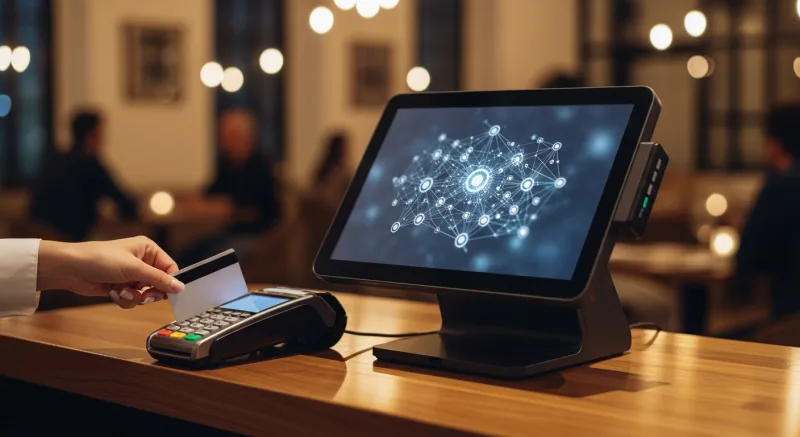
When a parent loads $500 onto a student's prepaid card via credit card, someone is paying 2.5-3.5% in interchange fees on that $500 load. If your system forces you to use a specific payment processor (the way Toast or Square locks restaurants into their own processing), you are paying whatever rate they dictate — no negotiation.
A processor-agnostic platform like KwickOS lets you shop for the best interchange-plus rate on those top-up transactions. On $1.2 million in annual prepaid loads, the difference between a locked 2.99% rate and a negotiated interchange-plus rate saves $3,000-$8,000/year — and that savings compounds every year you operate.
Want to see how different processors compare for your volume? Our POS comparison pages break down the real cost differences between locked and open platforms.
Implementation: From Decision to Live in 3 Weeks
Rolling out a campus prepaid system does not require a semester of planning. Here is a realistic timeline:
Week 1: Setup and configuration. Install POS terminals at all food service locations. Configure menu items, pricing, and account types (meal plan vs. flex). Set up the online parent portal and auto-reload rules. KwickOS onboarding runs 7-10 days from purchase to installation, with 1-3 hours of on-site install per location.
Week 2: Card distribution and training. Print and distribute cards to students/employees (or link to existing ID cards). Train cashiers and dining staff — Shogun Japanese Hibachi had operators proficient in under 5 minutes, and a campus checkout workflow is even simpler than a full-service restaurant. Run a parallel operation (prepaid + cash) during the transition week.
Week 3: Full launch. Go cashless. Monitor transaction volumes, resolve edge cases, and optimize kiosk placement based on traffic data. For campus delivery, KwickDriver integrates at a flat $2 + $6.99/5mi — dramatically cheaper than the 15-25% commissions that third-party delivery services charge.
Monitoring Everything From Your Phone
The T. Jin China Diner model — 15 stores, 75 terminals, all monitored remotely — scales directly to campus operations. From a mobile dashboard, campus food service directors can:
- See real-time transaction volumes at every location
- Monitor prepaid load activity and flag unusually large transactions
- Track which dining stations have the highest revenue per square foot
- Receive instant alerts for system issues, low card stock, or terminal errors
- Generate end-of-week financial reports without touching a spreadsheet
This is the difference between running a campus food program and actually understanding it.
Common Mistakes (And How to Avoid Them)
After working with 5,000+ businesses across 50 states — including multi-location operations that face the same challenges as campus environments — here are the pitfalls we see repeatedly:

- Choosing a cloud-only system. If your system cannot process transactions when the internet drops, you will lose revenue during every outage. Hybrid local+cloud is the only architecture that works for high-volume environments.
- Ignoring breakage accounting. Unused prepaid balances are revenue, but they come with regulatory requirements. Know your state's abandoned property laws and set clear expiration/refund policies before launch.
- Skipping the gift card program. Prepaid cards without a gift card layer leave $50,000-$100,000 on the table annually. E-gift cards, bonus credit promotions, and corporate bulk purchases are low-effort, high-return add-ons.
- No loyalty program. A captive audience is the easiest place to run a loyalty program because every transaction is already tracked. Not adding points and rewards is a missed opportunity to increase per-visit spending.
- Underestimating vending integration. If your vending machines still run on coins and bills while everything else is cashless, you have a gap that frustrates users and leaks revenue.
Go Cashless Across Your Campus
KwickOS powers prepaid, gift card, and loyalty programs on a single platform with hybrid local+cloud reliability. See how it works for campus and corporate environments.
Schedule a Campus Demo