 Tom Jin
You already know social media matters. That's not the problem.
The problem is the 9 PM Sunday feeling — kitchen finally quiet, feet aching, phone in hand — and the realization that you haven't posted in eleven days. So you snap a blurry photo of a half-eaten plate, type "Come see us!", hit publish, and feel worse than if you'd posted nothing at all.
Here's the thing: your competitors aren't more creative than you. They're just more organized. The restaurant three blocks over that always seems to have a packed patio isn't run by a marketing genius. Someone on that team decided, once, what they'd post every day of the month — and then stopped deciding.
But it gets worse. Every day you post reactively instead of on a plan, you're not just wasting effort — you're training the algorithm to bury you. Instagram and TikTok reward consistency the way a regular rewards a familiar server. Post daily for three weeks and disappear for two, and the platform quietly stops showing your next post to the followers you already earned. You paid to acquire those followers with years of great food. Silence gives them back for free.
So let's fix the real problem. Not "be more creative." Not "work harder." Just remove the decision. Below is a complete 30-day content calendar — one theme per day, with the photo, the caption angle, and the format spelled out — plus the tactics that turn a pretty feed into a full dining room. Steal all of it.
Why a Calendar Beats "Inspiration" Every Single Time
Restaurant industry data consistently shows that accounts posting on a consistent daily schedule reach several times more of their audience than accounts that post in unpredictable bursts. The mechanism is simple: platforms optimize for retention, and predictable creators keep people on the app. When you post at random, the algorithm can't learn your pattern, so it hedges by showing your content to fewer people.
A calendar also solves the problem you actually have, which is not talent — it's fatigue. Decision-making is a finite resource, and by the time you've handled a broken walk-in cooler, a no-show line cook, and a two-star review, you have nothing left for creative choices. A calendar moves the thinking to a calm moment once a month and turns daily posting into simple execution.
And there's a compounding benefit most owners miss: a calendar lets you batch. Instead of 30 separate five-minute scrambles, you shoot a week of photos in one 45-minute session and schedule them all at once. The same T. Jin China Diner discipline that lets one operator monitor 15 stores from a single dashboard applies here — systems beat willpower.
The 30-Day Restaurant Content Calendar
This calendar runs on a weekly rhythm of recurring themes, so your followers learn what to expect (Monday means a special, Friday means fun) while each day still gives you a fresh, specific prompt. Adapt the dishes and details to your concept — a bubble tea shop, a steakhouse, and a nail salon can all run this exact skeleton.
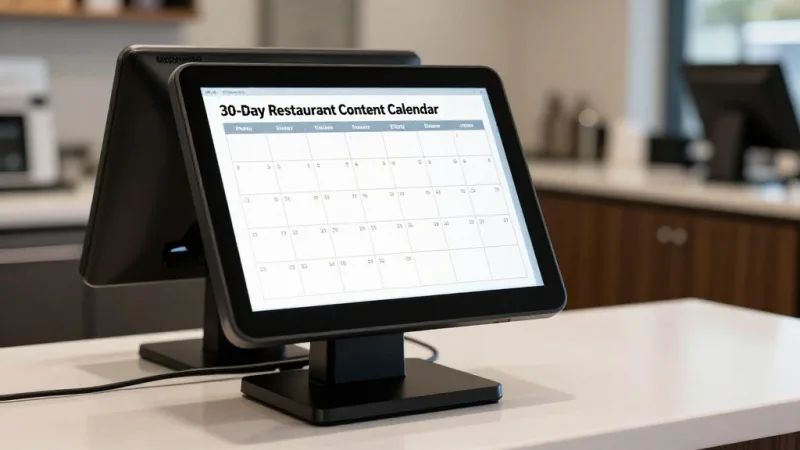
| Day | Theme | What to Post | Format |
|---|---|---|---|
| 1 | Menu Monday | Hero shot of this week's special or best-seller, price and one crave-word ("crispy," "24-hour braised") | Feed photo |
| 2 | Behind the Scenes | Prep in action — dough slap, wok fire, latte pour | Reel / short video |
| 3 | Meet the Team | One staff member, name + how long they've been with you + their favorite menu item | Feed photo + Story |
| 4 | Customer Spotlight | Reshare a customer's tagged photo or a 5-star review as a graphic | Story reshare |
| 5 | Feature Friday | Close-up "food ASMR" of a signature dish — cheese pull, sauce drizzle, first cut | Reel |
| 6 | Weekend Vibes | Full dining room, patio, or bar atmosphere; tag your neighborhood | Feed photo |
| 7 | Community Sunday | Shout out a neighbor business, local team, or event you support | Feed photo + Story |
| 8 | Menu Monday | A dish most people haven't tried — "the item our regulars order that you don't" | Feed photo |
| 9 | How It's Made | Step-by-step of one dish, 3–5 quick clips | Reel / carousel |
| 10 | Poll Day | "This or that" sticker — two dishes, two sauces, two specials to bring back | Story poll |
| 11 | Gift Card Push | E-gift card promo: "Send lunch to someone who needs it" with the buy link | Feed + Story link |
| 12 | Feature Friday | Drink or dessert hero shot — highest-margin item gets the spotlight | Reel |
| 13 | User-Generated | Repost the best customer photo of the week; thank them by name | Story + feed |
| 14 | Sunday Story | Your origin — why you opened, one sentence that only your restaurant could say | Feed photo + caption |
| 15 | Menu Monday | Seasonal or limited-time item; add urgency ("only through Sunday") | Feed photo |
| 16 | Loyalty Day | Show the rewards program — "You're 40 points from a free entrée." Drive sign-ups | Story + link |
| 17 | Q&A | Question sticker — "Ask us anything about the menu." Answer in Stories | Story sticker |
| 18 | Behind the Scenes | Delivery-morning haul, farmer's market run, or supplier visit | Reel |
| 19 | Feature Friday | The "money shot" — your single most photogenic plate, lit well | Reel |
| 20 | Weekend Promo | Happy hour, family bundle, or online-order deal with the ordering link | Feed + Story link |
| 21 | Community Sunday | Feature a regular customer's story (with permission) | Feed photo |
| 22 | Menu Monday | Chef's pick — let a cook explain their favorite dish on camera | Reel |
| 23 | Tips & Value | A useful tip in your niche (pairing, reheating takeout, best time to visit) | Carousel |
| 24 | Throwback | An old photo of the space, a founding-day picture, or a menu from year one | Feed photo |
| 25 | Behind the Scenes | Closing-time reset or opening-time calm — the quiet moments people never see | Reel |
| 26 | Feature Friday | New item teaser or a returning fan favorite | Reel |
| 27 | Weekend Vibes | Live-ish moment — a busy Saturday night, tables full, energy high | Story + feed |
| 28 | Gratitude Post | Thank your followers; recap a win from the month (a milestone, an award) | Feed photo |
| 29 | Menu Monday | Preview next month — a dish, event, or special coming soon | Feed photo |
| 30 | Engagement Reset | "Tag a friend you'd bring here." Giveaway optional (free dessert or gift card) | Feed post |
Notice the ratio. Out of 30 posts, only a handful are hard promotions. The rest are food, people, and story. That's not an accident — a feed that sells on every post gets muted; a feed that entertains and occasionally sells gets shared.
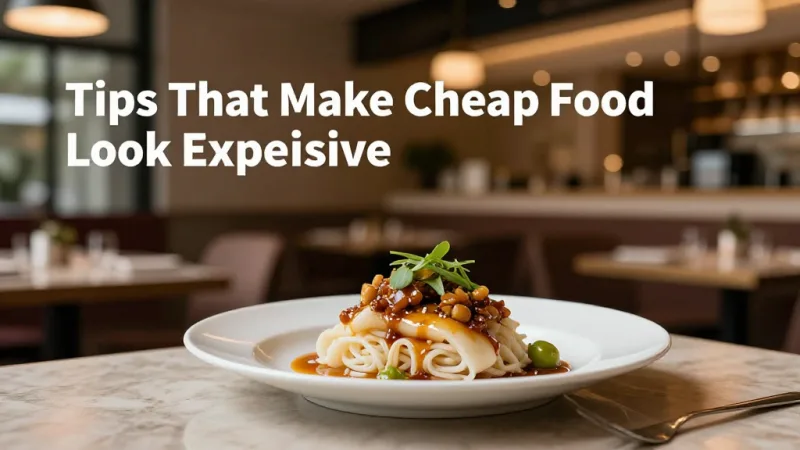
Photo Tips That Make Cheap Food Look Expensive
And that's not all — the calendar only works if the photos stop the scroll. You don't need a $2,000 camera. You need light and a few habits:
- Shoot near a window, never under kitchen fluorescents. Natural side light makes food look fresh; overhead yellow light makes it look like a hospital tray. Turn the overheads off if you have to.
- Get low and get close. A 45-degree angle for tall food (burgers, layered drinks), straight-down for flat spreads (pizza, a full table). Fill the frame — empty plate space reads as "not much food."
- Shoot the moment of action. Steam rising, cheese stretching, sauce pouring. A still plate is a photo; a plate mid-motion is a video people finish watching.
- Wipe the rim. One smudge on the plate edge is the difference between "appetizing" and "amateur." Keep a clean cloth in your photo kit.
- Take ten, keep one. Professionals don't shoot better — they shoot more and delete ruthlessly.
If food photography feels like a permanent weak spot, it's worth knowing this is a solvable problem — tools like KwickPhoto exist specifically to help operators turn ordinary phone shots into menu-grade images without a studio. Great photos also feed straight into your digital menu boards and online ordering pages, so the effort pays off in more than one place.
Stories, Reels, and the Formats That Actually Reach People
Feed posts build your brand. But if you want reach — new faces who've never heard of you — Reels and short video are the engine. Here's the plain truth: platforms are fighting for video watch-time, so they show short video to far more non-followers than they show static photos. A single strong Reel can out-reach a month of feed posts.
Keep Reels simple. The winning formula is: hook in the first second (the cheese pull, the flame, the question on screen), 3 to 6 quick clips in the middle, and a reason to act at the end. Use trending audio when it fits — it's a free reach multiplier — but don't force a dance trend onto a fine-dining brand.
Stories are your daily heartbeat. They don't need polish; they need frequency. Two or three Stories a day — a poll, a behind-the-counter clip, a reshared review — keep you at the front of the Stories bar where regulars glance every morning. And Stories are where your links live: the online ordering link, the gift card purchase page, the loyalty sign-up. That's how a casual viewer becomes a paying customer without ever leaving their phone.
Turning Followers Into Revenue (The Part Most Restaurants Skip)
Here's where most restaurant social media quietly fails: it collects likes and never collects dollars. A follower who never orders, never buys a gift card, and never joins your loyalty program is a vanity number. The calendar above builds three specific bridges from feed to checkout — use all of them.
Online ordering, first-party only. Every promo post should link to your ordering page, not DoorDash. When customers order through a third-party app, you pay 15–30% commission and you never see their contact information. Point them to first-party ordering (KwickMenu runs at roughly $2 + $6.99 versus 25%+ commission) and the order — and the customer data — stays yours.
Gift cards and e-gift cards. Day 11 in the calendar isn't filler. Social media is the single best channel for gift card sales because gifting is emotional and shareable. An e-gift card promo — "send a friend dinner in 30 seconds" — with a direct purchase link can turn one Story into real prepaid revenue that hits your account before you've cooked anything. Gift cards are guaranteed, prepaid money, and a chunk of every batch is never fully redeemed, which is pure margin.
Loyalty and membership. Day 16 exists because a follower who joins your points program becomes a repeat customer instead of a one-time visitor. Show the reward on camera — "you're 40 points from a free entrée" — and offer a sign-up bonus for anyone who joins from social. When your loyalty program and your POS are the same system, every point earned and redeemed ties back to a real customer profile, so you learn who your social media is actually converting.
This is where the platform underneath your restaurant starts to matter. When your POS checkout, gift card engine, and loyalty program live in separate tools, you can't connect a Tuesday Reel to Thursday's sales. When they live in one system — the way KwickOS unifies checkout, gift cards, and loyalty — you can finally answer the only question that matters: did this post make money? Curious how the numbers shake out against a big-name platform? Compare the full picture on our comparison pages.
Scheduling Tools: Post Once, Publish All Month
You are not going to open Instagram 30 times this month to post live. That's the whole trap. Instead, batch and schedule:
- Free: Meta Business Suite schedules Instagram and Facebook posts and Stories at no cost. TikTok and Pinterest have native scheduling built in.
- Paid (optional): Later, Buffer, and Metricool add a visual multi-platform calendar, best-time-to-post suggestions, and analytics. Worth it once you're running three or more platforms or multiple locations.
- The routine: Block 45 minutes every Sunday. Shoot the week's photos, write seven captions from the calendar prompts, schedule all seven. Done. Your feed now runs itself while you run the restaurant.
Multi-location operators feel this most. A group like Crafty Crab Seafood (19 stores, 152 terminals) can't have 19 managers freelancing their own posts — brand consistency comes from one calendar rolled out everywhere, the same way one-click menu sync keeps every location's menu identical. Set the system once; let every location execute it.
Engagement Tactics: The 20 Minutes That Multiply Everything
Posting is only half the job. The algorithm watches what happens after you post, and engagement in the first hour decides how far your content travels. Build these into your routine:
- Reply to every comment within the first hour. Replies count as engagement and signal an active account. A simple "So glad you loved it! 🙌" is enough.
- Ask a question in every caption. "Spicy or mild?" invites a reply. "Come see us!" invites a scroll-past. Comments are worth more than likes.
- Use Story stickers relentlessly. Polls, quizzes, and question boxes are the cheapest engagement you'll ever get — tapping is nearly frictionless.
- Reshare customer content daily. When you repost a customer's photo, they almost always reshare it to their own followers — free reach to an audience that trusts them.
- Spend 10 minutes commenting on other local accounts. Neighboring businesses, food bloggers, community pages. Visibility in your area compounds, and it's how the "always-packed patio" restaurant really got that way.
The Bottom Line
Restaurant social media doesn't fail because owners lack creativity. It fails because "post something today" is a decision, and decisions are exhausting after a 12-hour shift. A calendar removes the decision. That's the entire trick.
Print the 30-day calendar above. Block 45 minutes this Sunday. Shoot a week of photos, write a week of captions, schedule them, and then — this is the important part — build in the bridges to revenue. Link first-party online ordering, promote a gift card, push your loyalty program. Because a feed full of likes pays no bills, but a feed engineered to send people to your checkout, your gift card page, and your rewards program fills tables and prepays revenue.
Your competitor with the packed patio isn't working harder than you. They just stopped guessing. Now you can too. Want to see how the platform behind the posts ties it all together for your specific type of business? Explore our industry solutions, run the numbers with our free calculators, or if you help other restaurants grow, look at our partner program.
One Platform Behind Every Post
KwickOS ties your POS checkout, gift cards, e-gift cards, and loyalty program into one system — so you can finally see which posts actually drive revenue. See it in action.
Explore Free Tools
Frequently Asked Questions
How often should a restaurant post on social media?
Aim for one feed post per day (or at minimum four to five per week) plus two to three Instagram or Facebook Stories daily. Reels or short-form video should go out two to three times a week. Consistency matters far more than volume: a steady daily rhythm trains the algorithm and your followers to expect you, while sporadic bursts followed by silence make your account look abandoned. The 30-day calendar in this guide gives you exactly one theme per day so you never have to decide on the spot.
What types of restaurant posts get the most engagement?
Short-form video (Reels and TikToks) of food being prepared, plated, or pulled apart consistently earns the highest reach because platforms push video hardest. Behind-the-scenes staff content, user-generated customer photos reshared to your Stories, and question or poll stickers that invite replies also perform well. Pure promotional graphics get the least engagement, so keep hard-sell posts to roughly one in five and let food, people, and story carry the rest.
Do I need to pay for a scheduling tool to run a restaurant social calendar?
No. Meta Business Suite lets you schedule Instagram and Facebook posts for free, and both TikTok and Pinterest offer native scheduling. Paid tools like Later, Buffer, or Metricool add multi-platform calendars and analytics that save time once you are posting daily across three or more networks, but they are optional. Start free, prove the routine works, then upgrade only when managing multiple locations makes a paid dashboard worth it.
How do I connect social media posts to actual sales?
Give every campaign a trackable destination and a reason to act. Post your first-party online ordering link (not a third-party app), promote gift cards and e-gift cards with a direct purchase URL, and push loyalty or membership sign-ups with a points bonus for new members. When your POS ties online orders, gift card redemptions, and loyalty enrollments back to individual customers, you can see which posts drove revenue instead of guessing from likes. KwickOS links all of these in one platform so the checkout, gift card, and loyalty data live together.