
 Kelly Ho
Walk outside your restaurant right now. Stand across the street. Look at your building the way a stranger would — someone who has never eaten your food, never heard your name, never read a single review.
What do they see?
If the answer is a faded awning, a menu taped to the window, and a door that could belong to a dentist's office — you're losing customers before they ever taste your cooking. According to restaurant industry data, roughly half of new customers discover a business through its signage. Not Google. Not Instagram. Not a friend's recommendation. A sign.
Here's the thing: your signage is the one marketing channel that works 24 hours a day, 7 days a week, 365 days a year — and you only pay for it once. A $10,000 illuminated sign that lasts ten years costs you $2.74 per day. That same $10,000 spent on social media ads disappears in eight weeks.
But it gets worse. Bad signage doesn't just fail to attract — it actively repels. A dirty, dim, or outdated sign tells every passerby: "The food here is probably as tired as this sign." You're not just missing customers. You're making a negative first impression thousands of times per day.
This guide covers every sign your restaurant needs — from the storefront to the restroom door — and shows you exactly where each dollar of signage investment delivers the highest return.
Your Storefront Sign: The Single Most Important Marketing Asset You Own
Your main exterior sign is not a formality. It's not a regulatory requirement. It's the most cost-effective customer acquisition tool in your entire marketing budget. And yet most restaurant owners spend more time choosing napkin colors than choosing their primary sign.
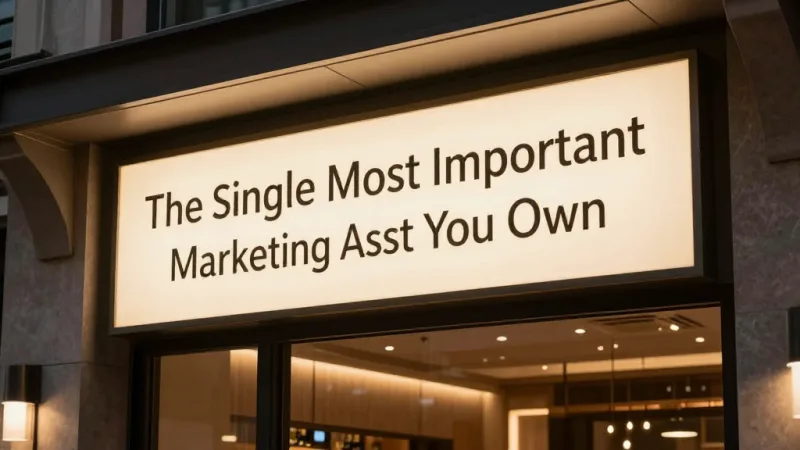
There are five main types of storefront signs, and the one you choose depends on your location, budget, and dining concept:
Channel Letter Signs ($5,000 - $15,000)
Individual illuminated letters mounted directly to the building facade. These are the gold standard for restaurant signage. Each letter contains LEDs that project light either through the face (front-lit), against the wall behind the letter (halo-lit or reverse-lit), or both. Front-lit channel letters are visible from the greatest distance. Halo-lit letters create an upscale, ambient glow that works beautifully for fine dining and wine bars.
Shogun Japanese Hibachi chose halo-lit channel letters for their storefront — the warm backglow against dark brick immediately signals "upscale Japanese dining" before a customer reads a single word.
Lightbox Cabinet Signs ($2,000 - $8,000)
A single illuminated box with translucent face and graphics. Less expensive than channel letters but less visually distinctive. Best for strip mall locations where the landlord provides a standard sign band. If you're in a multi-tenant building, this may be your only option — but you can still make it work by using high-contrast colors and a clean, bold typeface.
Blade/Projecting Signs ($1,500 - $6,000)
Signs that project perpendicular from the building, visible to pedestrians walking along the sidewalk. Essential in dense urban areas where foot traffic moves parallel to your storefront. If people walk past your door without seeing you, a blade sign fixes that instantly. Many cities cap blade sign projection at 3-4 feet from the building face — check your local ordinance before ordering.
Awning Signs ($1,000 - $5,000)
Fabric or metal awnings with printed or sewn branding. These serve double duty: signage plus weather protection for waiting guests. The downside is maintenance — fabric awnings fade in 3-5 years and need replacement. Metal awnings last longer but cost more upfront. The best strategy: use awnings for ambiance and weather protection, not as your primary identification sign.
Monument Signs ($3,000 - $20,000)
Freestanding ground-level signs, usually in front of the property. Common for standalone restaurant buildings with setbacks from the road. If your building sits 50 feet back from the street, a monument sign at the property line is non-negotiable — without it, drive-by traffic literally cannot see your name.
And that's not all. The type of sign matters less than these three factors:
- Readability at speed. Drivers have about 3-5 seconds to read your sign at 35 mph. Use no more than 7 words. Make the restaurant name at least 12 inches tall for every 100 feet of viewing distance.
- Illumination. If you serve dinner, an unlit sign is invisible during your highest-revenue hours. LED illumination adds $1,000-$3,000 to any sign — and it's the best $1,000 you'll spend.
- Contrast. Dark text on light background is readable from the farthest distance. Light text on dark background creates a more dramatic, upscale look but sacrifices distance readability by about 20%.
A-Frame Sidewalk Signs: The $150 Customer Magnet
If your storefront sign is your handshake, your A-frame sidewalk sign is your elevator pitch. And for the price of a single DoorDash commission payment, you get a sign that works every single day.
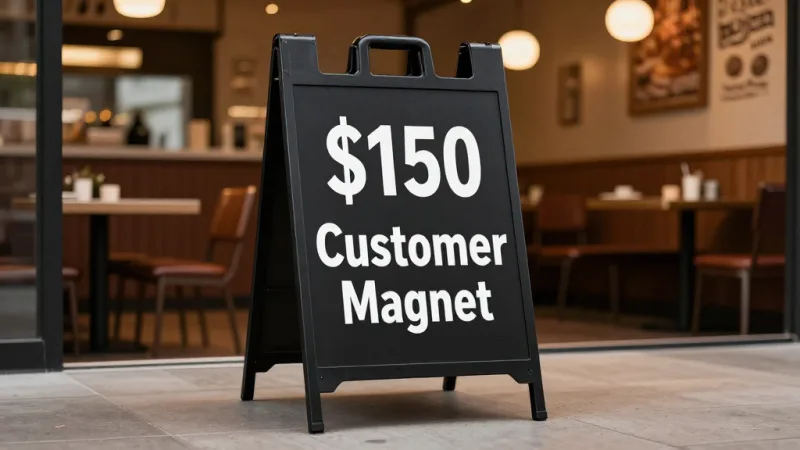
A-frame signs (also called sandwich boards) are the highest-ROI signage investment you'll make. For $100-$200, you get a double-sided sign that sits at eye level, exactly where pedestrians make their dining decision. Here's what makes them so effective:
- They interrupt the walking pattern. A person walking past storefronts has tunnel vision. An A-frame sign on the sidewalk breaks that pattern and forces a glance.
- They communicate urgency. "Today's Special: House-Smoked Brisket — Until It's Gone" works because it changes daily. It implies freshness, limited availability, and a reason to stop now rather than "maybe next time."
- They lower the commitment barrier. "Happy Hour 3-6 PM: $5 Margaritas" gives a hesitant passerby a low-risk reason to walk in. That $5 margarita turns into a $38 check with appetizers and a second round.
The biggest mistake? Writing too much. Your A-frame has roughly 1.5 seconds to deliver its message. That means one headline, one offer, done. "Half-Price Wine Wednesdays" beats a paragraph about your sommelier's credentials every single time.
Pro tip: use a chalkboard A-frame and let your staff write the daily message. Handwritten signs feel personal and authentic — the opposite of corporate. Rockin' Rolls uses a chalkboard A-frame outside each of their 3 locations to promote daily sushi specials, and staff compete to write the most creative messages.
Window Graphics: Your Free Billboard
Your restaurant's windows are premium advertising real estate that you're already paying for. Every square foot of glass facing the street is a billboard — and most restaurant owners leave it completely blank.
There are three tiers of window signage, from low-cost to premium:
Vinyl lettering ($50-$300). Simple cut vinyl letters applied directly to the glass. Use this for permanent information: hours of operation, phone number, "Now Accepting Gift Cards," or "Loyalty Members: Ask About Your Points." This is not exciting, but it's functional. Customers should never have to Google your hours when they're standing at your door.
And here's where gift cards become a signage strategy: a simple vinyl decal that reads "Gift Cards Available — Perfect for Any Occasion" costs under $30 and works every day of the year. During holiday seasons, upgrade to a full window cling promoting e-gift cards with a QR code that links directly to your online gift card purchase page. Tiger Sugar runs a permanent "E-Gift Cards — Scan to Send" QR code on their front windows at both locations, capturing impulse gift purchases from people who aren't even dining in.
Perforated window film ($200-$800). Full-color graphics printed on perforated vinyl that covers the window. From outside, it looks like a large photo or graphic. From inside, patrons can still see through (the tiny perforations allow 50-70% visibility). Use this for high-impact food photography, seasonal promotions, or brand storytelling. A stunning 4-foot photo of your signature dish does more selling than any advertising copy.
Digital window displays ($500-$3,000). A high-brightness monitor mounted in the window, facing outward. This is the premium option and it connects directly to your signage strategy. With a platform like KwickSign, your window display can pull content directly from your POS — showing today's specials, current wait times, or even a live social media feed. The advantage over static signs: you never have to physically change anything. Update your menu in KwickPOS, and the window display updates automatically.
But it gets worse when you do nothing. A blank window in a busy pedestrian area means hundreds of people walk past every hour seeing... nothing. You're paying rent on that glass. Make it sell for you.
Digital Menu Boards: Where Signage Meets Your POS
Here's where signage stops being a marketing expense and becomes an integrated revenue system. Digital menu boards — both interior and drive-thru — are the bridge between your signage and your point-of-sale checkout.
According to industry research, digital menu boards increase average check size by roughly 20-30% compared to static boards. Why? Three reasons:
- Motion captures attention. A subtle animation highlighting your $14 combo draws the eye away from the $8 sandwich. Static boards can't do this.
- High-resolution food photography sells. A printed menu photo is a blurry suggestion. A 4K display showing a steaming bowl of ramen with perfectly placed toppings triggers an immediate craving response.
- Dayparting maximizes every hour. Your breakfast menu at 7 AM, lunch combos at 11:30, happy hour specials at 4 PM, dinner features at 6 — all automatic, no staff intervention required. This is especially powerful for drive-thru operations where the menu board is the only selling tool.
The real power comes from POS integration. When your digital menu boards connect to your POS system, you get capabilities that static signs simply cannot match:
- 86'd items disappear automatically. When the kitchen marks brisket as sold out in the POS, it vanishes from the menu board within seconds. No customer disappointment, no awkward "we're out of that" conversation.
- Price changes propagate instantly. Adjust a price in your POS, and every menu board across every location updates. Crafty Crab uses this to sync pricing across all 19 stores — one change in the central dashboard updates 152 terminals and every digital display simultaneously.
- Promotion scheduling runs itself. Set your loyalty member discounts to appear during slow periods: "Members Save 15% Before 5 PM." The sign promotes the offer, the POS validates the membership at checkout, and you fill empty seats during off-peak hours — all automated.
KwickSign integrates directly with KwickPOS, creating a closed loop: the menu board sells it, the POS rings it up, and the KDS routes it to the kitchen. No manual updates, no mismatches between what the sign says and what the register charges.
Interior Wayfinding: Signs Your Customers Never Notice (Until They're Missing)
Nobody compliments your restroom sign. But everyone notices when they can't find the restroom.
Interior wayfinding signage is invisible when done right and infuriating when done wrong. Every restaurant needs these interior signs:
- Restroom directional signs. Clear, visible from the dining room. If a customer has to ask your server where the restroom is, your signage failed.
- Host stand / "Please Wait to Be Seated" sign. This prevents the awkward hover of customers who don't know whether to seat themselves.
- Order here / Pickup here signs. For counter-service restaurants, these signs control traffic flow. Without them, customers bunch up in the wrong place, creating confusion and longer perceived wait times.
- Exit signs. Required by fire code, but also useful for directing flow. If your entrance and exit are different doors, sign them clearly.
- Allergen information signs. "Please inform your server of any food allergies." This sign isn't just good practice — it's legal protection.
Here's the pattern interrupt: Baked Cravings' self-serve kiosk at Lego Land uses floor graphics — arrows printed on adhesive vinyl — to guide customers from entrance to kiosk to pickup window. In a high-traffic family environment with distracted kids, these floor-level directional cues reduced customer confusion and cut average transaction time. Sometimes the most effective sign isn't on a wall at all.
ADA Compliance: The Signs the Law Requires
This section is not optional. ADA signage violations carry statutory damages up to $75,000 per lawsuit, and accessibility lawsuits targeting restaurants have increased steadily. Here's what the law requires:
Permanent room identification signs (restrooms, exits, employee areas) must include:
- Raised characters (tactile lettering) with Grade 2 Braille
- Non-glare finish with high contrast between text and background
- Mounted on the wall adjacent to the latch side of the door, between 48 and 60 inches from the floor
- Sans-serif font, characters between 5/8 inch and 2 inches tall
Menu boards at counter-service restaurants must be readable from wheelchair height. If your menu board is mounted at 7 feet, a wheelchair user cannot read it. Solutions: angle the board slightly downward, provide a printed menu at counter level, or use a customer-facing display at the checkout that shows the full menu — something KwickPOS handles with its customer-facing display integration.
Directional signs to accessible entrances, restrooms, and elevators must be provided whenever the accessible route differs from the general route.
The cost of ADA-compliant interior signs is minimal — typically $20-$50 per sign. The cost of non-compliance is a lawsuit. Do the math.
Signage ROI: What the Numbers Actually Say
Let's do the math on a real signage investment for a mid-volume restaurant doing $60,000/month in sales:
| Sign Type | Cost | Lifespan | Daily Cost |
|---|---|---|---|
| Channel letter storefront | $8,000 | 10 years | $2.19 |
| A-frame sidewalk sign | $150 | 2 years | $0.21 |
| Window vinyl graphics | $400 | 3 years | $0.37 |
| Digital menu board (interior) | $2,500 | 5 years | $1.37 |
| ADA interior signs (set) | $300 | 10 years | $0.08 |
| Total | $11,350 | $4.22 |
Your entire signage program costs less per day than a latte. Now consider: if your signage brings in just one additional customer per day — one $35 check — that's $12,775 in extra annual revenue. On an $11,350 total investment that lasts years.
Compare that to digital advertising, where you're paying $3-$8 per click with no guarantee of a visit, or third-party delivery commissions eating 15-30% of every order. Your sign pays for itself once and keeps working for a decade.
Want to see how much you could save by bringing delivery orders in-house with flat-fee delivery? Check our delivery savings calculator — the money you save on commissions can fund your entire signage upgrade.
Permits, Landlords, and Common Signage Pitfalls
Before you order any exterior sign, you need to navigate three gatekeepers:
1. City sign ordinances. Every municipality regulates signage differently. Most control: maximum sign area (often calculated as 1-1.5 square feet per linear foot of building frontage), maximum height, illumination type (some ban neon, animated, or flashing signs), placement restrictions, and number of signs per business. Budget 2-6 weeks for permit approval and $50-$500 in permit fees.
2. Landlord approval. If you're leasing, your lease likely specifies sign criteria. Read the signage clause carefully — many landlords dictate sign size, placement, and even font style to maintain a uniform shopping center appearance. Get written approval before spending money.
3. HOA or historic district restrictions. Historic districts often prohibit internally illuminated signs, require specific materials (wood, metal, no plastic), and mandate historically appropriate fonts and colors. These restrictions can double your sign cost but also force you into distinctive, high-quality signage that stands out from generic strip mall signs.
The most expensive signage mistake isn't buying the wrong sign — it's installing a sign without permits and getting a removal order. That's the full cost of the sign plus the cost of a replacement, plus fines.
The Complete Restaurant Signage Checklist
Here's every sign your restaurant needs, prioritized by impact:
Must-have (Day 1):
- Primary storefront identification sign (illuminated if you serve dinner)
- Hours of operation on door or window
- ADA-compliant restroom signs with Braille
- Host stand / seating policy sign
- Exit signs (fire code requirement)
High-impact additions (Month 1):
- A-frame sidewalk sign with daily specials
- Window vinyl: "Gift Cards Available" + loyalty program promotion
- "We Accept" payment methods sign (include Apple Pay, Google Pay — customers look for this)
- Allergen notice sign
Revenue multipliers (Quarter 1):
- Digital menu board integrated with POS
- Customer-facing display at checkout showing order, upsell prompts, and loyalty program enrollment
- Window-facing digital display for passerby engagement
- Blade/projecting sign (if permitted and foot traffic is parallel)
Brand builders (Year 1):
- Perforated window film with professional food photography
- Parking lot directional signs
- Outdoor patio/waiting area branded elements
- Vehicle wrap for catering van or delivery car
How Multi-Location Restaurants Handle Signage at Scale
When you operate multiple locations, signage consistency becomes a brand management challenge. T. Jin China Diner manages 15 locations with 75 terminals — and every location needs signage that feels both consistent with the brand and appropriate for its specific neighborhood.
The solution is a signage standards guide that specifies: exact brand colors (PMS numbers, not "kinda blue"), approved fonts, logo minimum size and clear space, and photography style. Then digital signage handles the variable content — daily specials, pricing, promotions — from a central dashboard.
This is where an integrated platform like KwickOS becomes essential for multi-location operators. KwickSign lets you push digital signage content to every location from one dashboard. KwickPOS ensures the prices on the sign match the prices at checkout. And when a customer at location #7 earns loyalty points, they can redeem them at location #12 — because the membership system is unified across all locations. Compare that to managing 15 separate sign vendors, 15 separate POS systems, and 15 separate loyalty programs. The operational savings alone are worth comparing to locked-in alternatives like Toast.
The Sign You're Not Thinking About: Your Google Business Profile Photo
Your physical signage gets seen by everyone who walks or drives past. But your Google Business Profile storefront photo gets seen by everyone who searches for you online — and research suggests that a majority of "near me" searches result in a visit within 24 hours.
Here's the pattern interrupt: your best physical sign is also your best digital photo. When your storefront looks great — clean, well-lit, inviting signage — a photo of it becomes your most powerful Google Business Profile image. When your storefront looks tired, that photo repels online searchers the same way it repels foot traffic.
Invest in professional photography of your storefront signage. One session costs $200-$500 and gives you assets for Google Business Profile, social media, your website, and print materials. It's the only marketing investment that improves both your physical and digital presence simultaneously.
Connect Your Signs to Your Sales
KwickOS integrates digital signage, POS checkout, gift card management, and loyalty programs into one platform. Your signs sell it. Your POS rings it up. Your loyalty program brings them back. See how it all connects.
Get a Free Demo