 Tom Jin
Look at your lease payment. Now look at your operating hours.
If you open at 4 PM and close at 10 PM, you're paying rent on a kitchen that works 6 hours out of every 24. That means 75% of your real estate cost is subsidizing an empty building.
But it gets worse: your competitors who run breakfast-through-dinner service are spreading that same rent across 14 or 16 hours. Their cost per revenue-hour is half of yours. They can afford to price lower, pay staff more, or simply pocket the difference.
The fix isn't working harder during dinner. It's making every hour you're open earn its keep. In the restaurant industry, this is called dayparting — and it's the difference between restaurants that survive on thin margins and restaurants that build real wealth.
After 20 years running restaurants and building POS systems for 5,000+ businesses across 50 states, I've watched operators add $120,000 or more in annual revenue simply by rethinking how they use the hours they're already paying for.
Here's exactly how to do it.
What Dayparting Actually Means (And Why Most Restaurants Get It Wrong)
Dayparting is the practice of dividing your operating day into distinct revenue periods — each with its own menu, pricing, staffing, and marketing strategy. The standard dayparts are:
- Breakfast (6 AM – 10:30 AM)
- Lunch (11 AM – 2:30 PM)
- Afternoon / Tea (2:30 PM – 4:30 PM)
- Dinner (5 PM – 9 PM)
- Late-Night (9 PM – 1 AM)
Here's the thing: most restaurant owners think dayparting means simply "being open longer." That's the wrong frame. Dayparting means treating each period as its own micro-business — with its own P&L, its own target customer, and its own success metrics.
A dinner restaurant that slaps breakfast items on the menu and opens at 7 AM will almost certainly lose money. A dinner restaurant that designs a breakfast concept with dedicated prep lists, a streamlined menu, and scheduled labor will almost certainly make money. The difference is strategy, not hours.
The Dead-Hour Problem: Your Biggest Hidden Cost
Let's run the numbers on a typical dinner-only restaurant paying $8,000/month in rent for a 2,500 sq ft space.
| Operating Model | Hours Open/Day | Rent per Revenue-Hour | Annual Rent Cost per Hour |
|---|---|---|---|
| Dinner only (5 PM – 10 PM) | 5 | $53.33 | $19,467 |
| Lunch + Dinner (11 AM – 10 PM) | 11 | $24.24 | $8,848 |
| Breakfast through Late-Night (7 AM – 12 AM) | 17 | $15.69 | $5,726 |
The dinner-only restaurant pays $53.33 per revenue-hour in rent alone. The all-day restaurant pays $15.69. That $37.64/hour difference compounds into more than $13,700 in annual savings — and that's before you count a single dollar of additional revenue from the new dayparts.
And that's not all: utilities, insurance, equipment depreciation, and property taxes are all fixed costs that don't change whether you serve 50 customers a day or 200. Every additional daypart spreads those fixed costs thinner.
Daypart 1: Adding Breakfast (The Highest-Margin Opportunity)
Breakfast is the single most profitable daypart you can add to an existing restaurant. The reason is simple: breakfast ingredients are cheap.
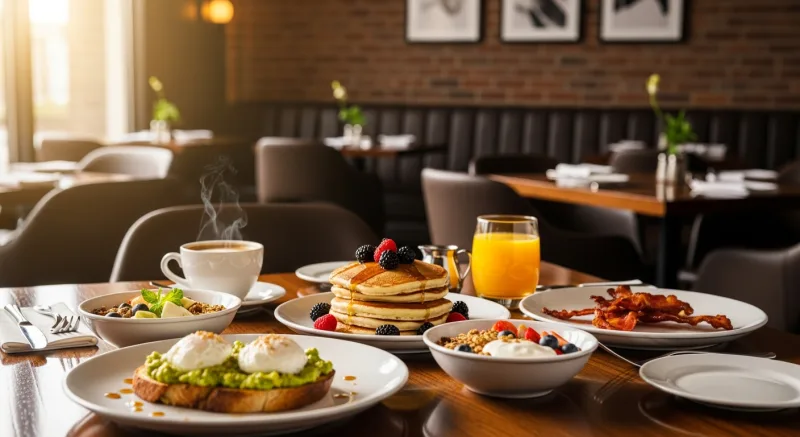
According to restaurant industry data, the average food cost for breakfast items runs between 20% and 28%. Compare that to dinner, where food cost typically sits between 28% and 35%. That 7-10 percentage point gap goes straight to your bottom line.
| Item | Food Cost | Menu Price | Gross Margin |
|---|---|---|---|
| 2-egg breakfast plate | $1.85 | $12.99 | 85.8% |
| Pancake stack | $0.92 | $10.99 | 91.6% |
| Avocado toast | $2.40 | $14.99 | 84.0% |
| Coffee (12 oz drip) | $0.22 | $3.49 | 93.7% |
| Breakfast burrito | $2.10 | $13.49 | 84.4% |
A dinner restaurant adding breakfast with just 40 covers per morning at a $14 average check generates $560/day or $3,920/week in new revenue — with food costs under $900/week. After labor (one cook, one server: roughly $500/week), you're looking at $2,500+ in weekly gross profit from breakfast alone.
Here's what makes it work: breakfast requires minimal kitchen complexity. A flat-top grill, a coffee station, and a toaster can produce a full breakfast menu. You don't need your full dinner brigade. You need one skilled line cook and one front-of-house person.
But here's the critical part most operators miss: your POS needs to handle the menu transition automatically. If your morning crew has to manually switch menus, delete dinner items, and add breakfast items every single day, mistakes happen. Orders for steak frites show up on the breakfast KDS. Prices get crossed. Customers see dinner items on the kiosk at 8 AM.
KwickOS handles this with scheduled menu switching — you program your breakfast, lunch, and dinner menus once, set the transition times, and the system switches automatically across every terminal, self-ordering kiosk, and online ordering channel simultaneously. No manual intervention. No mistakes.
Daypart 2: Lunch — Speed Is the Entire Strategy
Lunch is the most time-constrained daypart. Your customers have 30 to 45 minutes. If they can't order within 2 minutes of sitting down and have food in front of them within 12 minutes, they won't come back.
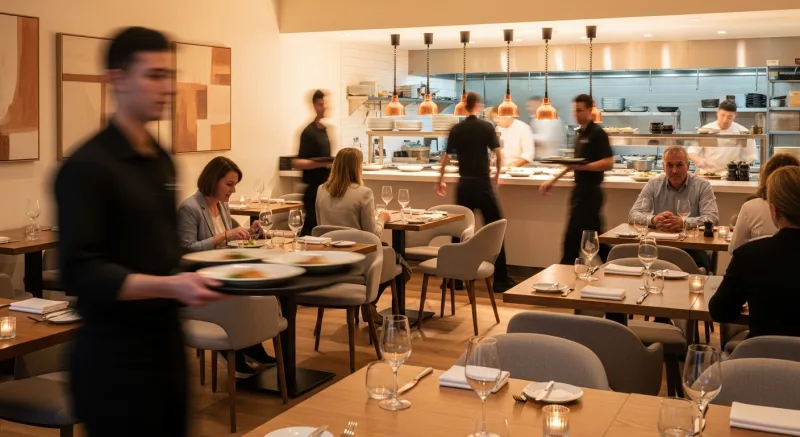
That means your lunch strategy is fundamentally different from dinner. Dinner is about experience. Lunch is about velocity.
The operators who win at lunch do three things differently:
1. Smaller menu, faster execution. Your lunch menu should have 15–20 items maximum. Every item should be executable in under 10 minutes. Cut anything that requires complex prep or long cook times. Industry research suggests that restaurants with smaller lunch menus turn tables 20-30% faster than those using their full dinner menu.
2. Online ordering for pickup. Lunch customers don't want to wait for a table. They want to order from their desk at 11:45, walk in at noon, and grab their food. If you're not offering first-party online ordering for your lunch daypart, you're leaving money on the table — literally. KwickOS integrates with KwickMenu to let customers order ahead, pay ahead, and skip the line entirely.
3. Combo pricing with built-in upsells. Lunch combos (entree + side + drink) at a slight discount drive higher average checks than a la carte ordering. Program your combos directly into your POS so servers and kiosks automatically suggest the upgrade. A well-designed combo strategy adds $2–$3 to the average lunch check.
And here's a pattern interrupt for you: lunch gift cards. Most restaurants only market gift cards during holidays. But lunch gift cards — sold in $25 and $50 denominations, marketed to nearby office managers as team lunch rewards — are one of the most underused revenue drivers in the industry. One corporate account buying $500/month in lunch gift cards is $6,000/year in guaranteed revenue, with the typical 15% breakage rate (unredeemed value) adding pure profit. KwickOS supports both physical and e-gift cards that work seamlessly across all dayparts.
Daypart 3: The Afternoon Dead Zone (2:30 PM – 4:30 PM)
This is the period most restaurant owners simply accept as dead. Lunch is over. Dinner hasn't started. Staff is prepping, and the dining room is empty.
But that doesn't mean revenue has to stop.
Smart operators are filling the afternoon gap with one or more of these strategies:
Afternoon tea / coffee service. If your location has foot traffic, a simplified beverage-and-snacks menu between 2:30 and 4:30 can generate $200–$500/day with virtually no additional labor. The barista or server already on shift for lunch can cover it. Desserts, coffee, tea, and light bites at premium pricing — think $6 lattes and $8 pastry plates — carry enormous margins.
Happy hour (3 PM – 5 PM). This is the classic afternoon daypart strategy, and it works because it drives bar revenue. Discounted drinks bring bodies through the door, and those bodies order appetizers at full price. According to restaurant industry data, happy hour customers who order food spend an average of $28 — but the bar margin on their drinks is 75–85%, making the overall ticket enormously profitable.
Loyalty member exclusive hours. Here's a strategy almost nobody uses: designate the afternoon dead zone as a "members-only" period with special pricing. Your loyalty program members get access to exclusive afternoon deals — think 20% off appetizers or a free dessert with any entree. This does two things: it drives traffic during dead hours, and it gives customers a tangible reason to join your loyalty program. KwickOS loyalty integration lets you automatically apply member-only pricing during specific dayparts without any manual overrides.
Daypart 4: Engineering Dinner for Maximum Revenue per Seat
Dinner is probably your strongest daypart already. The question isn't whether dinner makes money — it's whether it makes enough money relative to the hours you invest in it.
Here are three dayparting moves that squeeze more revenue out of every dinner hour:
Early bird pricing (5 PM – 6 PM). Offering a 10–15% discount or a prix fixe option during the first hour of dinner service fills seats that would otherwise sit empty during the pre-rush period. The math works because your fixed costs (rent, utilities, salaried staff) are already running — any incremental revenue above food and variable labor cost is profit. An early bird seating that fills 8 tables at $45/head generates $360 in revenue you wouldn't have had.
Time-based upsell prompts. After 7 PM, when guests are more relaxed and willing to linger, your POS should prompt servers to offer dessert, after-dinner drinks, and coffee. KwickOS upsell prompts can be configured to appear on server screens at specific times, reminding staff to suggest high-margin items when the table is most receptive.
Tableside checkout. During peak dinner, the biggest bottleneck isn't the kitchen — it's the checkout process. Waiting for the check, waiting for the card to process, waiting for the receipt. Every minute a table is occupied post-meal is a minute that table isn't generating new revenue. KwickOS supports tableside payment so guests can pay at the table and leave when ready, turning tables 8–12 minutes faster during peak hours. Over a 4-hour dinner rush, that's one extra turn on every table — potentially $2,000+ in additional nightly revenue for a 40-seat restaurant.
Daypart 5: Late-Night — The Revenue Most Restaurants Leave on the Table
If your restaurant closes at 9 or 10 PM in an area with nightlife, college students, or shift workers, you're walking away from money.
Late-night dining (9 PM – 1 AM) works best with a stripped-down menu: 12–15 items, all executable by a 2-person kitchen crew, all high-margin. Think bar snacks, loaded fries, sliders, wings, and flatbreads. Items that pair with drinks. Items that don't require your executive chef.
Here's the thing: late-night customers are less price-sensitive than lunch customers. They're out with friends, they've had a couple of drinks, and they're craving food — not comparison shopping. Industry research suggests late-night check averages run 15–25% higher than lunch when alcohol is included.
A late-night operation serving 30 covers at a $22 average check generates $660/night. With a skeleton crew costing $180 in labor and $150 in food cost, that's $330/night in gross profit — or $2,310/week.
And here's where it gets interesting: late-night is the best time to sell gift cards. Customers in a good mood, with friends, celebrating — they're primed for impulse purchases. A subtle "Grab a gift card for someone who'd love this place" sign near the checkout or a prompt on the customer-facing display during late-night payment can drive significant gift card sales. These are pre-paid revenue with zero immediate fulfillment cost and an average 15% breakage rate.
The POS Problem: Why Most Systems Can't Handle Dayparting
Here's where most dayparting strategies fall apart: the POS system.
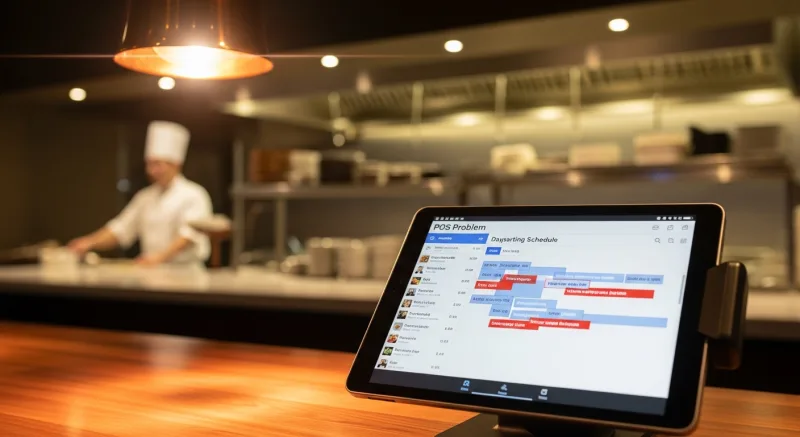
Legacy POS systems — and even many modern cloud-based systems — treat your menu as a single, static entity. Switching between breakfast, lunch, and dinner means manually hiding and showing menu items, changing prices, and reconfiguring modifiers. Some systems require a manager override to change menus.
This creates three problems:
- Human error. A server forgets to switch the menu. Dinner prices show up at lunch. A breakfast-only item is orderable at 9 PM. These mistakes cost money and confuse staff.
- Lost analytics. If your POS doesn't track dayparts separately, you can't see which periods are profitable and which are losing money. You're flying blind.
- Kiosk and online ordering chaos. If your self-ordering kiosks and online ordering platform don't sync with your daypart menus automatically, customers see the wrong items at the wrong times. Tiger Sugar, operating 2 stores with 2 self-ordering kiosks, relies on automatic menu scheduling to ensure their customization-heavy drink menu displays the right options at the right times — without staff intervention.
KwickOS solves this with fully automated daypart scheduling. You set up each daypart menu once — items, prices, modifiers, combos — and assign a time window. The system switches automatically across all channels: terminals, kiosks, KwickMenu online ordering, and KDS screens. Your kitchen display even adjusts its routing rules by daypart, so breakfast tickets go to the flat-top station and dinner tickets go to the sauté station.
And because KwickOS runs on a hybrid local + cloud architecture with 1ms local processing, menu switches happen instantly — no lag, no loading screens, no "menu is updating, please wait." Even if your internet goes down during a transition, the local system handles the switch seamlessly.
Staffing Each Daypart: The Labor Math
The biggest operational challenge of dayparting isn't menu design — it's labor scheduling. Each daypart requires different staff levels, different skill sets, and different shift structures.
Here's a staffing framework for a 50-seat casual restaurant running all five dayparts:
| Daypart | Kitchen Staff | FOH Staff | Hourly Labor Cost |
|---|---|---|---|
| Breakfast (6–10:30 AM) | 1 cook | 1 server + 1 host/cashier | ~$52 |
| Lunch (11 AM–2:30 PM) | 2 cooks | 2 servers + 1 host | ~$87 |
| Afternoon (2:30–4:30 PM) | 1 prep cook | 1 server/barista | ~$35 |
| Dinner (5–9 PM) | 3 cooks + 1 expo | 3 servers + 1 host + 1 bartender | ~$148 |
| Late-Night (9 PM–1 AM) | 1 cook | 1 server + 1 bartender | ~$52 |
The key insight: afternoon and late-night dayparts are profitable precisely because they require minimal staff. You don't need to staff them like dinner. You need a skeleton crew running a simplified menu — and a POS that automates everything else.
KwickOS fingerprint authentication makes shift transitions clean and accountable. When the breakfast cook clocks out and the lunch crew clocks in, fingerprint 1:N identification ensures the right person is on the right shift — no buddy punching, no time theft. For a restaurant running 5 dayparts with 15+ employees across shifts, according to our merchant data, fingerprint time tracking prevents an average of $3,200/year in labor cost from time theft alone.
Daypart-Specific Loyalty and Promotions
One of the most powerful dayparting strategies is running daypart-specific promotions through your loyalty program. Instead of blanket discounts that erode margins during peak times, you target promotions to the hours that need traffic most.
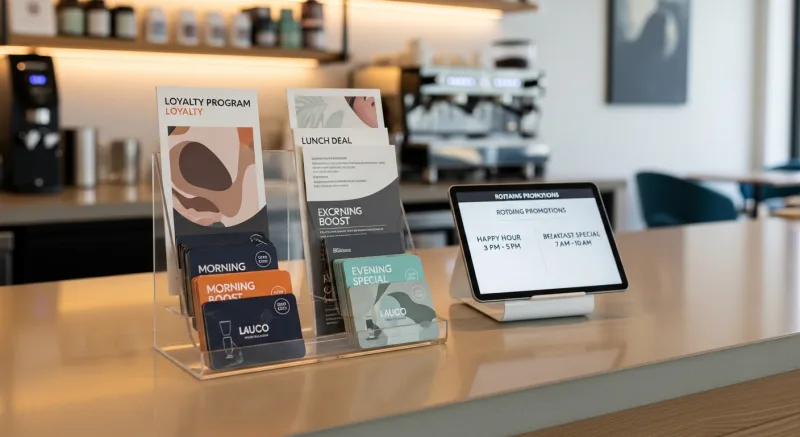
Examples that work:
- "Double Points Breakfast" — Loyalty members earn 2x points on all breakfast purchases. This drives trial of your new daypart among your most loyal customers.
- "Afternoon Insider" — Members-only 20% discount from 2:30–4:30 PM. Creates exclusivity and fills the dead zone.
- "Late-Night Loyalty" — Every 5th late-night visit earns a free appetizer. Builds habit formation for your newest daypart.
- "Early Bird Points Bonus" — First 20 customers at dinner (5–6 PM) get triple points. Drives the early seating that's hardest to fill.
These promotions work because they shift demand to periods where you have excess capacity — rather than discounting during times you'd fill anyway. KwickOS loyalty automatically applies daypart-specific promotions based on the time of transaction, so there's no manager intervention needed and no risk of a lunch promotion accidentally applying at dinner.
Real Results: How T. Jin China Diner Uses Dayparting Across 15 Locations
T. Jin China Diner operates 15 stores with 75 terminals — and every location runs a customized daypart strategy based on its neighborhood demographics.
Their downtown locations run all five dayparts, including a dim sum breakfast and late-night noodle bar. Their suburban locations run lunch and dinner only, with a happy hour bridge. And their food court locations run continuous service from 10 AM to 9 PM with a single rotating menu.
The key to managing this across 15 locations? Centralized menu management with location-level customization. Corporate sets the base daypart menus, pricing, and transition times. Each location manager can adjust for local preferences — adding a breakfast congee in one location, extending happy hour in another — without affecting the rest of the chain.
KwickOS remote management lets T. Jin's corporate team monitor daypart performance across all 15 stores in real time: which breakfast items are selling, which locations need more lunch staff, which late-night operations should extend or cut hours. All from a single dashboard, from anywhere.
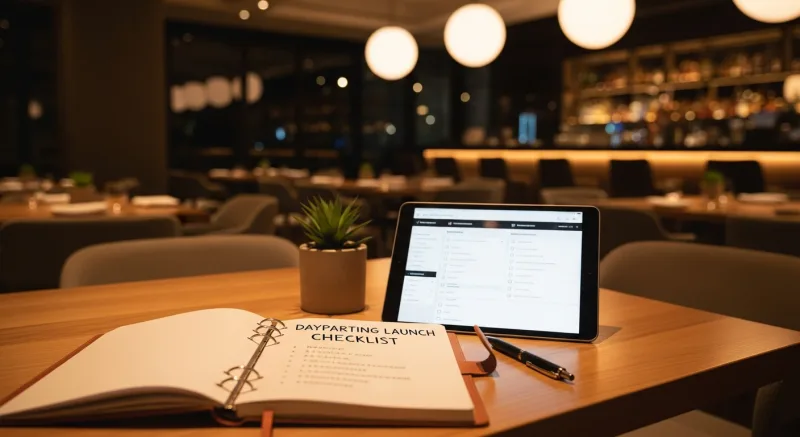
The Dayparting Launch Checklist
If you're adding a new daypart to your restaurant, here's the sequence that works:
- Week 1: Menu design. Build a focused menu of 12–20 items with known food costs under 30%. Test every item for kitchen execution time — nothing over 12 minutes for breakfast/lunch, nothing over 8 minutes for late-night.
- Week 2: POS programming. Set up the new daypart menu in your POS with automatic scheduling. Test the transition: does the menu switch cleanly? Do kiosks update? Does online ordering reflect the change? Configure daypart-specific reporting.
- Week 3: Staff hiring and training. Hire for the new daypart or reassign existing staff. Train on the reduced menu and simplified workflow. Run practice services without customers.
- Week 4: Soft launch. Open the new daypart with a friends-and-family soft launch. Iron out workflow issues. Adjust staffing based on actual volume.
- Week 5: Marketing launch. Announce on social media, update Google Business hours, email your loyalty members, put signage in-store. Offer a launch promotion — "Free coffee with any breakfast order this week" — to drive trial.
- Week 6–8: Optimize. Review daypart-specific P&L reports. Cut underperforming menu items. Adjust staffing. Refine prep lists. This is where your POS reporting earns its keep.
Use our free restaurant tools to model the financial impact before you launch. And if you're comparing POS systems for daypart capability, our POS comparison pages break down which systems support automated menu scheduling and which don't.
The Bottom Line: Revenue per Hour, Not Revenue per Day
The restaurant industry obsesses over daily sales totals. But the metric that actually predicts long-term profitability is revenue per operating hour.
A restaurant generating $4,000/day across 6 dinner hours earns $667/hour. The same restaurant generating $5,500/day across 14 hours (breakfast through late-night) earns $393/hour — but its fixed costs per revenue-hour drop by more than half, and total profit increases by 25–40%.
Dayparting isn't about working more hours. It's about making every hour you're already paying for contribute to your bottom line. Your rent doesn't stop at 2:30 PM. Your equipment doesn't depreciate less during breakfast. Your POS system should be generating revenue in every hour that your doors are open.
That's what processor-agnostic, all-in-one platforms like KwickOS are built for — giving you the flexibility to run your restaurant as a multi-daypart business without the operational chaos that usually comes with it. Automated menu switching. Daypart-specific analytics. Integrated loyalty promotions. Bulletproof networking that doesn't fail during a menu transition. And processing freedom that saves you $3,000–$8,000/year on top of everything else.
Make Every Hour Profitable
KwickOS automates daypart menu switching, tracks performance by period, and helps you fill dead hours with revenue. See how it works for your restaurant.
Get a Demo