 Ming Ye
A customer orders a large pepperoni with extra cheese at 6:47 PM on a Friday. By 6:52, your kitchen hasn't started it. By 7:02, the dough is finally stretched. By 7:14, it comes out of the oven. By 7:18, it's boxed. By 7:22, the driver leaves.
Total time: 35 minutes. The customer expected 25.
Now multiply that by every order between 5 PM and 9 PM. You're not losing customers because your pizza tastes bad. You're losing them because your kitchen can't keep pace with demand.
Here's the thing: the oven isn't the bottleneck. According to restaurant industry data, the average deck oven sits idle 30-40% of the time during peak hours. The real chokepoint is everything that happens before the pizza enters the oven and after it comes out — the make line, the cut station, and dispatch.
This guide breaks down the complete pizzeria workflow from dough prep to delivery handoff, identifies exactly where your time leaks hide, and shows you how to hit a consistent 20-minute door-to-door standard — without hiring more staff or buying a faster oven.
The 20-Minute Anatomy: Where Every Second Goes
Before you can fix your speed, you need to know where time actually disappears. A 20-minute delivery target breaks down like this:
| Stage | Target Time | Common Reality |
|---|---|---|
| Order entry to KDS | 0-15 seconds | 30-90 seconds (manual re-entry) |
| Dough stretch | 30-45 seconds | 60-90 seconds |
| Sauce + cheese + toppings | 45-60 seconds | 90-120 seconds |
| Oven bake | 5-7 minutes | 5-7 minutes (fixed) |
| Cut, box, ticket | 20-30 seconds | 45-90 seconds |
| Driver pickup + route | 8-12 minutes | 12-20 minutes |
| Total | 15-20 minutes | 25-40 minutes |
Notice that the oven — the stage most owners obsess over — is fixed. You can't speed up a 550°F bake. The 15-20 minutes of controllable time live entirely in your workflow, your layout, and your technology.
But it gets worse: every minute added to your ticket time during peak hours doesn't just delay one order. It creates a cascade. Order #14 pushes back order #15, which pushes back #16. By 7:30 PM, your 20-minute promise is 40 minutes, and your phone is ringing with angry customers.
Station 1: Dough Prep — The Foundation That Most Pizzerias Botch
Your make line speed starts hours before the first order. Dough prep is where 80% of pizzerias create their own bottleneck without realizing it.
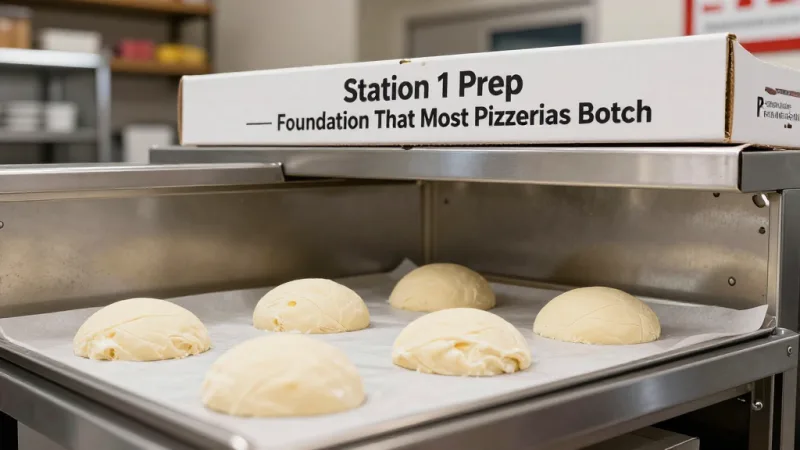
The problem: Most operators prep dough balls in the morning and refrigerate them. By the 5 PM rush, they're pulling cold dough that fights back during stretching — adding 20-30 seconds per pie. Over 100 pizzas, that's 30+ minutes of wasted labor.
The fix: Stage dough in temperature-controlled batches. Pull 20 dough balls from the walk-in to a proofing area 2 hours before each rush. Keep a rolling inventory based on historical order volume from your POS data.
Here's where your technology matters. A POS system that tracks order patterns by day and hour tells you exactly how many dough balls to proof for Tuesday's 6 PM rush versus Friday's. KwickOS generates these reports automatically — 30 days of data shows you the demand curve down to the half-hour. That means no over-proofing (waste) and no under-proofing (bottleneck).
And that's not all: pre-portioned dough balls should be weighed to within 5 grams of target weight. A 16-ounce dough ball at 15.5 ounces looks identical on the scale but produces a visibly thinner crust that customers notice. Consistency starts at prep.
Station 2: The Make Line — Where Speed Lives or Dies
The make line is your assembly plant. Every second of inefficiency here multiplies across every pizza you produce. The difference between a poorly designed make line and an optimized one? According to industry data, high-performing pizzerias push 80-120 pizzas per hour through a 3-person make line. The average independent shop manages 40-60.
The linear flow layout:
- Position 1 — Dough Stretch: One person, one job. Pull proofed dough, stretch to size on a floured surface, place on prep peel. No reaching for ingredients. No checking tickets. Just stretch.
- Position 2 — Sauce, Cheese, Toppings: The busiest station. Sauce ladle with a portioning cup (not free-pour — every free-pour costs 3-5 seconds of hesitation). Cheese from a lowboy directly below the prep surface. Toppings arranged left-to-right in order of most to least frequently used.
- Position 3 — Oven Load/Unload + Cut/Box: This person manages the oven opening, rotates pies at the halfway mark (for deck ovens), pulls finished pies, cuts, and boxes. A KDS screen at this station shows which order each pizza belongs to, so the cutter knows whether to box for delivery, plate for dine-in, or bag for pickup — without asking anyone.
The critical design principle: no station should require more than one step of movement. If your topping containers are on a shelf behind the make line, you've already lost. Every turn-and-reach adds 4-6 seconds per pizza. At 100 pizzas, that's 8 minutes of pure wasted motion.
Here's the thing: KDS (Kitchen Display System) routing is what makes this flow possible without verbal communication. When an order enters the POS — whether from the counter, phone, online ordering, or a third-party app — it should appear on the dough station screen immediately, with the exact pizza specs. No handwritten tickets. No shouting across the kitchen. The dough stretcher reads the screen, stretches the right size, and the screen advances. Shogun Japanese Hibachi adopted this approach for their customized station displays and had new staff operational in under 5 minutes.
Oven Management: It's Not About Speed — It's About Sequencing
You can't rush the bake. What you can control is what enters the oven and when.
The most common oven mistake in a busy pizzeria isn't undercooking or overcooking. It's dead space — loading a single pizza into an oven that fits six, then waiting for it to bake before loading the next batch. A deck oven running at 60% capacity during Friday dinner rush is a deck oven leaving money on the table.
Batch loading rules:
- Group orders by similar bake time. A thin-crust margherita and a deep-dish meat lovers don't go in together.
- Load in rows from back to front. Pull from front first. This eliminates reach-over burns and dropped toppings.
- Use a visual timer system. KDS can display oven-in timestamps so the oven operator knows exactly when each pizza hits its pull time — no guessing, no opening the oven to check.
Conveyor ovens solve the sequencing problem entirely: set the belt speed for your target bake time, and every pizza gets identical treatment. The tradeoff is less control over individual pies. For high-volume delivery-focused operations doing 100+ pies an hour, conveyor is hard to beat. For a Neapolitan-style shop doing 40-60 pies with char and leoparding, deck is non-negotiable.
But it gets worse for operators who aren't tracking their oven data: without POS-integrated timing, you have no idea what your actual throughput is. You think you're pushing 80 pies an hour. Your POS data says 57. That gap is where delivery delays, customer complaints, and lost revenue live.
Cut, Box, and Dispatch: The Last 3 Minutes That Ruin Everything
A pizza comes out of the oven perfect. Then it sits on the cut table for 90 seconds because the cutter doesn't know which order it belongs to. Then the box gets the wrong ticket. Then the driver grabs the wrong stack.
You're not running a kitchen problem. You're running an information problem.
The cut-and-box station needs exactly three things:
- A KDS screen showing the next pizza out of the oven with its order number, customer name, and fulfillment type (dine-in, pickup, delivery).
- Pre-printed or screen-displayed tickets that match the box to the order. No handwriting. No memory.
- A staging shelf separated by fulfillment type — delivery orders on the left (sorted by driver route), pickup orders in the center, dine-in plates on the right.
For delivery dispatch, this is where most independents hemorrhage time and money. If your driver picks up 3 orders and drives them in the order they were boxed (not the order that makes geographic sense), your last delivery is 15 minutes late by default.
KwickOS with KwickDriver integration solves this at the POS level. Orders are automatically batched by delivery zone, the driver's route is optimized before they leave, and customers receive real-time tracking. The flat fee of $2 + $6.99 per delivery replaces the 15-25% commission that DoorDash and UberEats charge. On $15,000/month in delivery sales, that's the difference between paying $2,250-$3,750/month in commissions versus roughly $900 — a savings of $1,350-$2,850 every month.
Online Orders: The Silent Workflow Killer (Or Your Biggest Advantage)
Online ordering now accounts for a significant share of pizzeria revenue, according to industry data. But here's the dirty secret: most online orders create more work for the kitchen, not less.
The problem is integration — or lack of it. If your online orders come through a tablet that someone has to manually re-enter into the POS, you've added 30-90 seconds of pure overhead per order. During a Friday rush with 40 online orders between 5-9 PM, that's 20-60 minutes of someone standing at the POS typing instead of making pizza.
The fix is direct POS integration. When a customer orders through your website (or even through a third-party app), the order should flow directly into your KDS queue — no re-entry, no tablet, no delay. It appears on the dough station screen alongside your walk-in and phone orders, prioritized by promise time.
This is exactly what Rockin' Rolls Sushi Express achieved with their 49 iPad self-ordering stations across 3 locations. Every order flows directly to the kitchen display without manual intervention. The same principle applies to online pizza orders — one unified queue, zero duplicate effort.
And that's not all: online ordering gives you something phone orders never did — perfect order accuracy. When the customer builds their own pizza on a screen, they own the modifiers. No "I said half pepperoni, half sausage" disputes. No mishearing "mushroom" as "must remove." The order is what they tapped. Your remake rate drops, your food cost tightens, and your customer satisfaction climbs.
POS Checkout: The Revenue Layer Most Pizzerias Ignore
Every transaction at your register is an opportunity — not just to collect payment, but to increase the check, capture customer data, and drive repeat visits. Most pizzerias treat the POS as a cash register. High-performing shops treat it as a revenue engine.
Gift cards and e-gift cards are the easiest win. A customer picking up a Friday night pizza order sees a "Buy a $25 gift card, get $5 bonus" promotion on the customer-facing display. That's $25 of guaranteed future revenue locked in — and industry data shows that gift card holders spend 20-30% above the card value when they redeem. During the holiday season alone, a single pizzeria running gift card promotions can generate thousands in pre-sold revenue. E-gift cards expand this further: customers order them from their phone for last-minute birthdays, holidays, or "thank you" moments, and your POS processes the sale without any staff involvement.
Loyalty and membership programs are the repeat-visit machine. A points-based system (earn 1 point per dollar, redeem 100 points for a free pizza) costs you roughly $0.10 per dollar in rewards but drives a measurable increase in visit frequency, according to restaurant industry data. Pizzerias have a natural advantage here: pizza is a high-frequency purchase. Families order weekly. Your loyalty program turns that weekly habit into a locked-in routine.
KwickOS handles both natively — gift card issuance and redemption at the register, e-gift card sales through your online ordering page, and a built-in loyalty engine that tracks points, tiers, and rewards without a separate app or third-party subscription.
Staffing the Line: 3 People, 100 Pizzas
Labor is your second-largest cost after food. The temptation during a Friday rush is to throw bodies at the problem. But a 5-person make line isn't 67% faster than a 3-person make line — it's usually slower, because people get in each other's way, duplicate efforts, and lose the rhythm.
The optimal pizzeria crew for a high-volume shift:
| Role | Count | Responsibilities |
|---|---|---|
| Dough Stretcher | 1 | Pull, proof check, stretch, peel placement |
| Topper | 1 | Sauce, cheese, all toppings, oven load |
| Oven/Cut/Box | 1 | Rotate, pull, cut, box, staging |
| Counter/Phone | 1 | POS orders, phone, pickup handoff |
| Driver(s) | 1-3 | Delivery batches, route execution |
That's 4 in-house staff plus drivers running a kitchen that pushes 80-120 pies/hour. The key is that each role has a clearly defined scope with no overlap. The stretcher never checks tickets. The topper never answers the phone. Cross-training is essential for coverage, but during peak hours, specialization wins.
KwickOS fingerprint clock-in ensures the right people are on the right shift. The 1:N fingerprint recognition prevents buddy punching (one employee clocking in for another), which industry data suggests costs businesses 2-5% of payroll annually. For a pizzeria with $8,000/month in labor costs, that's $160-$400/month recovered — just from accurate time tracking.
The Numbers: What Efficiency Actually Looks Like in Revenue
Let's put real dollars behind the workflow improvements:
| Metric | Before Optimization | After Optimization | Revenue Impact |
|---|---|---|---|
| Pizzas/hour (peak) | 45 | 90 | +$675/hour at $15 avg |
| Avg delivery time | 38 min | 22 min | Fewer cancellations, better reviews |
| Remake rate | 4.2% | 1.1% | $480/month saved in food cost |
| Online order re-entry | 60 sec/order | 0 sec (auto) | 40 min/night labor freed |
| Delivery commission | 22% avg | $2 + $6.99 flat | $2,100/month saved |
A pizzeria doing $40,000/month in sales that implements these operational changes — faster make line, integrated online ordering, KwickDriver for delivery, and POS-driven prep forecasting — can realistically recover $3,000-$5,000/month in a combination of increased throughput, reduced waste, lower delivery commissions, and eliminated processing overhead.
And that processing overhead matters. If your POS locks you into a single payment processor at 2.99% + $0.15 per transaction, you're paying roughly $14,000/year in processing fees on $40K/month volume. A processor-agnostic system lets you negotiate interchange-plus rates that typically save $3,000-$8,000/year. Combined with operational savings, that's the difference between a struggling pizzeria and a profitable one.
Real-World: How Multi-Location Pizza Operations Scale
The workflow principles above don't just apply to single-location shops. Multi-location pizza operations face a compounding challenge: how do you maintain speed and consistency across 5, 10, or 19 locations?
Crafty Crab Seafood solved this for their 19-store, 152-terminal operation with centralized menu management — one-click menu sync across every location. The same principle applies to pizza chains: when you add a seasonal special (pumpkin spice dessert pizza in October, heart-shaped Valentine's pies in February), it should propagate to every location's POS, KDS, online ordering, and digital signage simultaneously.
T. Jin China Diner demonstrated the power of remote monitoring across 15 stores and 75 terminals. For a pizza chain owner, this means watching real-time ticket times across all locations from a single dashboard. When Store #7's average ticket time spikes from 14 minutes to 22 minutes at 7 PM on a Thursday, you see it immediately — and can call the manager before customers start calling you.
This kind of visibility is only possible with a hybrid local+cloud architecture. KwickOS processes orders locally with 1ms latency (so your kitchen never waits for a cloud server), while syncing data to the cloud for cross-location reporting. If the internet goes down, your POS keeps running. The pizza keeps flowing. You deal with the outage after the rush, not during it.
The Technology Stack for a 20-Minute Pizzeria
Pulling it all together, here's the minimum technology a modern pizzeria needs to hit consistent 20-minute delivery:
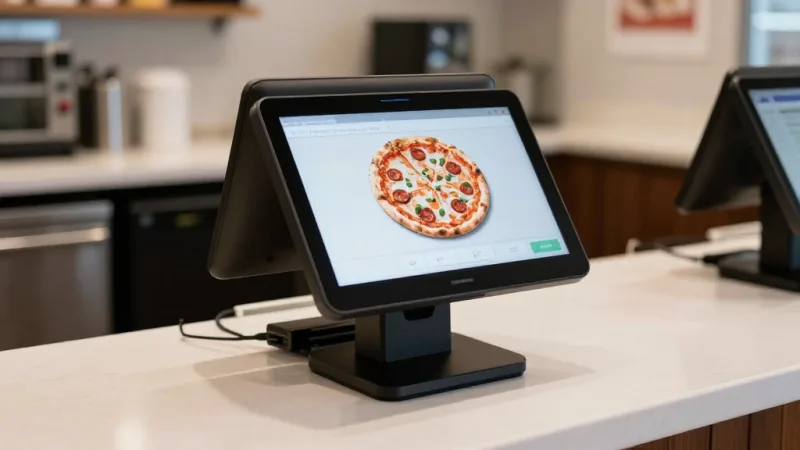
- POS with half-and-half pizza logic: Sounds simple. Most POS systems handle it poorly. Your modifiers need to support left/right/whole for every topping without creating a 47-button nightmare for the cashier.
- KDS at dough station and cut station: Two screens, two purposes. Dough station shows what to make next. Cut station shows how to fulfill it (delivery box, dine-in plate, pickup bag).
- Online ordering integrated to KDS: Zero re-entry. Order placed on web or app hits the kitchen screen in under 15 seconds.
- Delivery dispatch with route optimization: KwickDriver or equivalent. Batch by zone, optimize route, track driver, notify customer.
- Customer-facing display at counter: Upsell prompts ("Add garlic knots for $3.99?"), gift card promotions, and loyalty point balance — all visible to the customer during checkout without slowing down the cashier.
- Multilingual support: If your kitchen staff is multilingual (English, Spanish, Chinese are common in pizza kitchens), your KDS should display in their language. KwickOS supports all three natively.
Want to see how your current setup compares? Our kitchen efficiency calculator estimates your throughput gap and potential savings. Or check out our KwickOS vs Toast comparison to see why processor-agnostic POS matters for high-volume pizzerias.
Ready to Hit 20 Minutes?
KwickOS gives your pizzeria KDS routing, delivery dispatch, online ordering integration, and processor freedom — all in one platform. See the difference in your first Friday rush.
Get a Free Demo