 Ming Ye
Open Google right now. Type "restaurants near me."
See those first three results at the top — the ones with the little "Sponsored" tag? Those restaurants are paying somewhere between $1.50 and $5.00 every time someone clicks. And most restaurant owners look at that and think: "That's a waste of money."
But it gets worse. While you are deciding whether Google Ads are "worth it," your competitors are paying $3.20 per click, converting 10% of those clicks into customers with a $47 average check, and generating a 14x return on every advertising dollar. They are not guessing. They are doing math.
Here is the thing: Google Ads for restaurants is not about branding, impressions, or "getting your name out there." It is about intercepting someone who is already hungry, already searching, and already within driving distance of your front door. That is the most valuable customer in the world — and you are either capturing them or your competition is.
This guide breaks down exactly how to set up, target, budget, and optimize Google Ads for your restaurant. No agency jargon. No fluff. Just the playbook that works.
Why Google Ads Work Better for Restaurants Than Almost Any Other Business
Most businesses advertise to create demand. Restaurants advertise to capture demand that already exists. That distinction changes everything about your return on investment.
According to industry research, "near me" searches have grown significantly year over year, and food-related searches represent one of the largest local search categories. When someone types "Thai food near me" at 6:30 PM on a Tuesday, they are not browsing. They are buying. They have already made the decision to eat out — the only question is where.
And that's not all: restaurant searches have some of the highest local intent of any industry. Industry data suggests that the majority of local searchers visit a business within 24 hours. For restaurants, that window is often measured in minutes, not hours.
This is why the math works so well:
| Metric | Typical Restaurant Value |
|---|---|
| Average cost per click | $1.50 – $5.00 |
| Click-to-customer conversion rate | 5% – 15% |
| Average check size | $35 – $65 |
| Cost to acquire one customer | $20 – $50 |
| Lifetime value (if they return 3+ times) | $140 – $300+ |
Even at the expensive end — $5.00 per click, 5% conversion, $35 check — you are paying $100 to acquire a customer worth $35 on the first visit. That sounds bad. But here is the thing: if your food is good and your loyalty program is working, that customer comes back. Three visits at $35 is $105 — you just broke even. Five visits is $175. Ten visits over a year is $350.
This is why restaurants that track lifetime value through their POS system — not just first-visit revenue — see Google Ads as one of their best investments. KwickOS CRM tracks customer visit frequency, average spend, and loyalty program engagement so you can measure true ROI, not just cost per click.
Step 1: Choose the Right Campaign Type
Google offers several campaign types. For restaurants, only two matter at the start:
Local Search Campaigns (Start Here)
These put your restaurant at the top of Google Search results when someone types location-based queries. You show up above organic results, above the map pack, and above your competitors who are relying on SEO alone.
Local search campaigns give you the most control over keywords, budget, and targeting. They are the workhorse of restaurant advertising.
Performance Max with Local Goals (Add Later)
Performance Max campaigns use Google's AI to show your ads across Search, Maps, YouTube, Gmail, and the Display Network. They are powerful but require conversion data to optimize. Run search campaigns for 60 days first to build conversion history, then layer Performance Max on top.
But it gets worse for restaurant owners who skip straight to Performance Max: without historical conversion data, Google's algorithm spends your budget learning — which means your first $500-$1,000 goes toward training the AI, not driving customers. Start with search. Always.
Step 2: Keyword Strategy — What to Target and What to Avoid
Keywords are where most restaurant owners either win big or waste thousands. The difference is intent.
High-Intent Keywords (Bid Aggressively)
- "[cuisine type] restaurant near me" — e.g., "Chinese restaurant near me"
- "best [cuisine] in [city/neighborhood]" — e.g., "best sushi in Houston"
- "[cuisine] delivery [area]" — e.g., "pizza delivery downtown Dallas"
- "[cuisine] catering [city]" — e.g., "Mexican catering Austin"
- "restaurant open now near me"
- "[specific dish] near me" — e.g., "pho near me"
These searchers are ready to act. They have chosen a cuisine, they want proximity, and they are searching with urgency. A $3-5 click here is worth every penny.
Low-Intent Keywords (Avoid or Bid Low)
- "dinner ideas" — recipe hunters, not diners
- "how to make [dish]" — home cooks
- "restaurant industry trends" — industry professionals
- "cheap food" — price-sensitive browsers who rarely convert
- "food near me" alone — too broad, low conversion
Here's the thing: one wrong keyword can drain your entire daily budget before lunch. A restaurant owner targeting "dinner ideas" at $2 per click will get 250 clicks from home cooks for $500 — and zero reservations. That same $500 on "Thai restaurant downtown Portland" might generate 15-25 paying customers.
Negative Keywords (Critical — Set These Day One)
Negative keywords prevent your ad from showing on irrelevant searches. Add these immediately:
- "recipe," "how to make," "homemade"
- "jobs," "hiring," "salary," "careers"
- "franchise," "for sale"
- "free," "coupon code" (unless you are running a specific promotion)
- Competitor brand names (unless you have a deliberate competitive strategy)
Step 3: Location Targeting — Think in Driving Minutes, Not Miles
This is where restaurants have a massive advantage over other businesses. Your customer base is hyperlocal. You do not need to reach the entire metro area — just the people who can realistically drive to your door.
For dine-in focused restaurants: Target a 5-8 mile radius around your location. In dense urban areas, shrink to 3-5 miles. In suburban areas, expand to 10-12 miles.
For delivery-focused restaurants: Match your delivery zone exactly. If you use KwickDriver with a 5-mile delivery radius at $2 flat + $6.99/order (versus paying 25% commission to DoorDash), target that same 5-mile zone in your ads. Every ad dollar goes toward customers you can actually serve.
For catering: Expand to 15-25 miles. Corporate catering customers will drive further or expect delivery for large orders.
One critical setting most restaurant owners miss: in Google Ads location targeting, select "People in or regularly in your targeted locations" — NOT "People in, or interested in, your targeted locations." The second option shows your ads to people in other cities who merely searched about your area. You will pay for clicks from people 200 miles away who will never visit.
Step 4: Ad Copy That Converts Hungry Searchers
You have 3-4 seconds to convince someone to click your ad instead of the competitor above or below you. Every word matters.
Headlines That Work
- Lead with your cuisine and location: "Authentic Thai — Downtown Austin"
- Include a specific offer: "Lunch Specials from $9.99"
- Use urgency: "Order Now — Ready in 20 Min"
- Mention what makes you different: "Family-Owned Since 2003"
Description Lines That Sell
Do not waste description space on generic claims like "delicious food" or "great atmosphere." Everyone says that. Instead:
- Mention specific popular dishes: "Try Our Award-Winning Pad Thai"
- Highlight convenience: "Online Ordering · Curbside Pickup · Free Delivery Over $30"
- Add social proof: "4.7 Stars · 2,400+ Reviews"
- Include a CTA: "View Menu & Order Online"
Ad Extensions (Free Extra Real Estate)
Extensions expand your ad with additional information at no extra cost per click. Use all of these:
- Location extension: Shows your address and a map pin
- Call extension: Adds a clickable phone number (mobile users can call with one tap)
- Sitelink extensions: Link to your menu, online ordering, catering page, and gift card purchase page
- Structured snippets: List cuisine types, meal periods, or services
- Promotion extension: Highlight seasonal offers, happy hour specials, or e-gift card promotions
And that's not all: sitelink extensions can drive traffic directly to your gift card purchase page. Industry data shows that gift card buyers spend an average of 20-40% more than the card value when redeeming. A $50 e-gift card purchased through a Google Ad often generates $60-$70 in actual spending. That is free revenue sitting inside your ad extensions.
Step 5: Budget Allocation — How Much to Spend and When
The biggest mistake restaurant owners make with Google Ads is not the budget size — it is the budget distribution.
Starting Budget
For a single-location restaurant, start at $15-$50 per day ($450-$1,500/month). This gives you enough data to optimize within 2-4 weeks without overspending during the learning phase.
Dayparting (Schedule Your Ads Around Meal Periods)
Restaurant searches peak at predictable times:
- Lunch searches: 10:30 AM – 1:30 PM
- Dinner searches: 4:00 PM – 8:00 PM
- Late-night searches: 9:00 PM – 12:00 AM (if you serve late)
Allocate 70% of your budget to your primary meal period and 30% to secondary periods. If you are a dinner-focused restaurant, do not waste money on breakfast searches. A seafood house does not need to bid on "lunch near me" at 7 AM.
Here is the thing: running ads 24/7 at the same bid means you are paying the same amount for a 3 AM click (someone browsing from bed, not buying) as a 6 PM click (someone actively deciding where to eat in 20 minutes). Dayparting alone can improve your ROI by 30-50%.
Day-of-Week Optimization
Check your POS data. Most restaurants see higher revenue on Friday and Saturday, slower business on Monday and Tuesday. Increase ad spend on slow days to fill seats, and consider reducing spend on days when you are already at capacity. Why pay to attract customers when you have a 45-minute wait?
Step 6: Landing Pages — Where Clicks Become Customers
Sending ad traffic to your homepage is like giving someone directions to your building and hoping they find the entrance. Every ad should link to a specific, relevant page.
- "Thai delivery near me" → link to your online ordering page
- "Catering [city]" → link to your catering menu with inquiry form
- "Best Thai [city]" → link to your full menu with a "Reserve a Table" button
- "Gift cards [restaurant name]" → link directly to your e-gift card purchase page
Your landing page must load in under 3 seconds on mobile. According to industry research, more than half of mobile users abandon a page that takes longer than 3 seconds to load. For restaurants, where the majority of local searches happen on phones, page speed is not optional — it is the difference between a $47 customer and a bounce.
Step 7: Conversion Tracking — Know What's Working
Without conversion tracking, Google Ads is a black box. You are spending money but have no idea whether it is driving actual customers. Set up tracking for these actions:
- Phone calls from the ad (use Google's call tracking or a dedicated number)
- Direction requests (clicks on your address/map)
- Online orders (track completed checkouts)
- Reservation submissions
- Gift card purchases (track e-gift card sales attributed to ads)
- Menu views (secondary conversion — indicates strong interest)
The real power comes from connecting your ad data to your POS. KwickOS tracks every customer's visit history, spend per visit, and loyalty membership status. When you tie that to your Google Ads campaigns, you stop measuring "cost per click" and start measuring "cost per repeat customer." That is the number that matters.
T. Jin China Diner, operating 15 locations with 75 terminals on KwickOS, uses centralized CRM data to track which marketing channels drive the highest lifetime value customers — not just the cheapest clicks. The result: they allocate ad spend to campaigns that generate repeat customers, not one-time visitors.
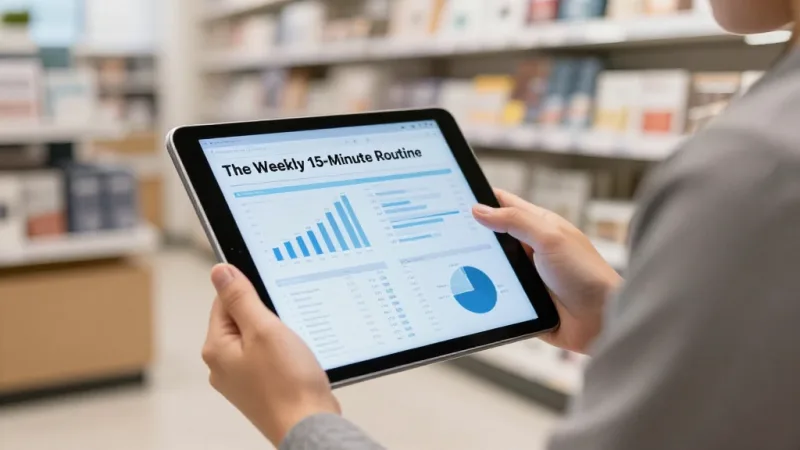
Step 8: Optimization — The Weekly 15-Minute Routine
Google Ads is not "set and forget." But it does not need to consume your life. A 15-minute weekly review keeps your campaigns profitable:
- Check search terms report (5 min) — See what people actually searched before clicking your ad. Add irrelevant terms as negative keywords. Find high-converting terms and add them as exact-match keywords.
- Review cost per conversion (3 min) — If any campaign's cost per customer exceeds your target ($30-$50), pause underperforming ad groups or reduce bids.
- Adjust bids by device (3 min) — Mobile clicks typically convert better for restaurants (people searching on the go). If mobile converts 2x better than desktop, increase mobile bid adjustment by 20-30%.
- Check location performance (2 min) — Some zip codes convert better than others. Increase bids in high-performing areas, exclude areas with clicks but no conversions.
- Review ad copy performance (2 min) — Pause ads with low click-through rates (below 3%). Test new headlines monthly.
This 15-minute routine, done consistently, is the difference between restaurants that say "Google Ads didn't work for us" and restaurants that generate $5,000-$15,000 per month in attributable revenue from a $1,000 ad spend.
Tying Ads to Your Loyalty and Gift Card Programs
Here is where most restaurant advertising strategies stop — at the first visit. But the smartest operators use Google Ads as the entry point to a loyalty flywheel that generates revenue for months.
The sequence:
- Customer finds you through a Google Ad
- They order or dine in and you capture their information at checkout
- Your POS enrolls them in your loyalty program — automatically, with no extra steps
- They earn points on their first visit and receive a "come back" incentive
- They return, redeem points, and spend more than the reward value
- They buy a gift card for a friend, generating a new customer you did not pay to acquire
This is why the POS checkout flow matters so much for advertising ROI. If your POS does not capture customer data at the point of sale, every Google Ads customer is a one-time transaction. If it does — and if your loyalty program activates without friction — each $3.20 click can generate hundreds of dollars over 12 months.
KwickOS enrolls customers into loyalty at checkout with one tap. Points accrue automatically. E-gift cards can be purchased online and redeemed at any terminal. The entire loop — from first Google Ad click to fifth visit to gift card referral — runs through one integrated system.
Real-World Results: What $1,000/Month in Google Ads Looks Like
Let's run the numbers for a realistic single-location restaurant:
| Metric | Conservative | Optimized (After 90 Days) |
|---|---|---|
| Monthly budget | $1,000 | $1,000 |
| Average CPC | $3.50 | $2.80 |
| Total clicks | 286 | 357 |
| Conversion rate | 7% | 12% |
| New customers/month | 20 | 43 |
| Average check | $47 | $47 |
| First-month revenue from ads | $940 | $2,021 |
| 12-month value (3 visits avg) | $2,820 | $6,063 |
Even the conservative scenario nearly breaks even on the first visit and triples the investment over 12 months. The optimized scenario — achievable for any restaurant that follows the weekly routine above — generates a 6x return.
Multiply that across locations: Crafty Crab Seafood, running 19 locations on KwickOS with 152 terminals, can allocate ad budgets by location based on real POS data — spending more in locations with available capacity and pulling back where tables are already full. That is the advantage of having your POS, CRM, and advertising data connected.
5 Mistakes That Burn Restaurant Ad Budgets
- No negative keywords. Without them, you pay for clicks from job seekers, recipe hunters, and tourists who will never visit. This single oversight can waste 30-40% of your budget.
- Targeting too broad an area. A 25-mile radius for a dine-in restaurant means paying for clicks from people who will never drive 40 minutes for dinner. Tighten your radius.
- Running ads 24/7 at the same bid. A 3 AM click and a 6 PM click are not worth the same amount. Use dayparting.
- Sending all traffic to the homepage. Match each ad to its most relevant landing page. Online ordering ads go to the ordering page, not the "About Us" page.
- Not tracking conversions. If you cannot measure whether ads produce customers, you cannot optimize. Set up tracking before spending a dollar.
Turn Google Clicks into Loyal Customers
KwickOS connects your POS, online ordering, loyalty program, and gift cards into one system — so every ad click becomes a trackable, returnable customer. See the difference processor-agnostic, all-in-one POS makes.
Get a Free Demo