
 Ming Ye
Your chef spent 45 minutes preparing a perfect osso buco. Your server carried it to table 12 with pride. And then it sat there — untouched — while the guests were still working through their rigatoni bolognese.
Two courses arrived within three minutes of each other. The antipasto platter was cleared twenty minutes ago. The diners feel rushed. The magic of the meal is gone.
Here's the thing: this isn't a kitchen problem. It's a POS problem.
Most POS systems treat every order like fast food — fire everything immediately, get it out, turn the table. That model works for burger joints. It destroys Italian dining, where the space between courses is the entire point.
According to restaurant industry data, course-timing errors are among the top three complaints at full-service Italian restaurants. And the root cause is almost always the same: a POS system that doesn't understand courses.
But it gets worse. Beyond timing, Italian restaurants face a unique combination of POS challenges that most systems handle poorly: nested pasta modifiers (shape + sauce + protein + doneness), wine programs with dozens of by-the-glass options, prix fixe menus that change weekly, and tableside ordering workflows where the server is the menu.
This guide covers exactly how to configure a POS system that handles all of it — so your technology honors the dining experience instead of undermining it.
Course-Fire Controls: The Feature That Defines Italian Restaurant POS
In a traditional Italian meal, courses follow a deliberate sequence: antipasto, primo (pasta or risotto), secondo (protein), contorno (side), and dolce (dessert). Each course should arrive only when the previous one is cleared. That spacing — typically 12 to 18 minutes between courses — is what separates a memorable Italian dining experience from an expensive cafeteria.
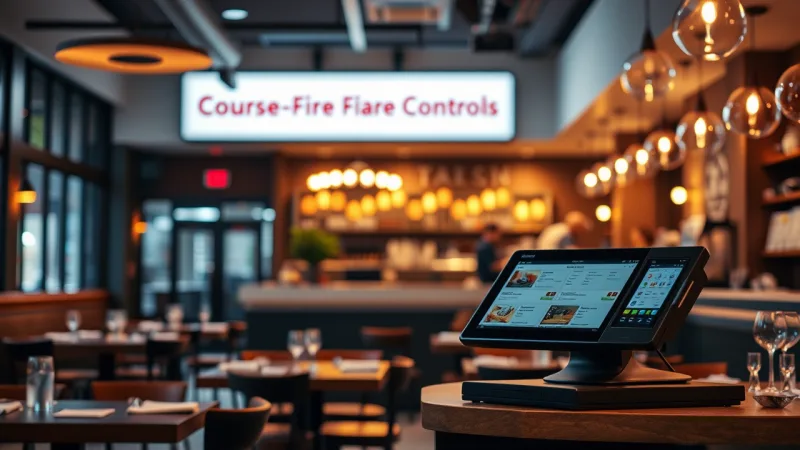
A POS built for Italian restaurants needs three specific capabilities:
1. Course Assignment at Order Entry
When a server takes an order, they should assign each item to a course. The bruschetta goes to Antipasto. The cacio e pepe goes to Primo. The branzino goes to Secondo. The tiramisu goes to Dolce. This assignment happens at the table, not in the kitchen — and it determines when each item fires.
With KwickOS, servers tap a course button before entering items. The KDS displays each course in a separate color-coded section, so the kitchen sees exactly what's coming and in what order. Cold-prep items (antipasti, salads) route to the garde manger station, while hot items route to the appropriate line station — all automatically, based on course and category rules you set once.
2. Hold-and-Fire Timing
The primo course sits in "held" status until the server clears the antipasto. Then the server taps "Fire Next Course" on their tablet or the POS terminal, and the primo tickets appear on the kitchen display. The kitchen begins preparing those items only when fired.
And that's not all: KwickOS can also set automatic timing alerts. If a course has been held for more than 25 minutes without being fired, the system notifies the server — in case they forgot or got busy with another table. This prevents the opposite problem: courses that never arrive because the server lost track.
3. KDS Course Grouping
The Kitchen Display System needs to show held courses differently from active ones. Active tickets appear in the main queue with a countdown timer. Held courses appear in a separate "upcoming" panel so the kitchen can prep ingredients without fully cooking the dish.
Shogun Japanese Hibachi, one of our restaurant partners, uses a similar course-management approach for their multi-course hibachi experience. Their kitchen staff learned the system in under five minutes — and the same course-fire logic applies directly to Italian restaurants with even more complexity.
Pasta Modifier Architecture: Why Nested Groups Matter
Pasta is the backbone of Italian restaurant revenue. And pasta orders are more complex than almost any other menu category in any cuisine.
A single pasta dish can involve four layers of decisions:
- Pasta shape: spaghetti, penne, rigatoni, linguine, fettuccine, orecchiette, bucatini — each with different cook times
- Sauce: marinara, bolognese, alfredo, pesto, aglio e olio, arrabbiata, carbonara
- Protein add-on: grilled chicken ($4), shrimp ($6), Italian sausage ($5), meatballs ($5)
- Special requests: gluten-free pasta (+$3), extra sauce, light garlic, spicy
Most POS systems handle this with a flat modifier list — one long scrolling menu of options. That works when you have three choices. When you have 30+, it turns every pasta order into a 45-second exercise in scrolling.
Here's how KwickOS structures it instead: nested modifier groups that walk the server through each decision in sequence. Select the dish → choose the shape → choose the sauce → add protein → special requests. Each step takes one tap. The entire modifier flow completes in under 10 seconds, and the kitchen ticket prints each layer clearly.
For gluten-free or alternative pasta substitutions, the modifier automatically triggers two things: a price upcharge on the check, and a highlighted alert on the kitchen display. The pasta cook knows immediately that Table 7's penne alla vodka is gluten-free before they grab the wrong box.
This matters more than most operators realize. According to restaurant industry data, modifier errors account for a significant portion of food waste and re-fires in pasta-heavy restaurants. Every re-fire costs you the food, the labor, and — worst of all — the guest's patience.
Wine Program Integration: Tracking Pours, Margins, and Pairings
Wine is where Italian restaurants make their real margin. A bottle that costs $12 wholesale sells for $48 on the list — a 300% markup. By the glass, that same bottle yields five pours at $14 each — $70 total, a 483% markup.
But it gets worse if you're not tracking it: wine inventory is the single easiest category to lose money on through over-pouring, spoilage, and unrecorded comps.
A properly configured POS tracks wine at three levels:
Bottle Inventory and Par Levels
Every wine on your list exists as an inventory item with a bottle count. When a server sells a bottle of Barolo, inventory decreases by one. When they sell a glass, inventory decreases by 0.2 (assuming five glasses per bottle). The system alerts your bar manager when any wine drops below par level, so you never tell a guest "we're out of the Chianti" on a Saturday night.
By-the-Glass Pour Cost Tracking
KwickOS calculates your pour cost per glass automatically. If you're paying $15 wholesale for a bottle of Montepulciano and selling glasses at $13, your pour cost is 23% — well within the industry target of 20-25%. If a particular wine's pour cost creeps above 30%, the system flags it so you can adjust pricing or serving size.
Wine Pairing Suggestions at the POS
When a server enters a pasta dish, the POS can display a suggested wine pairing — "Pairs with: Chianti Classico (glass $14 / bottle $52)." This isn't just a nice feature. It's a revenue driver. According to restaurant industry data, servers who offer specific wine pairings sell significantly more wine per table than those who ask the generic "would you like some wine tonight?"
For Italian restaurants with rotating by-the-glass selections, KwickOS supports a daily specials category that servers or managers can update in under 60 seconds — no menu rebuild, no IT call, no downtime. Crafty Crab Seafood, which operates 19 locations on KwickOS, uses a similar one-click menu sync approach to update specials across every store simultaneously.
Prix Fixe and Tasting Menus: One Price, Multiple Courses, Zero Confusion
Many Italian restaurants offer prix fixe menus — a multi-course meal at a fixed price, especially on weekends, holidays, or for special events. The POS challenge is straightforward but surprisingly rare in most systems: one ticket, one price, multiple courses with individual selections.
In KwickOS, a prix fixe menu is a single item at the fixed price ($55, $65, $85 — whatever you set). When the server selects it, the system walks through required modifier groups for each course:
- Antipasto: Choose 1 — Burrata, Carpaccio, or Calamari Fritti
- Primo: Choose 1 — Risotto ai Funghi, Pappardelle al Ragu, or Gnocchi al Pesto
- Secondo: Choose 1 — Branzino, Osso Buco, or Chicken Milanese
- Dolce: Choose 1 — Tiramisu, Panna Cotta, or Affogato
Each selection fires to the kitchen as a separate course ticket, routed to the correct station, and held or fired according to your course-timing rules. The check shows one line item at the prix fixe price — clean and professional.
For wine pairings added to a prix fixe dinner, the POS adds a separate line item ($30 wine pairing, $45 premium pairing) and fires each paired glass to the bar with the corresponding course number.
Tableside Ordering: Where the Server Becomes the Menu
In great Italian restaurants, the server doesn't just take your order — they guide it. They describe the daily branzino. They recommend the pasta shape that holds the sauce best. They know which Barolo is drinking beautifully right now.
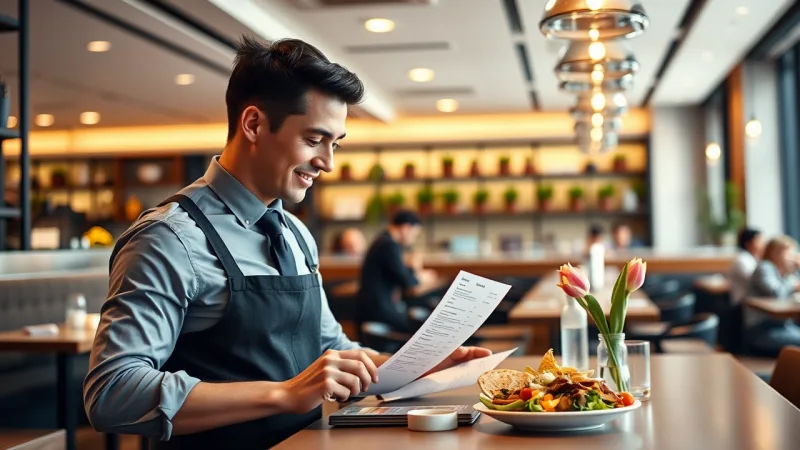
Tableside ordering with a tablet supports this experience instead of interrupting it. The server stands at the table, enters each item as the conversation happens, assigns courses, adds wine, and sends everything to the kitchen — no walking back to a terminal, no scribbled notes to decipher, no forgotten modifiers.
And here's what makes the difference: KwickOS runs on any device — dedicated tablets, iPads, even a server's phone in a pinch. Because the system is web-based on Linux with hybrid local+cloud architecture, tableside devices connect to the local server at 1ms latency. There's no cloud lag between tapping "send" and the ticket appearing on the kitchen display. Even if your internet drops during service, every order still processes locally.
Rockin' Rolls Sushi Express operates 49 iPad ordering stations across three locations on the same architecture. For Italian restaurants, the tableside application is identical — the difference is simply the menu structure and course-fire rules you configure.
The POS Checkout Flow for Italian Dining
Italian dining checks have nuances that generic POS systems botch regularly:
- Split checks by course contributor: When one guest had the prix fixe and another ordered a la carte, the POS should split cleanly without manual math
- Wine bottle splits: A shared bottle should split evenly across the table, while individual glasses stay on the respective guest's check
- Gratuity suggestions: For parties of six or more, automatic gratuity calculation with clear display on the customer-facing screen
- Tableside payment: The server processes the card at the table with a handheld terminal — no disappearing to a back station with the guest's card
Because KwickOS is processor-agnostic, Italian restaurants choose their own payment processor and negotiate interchange-plus rates. On $50,000/month in card transactions (typical for a mid-range Italian restaurant), this processor freedom saves $3,000 to $8,000 per year compared to locked-in POS platforms like Toast or Square. That's the cost of a new pizza oven or two months of a line cook's salary — saved every year, just by choosing where you swipe.
Use our processing fee calculator to see exactly what you're overpaying right now.
Gift Cards and E-Gift Cards: The Italian Restaurant Revenue You're Missing
Italian restaurants are among the top five cuisine types for gift card sales, according to restaurant industry data. The reason is simple: Italian food is universally loved, making it one of the safest gift choices for birthdays, anniversaries, holidays, and corporate gifts.
Yet most Italian restaurants either don't offer gift cards at all or use a clunky third-party system that charges 5-8% per transaction.
With KwickOS, gift cards and e-gift cards are built into the POS — no third-party fees, no separate system. Physical gift cards sell at the register. E-gift cards sell through your website 24/7, with delivery via email or text. Both redeem instantly at any terminal, and the balance tracks in real time.
Here's the math that matters: according to industry data, roughly 10-15% of gift card value is never redeemed (known as "breakage"). On $20,000 in annual gift card sales — realistic for a mid-size Italian restaurant — that's $2,000-$3,000 in pure profit you recognize as revenue. And the redeemed cards? Those guests spend an average of 20-40% above the card value, generating incremental revenue you wouldn't have seen otherwise.
During the holiday season (November through January), gift card sales spike dramatically. Italian restaurants running targeted e-gift card promotions — "Buy $100, Get $15 Bonus" — routinely see their highest-volume gift card months coincide with their highest-traffic dining months. The gift card doesn't just bring revenue today. It guarantees a future visit.
Loyalty and Membership: Turn First-Time Diners into Weekly Regulars
Italian restaurants thrive on regulars. The couple who comes every Friday for pasta night. The family who celebrates every birthday at your place. The business group that books the private room monthly.
A POS-integrated loyalty program captures these relationships and rewards them automatically — no punch cards, no apps to download, no friction at checkout.
KwickOS loyalty works through the POS at checkout. The guest's phone number is their loyalty ID. Points accrue automatically on every purchase. When they hit a reward threshold — say, $10 off after spending $150 — the POS applies it at checkout and the server announces it: "You've earned a $10 reward tonight."
For Italian restaurants, the most effective loyalty structures are:
- Points per dollar: 1 point per $1 spent, with a $10 reward at 150 points (6.7% effective reward rate)
- Wine club tier: After spending $500 on wine, unlock 10% off all bottle purchases — encouraging guests to trade up from by-the-glass to bottles
- Birthday reward: Automatic complimentary dessert or appetizer during the guest's birthday month — triggered by the POS when their profile comes up
T. Jin China Diner, operating 15 locations with 75 terminals on KwickOS, runs a similar tiered loyalty program that increased repeat visit frequency. The same loyalty engine works across Italian restaurants, retail, beauty salons — any business type on the KwickOS platform.
Compare this to Toast's loyalty add-on, which costs $75/month extra and still locks you into their payment processing. With KwickOS, loyalty is included — and you keep your processor freedom.
Multi-Language Support: Serving Staff and Guests in Their Language
Italian restaurants frequently employ staff who speak Italian, Spanish, or Mandarin as their primary language, especially in kitchen roles. KwickOS supports English, Chinese, and Spanish natively — each staff member sees the interface in their preferred language while the kitchen tickets print in whatever language the cooks read fastest.
Combined with fingerprint 1:N authentication, each staff member clocks in with a fingerprint scan (no PIN codes to share or forget), and the POS immediately switches to their language preference and permission level. A server sees the full menu with wine pairings. A busser sees only table status. A manager sees labor, sales, and inventory dashboards.
Setting Up Your Italian Restaurant on KwickOS
The full setup — menu with nested modifiers, course-fire rules, wine inventory, KDS routing, loyalty program, and tableside ordering — takes 1-3 hours with our onboarding team. Within 7-10 days of purchase, your system is installed, configured, and live.
If you're currently on a system that doesn't support course management, or you're paying a locked-in processing rate that's eating into your wine margins, schedule a demo and bring your last processing statement. We'll show you exactly how much you'll save — and how much better service can get when your POS understands Italian dining.
Already comparing POS options? See how KwickOS stacks up in our side-by-side comparisons with Toast, Square, Clover, and more. Or explore what our platform offers for restaurants of every type.
Your POS Should Understand Courses
KwickOS gives Italian restaurants course-fire timing, nested pasta modifiers, wine tracking, and tableside ordering — with processor freedom that saves thousands per year.
Schedule a Demo