 Tom Jin
You have a cellar worth $340,000. Hundreds of bottles. Dozens of vintages. A collection that took years to build and represents one of your biggest competitive advantages.
And you're tracking it with a spreadsheet. Maybe a clipboard on the cellar door.
Here's the thing: industry research suggests that the average restaurant loses 5% to 8% of its wine inventory every year. Over-pours. Breakage nobody reports. Bottles that walk out the back door. Vintages that pass their peak because nobody tracked the drinking window. On a $340,000 cellar, that's $17,000 to $28,000 vanishing annually — more than most restaurants spend on marketing in a year.
But it gets worse: you probably don't even know exactly how much you're losing. Because without bottle-level tracking tied to your POS system, shrinkage is invisible until the quarterly inventory reveals a gap that's already too old to investigate.
I've spent 20 years in the restaurant industry and 30 years in IT. I've watched fine dining operators run million-dollar wine programs on systems that wouldn't pass muster in a convenience store stockroom. The good news? The fix isn't complicated. It just requires connecting your cellar to your point of sale in a way that most traditional POS systems were never designed to handle.
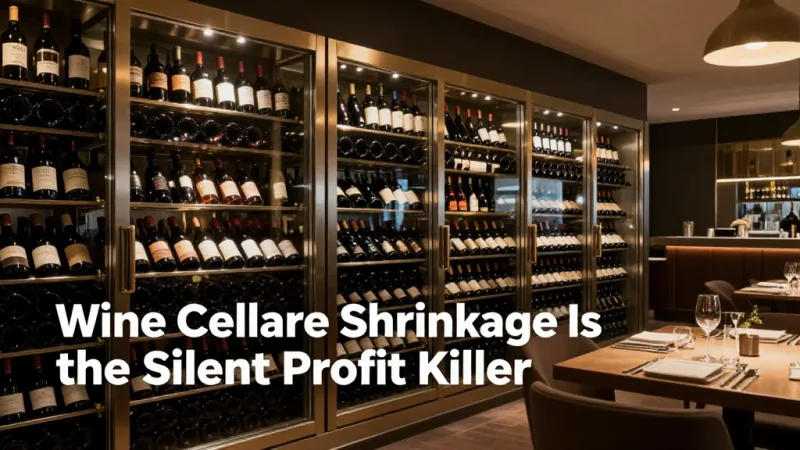
Why Wine Cellar Shrinkage Is the Silent Profit Killer
Let's put the losses in perspective. A fine dining restaurant with a 300-label wine list and an average bottle cost of $45 carries roughly $150,000 to $400,000 in cellar inventory at any given time. That's more capital than most operators have tied up in kitchen equipment.
And that's not all: unlike food inventory, wine doesn't spoil on a predictable schedule. A $15 house wine that sits for two months is fine. A $280 bottle of Burgundy that gets stored at the wrong temperature for a weekend is ruined — and the damage might not be discovered until a sommelier opens it tableside in front of a guest who just ordered a $400 dinner.
The sources of wine cellar loss break down into five categories:
- Over-pouring by the glass — A standard pour is 5 ounces. Most bartenders pour 6 to 7 ounces without measured pourers. On a $16/glass wine (4 glasses per bottle at 5oz), that extra ounce means you get 3.3 glasses instead of 4 — losing $5.28 per bottle. Across 20 bottles per night, that's $105/day or $38,000/year.
- Breakage and spoilage — According to restaurant industry data, the average full-service restaurant breaks or spoils 1% to 2% of wine inventory annually. On a $300,000 cellar, that's $3,000 to $6,000.
- Theft — It happens. A single bottle of premium wine that "disappears" each week adds up to $7,800/year at an average value of $150.
- Missed drinking windows — Wines held past their optimal aging period decline in quality and value. If you're sitting on 2016 whites that should have been served two years ago, you're pouring disappointing wine that generates complaints instead of revenue.
- Pricing errors — Without real-time cost tracking, menu prices fall out of sync with replacement costs. That $85 Barolo you bought at $28/bottle three years ago now costs $42 to replace — but your menu price never changed.
Add it all up. Even modest shrinkage rates on a serious wine program create five-figure annual losses that go straight to the bottom line. And because wine margins run 200% to 300% on bottle sales and 300% to 400% on by-the-glass pours, every lost bottle represents $90 to $180 in unrealized revenue — not just the $45 cost.
The Bin Location System: Know Where Every Bottle Lives
Before you can track inventory digitally, you need a physical organization system that makes sense. Here's the deal: a bin location system is to your wine cellar what an address is to a delivery — without it, finding anything requires knowledge that lives in one person's head.
The grid-based approach works best for restaurant cellars:
- Rack letter — Each freestanding rack or wall section gets a letter: A, B, C, D.
- Row number — Rows within each rack get numbers from bottom to top: 1 through 10.
- Position number — Individual slots within each row get numbers left to right: 01 through 20.
So bin C-4-12 means Rack C, Row 4, Position 12. Every bottle in your cellar has an address. Every address maps to a record in your POS inventory system.
When a server sells a 2019 Brunello di Montalcino from the wine list, the POS system tells the sommelier: "Pull from bin B-7-03." No wandering the cellar. No pulling the wrong vintage. No accidentally grabbing the $320 bottle when the guest ordered the $85 one.
This matters more than most operators realize. Crafty Crab Seafood runs 19 locations with 152 terminals and uses centralized menu management to sync items across every store with one click. The same principle applies to wine inventory at scale — when you have thousands of bottles across multiple storage areas (main cellar, service bar backup, offsite storage), bin-level tracking is the difference between control and chaos.
POS-Integrated Pour Tracking: Where Technology Meets the Glass
Here's where most wine programs fall apart: the gap between what's sold on the POS and what's actually poured.
Traditional POS systems treat wine like any other menu item — you ring it up, the system records a sale. But wine-by-the-glass programs have a unique problem: one bottle produces multiple sales over multiple hours, and the number of pours per bottle depends entirely on how accurately your staff pours.
A POS system with integrated pour tracking connects three data points:
- Bottle open event — When a new bottle is opened for by-the-glass service, the bartender logs it in the POS. This starts the clock on the bottle's open life (typically 2-3 days for still wine, 1 day for sparkling).
- Pour count — Every glass sold from that bottle is tracked against the expected yield (typically 4-5 glasses of 5oz per 750ml bottle).
- Bottle close event — When the bottle is empty or past its serving window, the bartender closes it out. The system compares expected pours vs actual pours sold.
If a $60 bottle of Sancerre should yield 4 glasses at $18 each ($72 revenue) but only 3 glasses ring up before the bottle is closed, the system flags the $18 gap immediately — not at the end of the month when a physical count reveals you're 12 bottles short with no explanation.
And that's not all: this data feeds directly into your checkout flow. When a guest orders a glass of Pinot Noir, the server sees real-time availability — no walking to the bar to ask if the bottle is still open, no disappointing the guest after they've already decided.
Vintage Tracking and Aging Management
Now here's where it gets really interesting. Wine is the only restaurant inventory item that changes value over time — sometimes up, sometimes down, and sometimes off a cliff.
A proper cellar management system tracks three time-based metrics for every bottle:
- Purchase date and cost — What you paid and when. Critical for FIFO inventory valuation and cost-of-goods calculations.
- Optimal drinking window — The range of years when a wine is at its best. A 2020 California Cabernet might drink well from 2025 to 2035. A 2022 Beaujolais Nouveau should have been consumed in 2023.
- Current replacement cost — What it would cost to buy the same bottle today. This number drives both your menu pricing and your insurance valuation.
Without automated tracking, managing drinking windows across hundreds of labels requires either a dedicated sommelier with a photographic memory or a system that sends alerts when bottles approach the end of their optimal window.
Here's a scenario: You purchased 6 cases (72 bottles) of a 2018 Willamette Valley Pinot Noir at $32/bottle in 2020. The wine's optimal window is 2022-2027. It's now 2026. You have 18 bottles left. Your system should be flagging these bottles for promotion — featured wine-by-the-glass, pairing menu inclusion, staff recommendation priority — before they decline past their peak.
Meanwhile, your 24 bottles of 2019 Barossa Valley Shiraz (drinking window 2024-2034) have plenty of time. No urgency. But the system should note that the replacement cost has climbed from your purchase price of $28 to today's $44, which means your $72 menu price now yields a 59% margin instead of the 74% margin when you set the price. Time to adjust.
Valuation: Know What Your Cellar Is Actually Worth
Stay with me — this next part is where most operators get blindsided. Most restaurant operators know roughly what they paid for their cellar. Almost none know what it's actually worth today.
But it gets worse: your accountant is probably using purchase cost (FIFO or weighted average) for financial statements, while your insurance company needs replacement cost. These are two very different numbers, and using the wrong one in the wrong context either understates your tax liability or leaves you underinsured.
A $340,000 cellar at purchase cost might be worth $420,000 at replacement cost — or $280,000 if a chunk of the inventory has aged past its prime. Without a system that tracks both values automatically, you're guessing.
Here's what a proper valuation report should include:
| Metric | Purpose | Update Frequency |
|---|---|---|
| Purchase cost (FIFO) | COGS reporting, tax | Per transaction |
| Replacement cost | Insurance, menu pricing | Quarterly |
| Menu revenue potential | Revenue forecasting | Monthly |
| At-risk inventory | Drinking window alerts | Weekly |
| Shrinkage rate | Loss prevention | Monthly |
T. Jin China Diner manages 15 stores and 75 terminals with real-time remote monitoring across every location. The same centralized visibility principle applies to wine cellar management — whether you run one fine dining restaurant or a group of upscale concepts, you need a single dashboard that shows inventory value, aging status, and shrinkage metrics across every storage location.
Gift Cards and Wine: The Revenue Multiplier Most Restaurants Miss
Here's a pattern interrupt that might surprise you: gift cards and e-gift cards are one of the most effective tools for driving wine cellar revenue.
Fine dining guests who receive gift cards spend an average of 40% to 60% more than the card value, according to restaurant industry data. And a disproportionate share of that overspend goes to wine — because gift card recipients treat the meal as a special occasion and trade up on the wine list.
A guest who would normally order a $45 bottle when paying out of pocket orders a $90 bottle when they have a $150 gift card, because the perceived cost drops. The gift card doesn't reduce your revenue — it shifts spending toward higher-margin categories where your cellar investment pays off.
Smart operators build gift card campaigns around their wine program:
- Holiday gift card bundles — "$200 gift card + complimentary wine tasting for two" drives card sales while introducing new customers to your wine program.
- Corporate e-gift cards — Companies buying client gifts default to fine dining. Your e-gift card program, managed through your POS, captures this revenue with zero friction.
- Wine dinner gift cards — Sell gift cards specifically for wine pairing dinners. These lock in revenue for events that showcase your cellar's depth.
Loyalty Programs That Build Your Wine Club
Your loyalty and membership program shouldn't just track visits and points. For a fine dining restaurant with a serious wine program, loyalty becomes a wine club — and wine clubs create the most valuable repeat customers in the restaurant business.
Structure your loyalty tiers around wine engagement:
- Silver — Earn 1 point per $1 spent. At 500 points, receive a complimentary glass from the featured wine selection.
- Gold — After $5,000 in annual spend, unlock 10% off bottle purchases and invitations to quarterly wine dinners.
- Cellar Club — After $10,000 in annual spend, receive first access to allocated wines, a personal bin in the cellar for private bottle storage, and a sommelier consultation for home cellar purchases.
Your POS tracks every bottle sold, every glass poured, and every dollar spent per guest. That data powers your loyalty engine to automatically tier guests, send personalized wine recommendations, and trigger re-engagement campaigns when a high-value wine customer hasn't visited in 30 days.
Tiger Sugar runs 2 stores with 2 kiosks optimized for minimal-step personalization. The principle scales — whether it's a bubble tea with custom toppings or a wine program with personalized recommendations, the POS captures preference data that drives repeat visits.
Temperature Monitoring: Protecting Your Investment
A wine cellar without temperature monitoring is a $340,000 gamble on your HVAC system never failing.
The requirements are non-negotiable:
- Temperature — 55°F (13°C), ±3°F tolerance
- Humidity — 60% to 70% relative humidity
- Light — Minimal UV exposure (LED lighting only, never fluorescent)
- Vibration — Minimal (keep away from HVAC compressors, heavy traffic areas)
Digital temperature sensors with real-time alerts are a $200 investment that protects a six-figure asset. If your cooling system fails at 11 PM on a Saturday, you need a notification — not a Monday morning surprise when the cellar reads 78°F and half your inventory is compromised.
This connects back to the hybrid local+cloud architecture that defines a modern POS platform. KwickOS processes transactions locally at 1ms latency — no dependency on internet connectivity. If your restaurant's internet goes down during service, your POS keeps running, your kitchen display keeps firing orders, and your wine inventory keeps tracking. The same resilience that protects your checkout flow protects your cellar monitoring data.
The Checkout Flow: From Wine List to Table in Under 3 Minutes
Everything in cellar management ultimately serves one moment: the guest orders wine, and it arrives at the table correctly, quickly, and with confidence.
The POS checkout flow for wine should work like this:
- Server selects wine — Digital wine list on the POS shows availability, vintage, and bin location. No guessing, no "let me check with the sommelier."
- Bin location displays — The POS shows exactly where to pull the bottle: Bin C-4-12. The sommelier or runner goes directly to the spot.
- Sale records automatically — Inventory decreases by one bottle. Cost is recorded. Revenue is tracked against the cellar investment.
- Guest receipt prints — Wine details, vintage, and region appear on the check. Professional presentation that reinforces the experience.
For by-the-glass service, the checkout flow adds pour tracking — the POS knows which bottles are open, how many pours remain, and alerts the bartender when a bottle is nearing its open-time limit.
Shogun Japanese Hibachi got their staff proficient on KwickOS in under 5 minutes with customized station displays. The same intuitive design principle applies to wine service — your staff shouldn't need sommelier-level training to navigate the wine POS workflow. The system should make the complex simple.
Building Your Cellar Management System: Where to Start
The best part? You don't need to implement everything at once. Here's the priority order:
- Week 1: Bin location system — Label every rack, row, and position. Map your cellar physically before going digital.
- Week 2: POS inventory entry — Enter every bottle with bin location, purchase cost, vintage, and drinking window. Yes, this is tedious. Do it once, maintain it forever.
- Week 3: Pour tracking — Implement bottle open/close tracking for by-the-glass wines. Train bartenders on the 30-second workflow.
- Week 4: Reporting and alerts — Set up weekly shrinkage reports, drinking window alerts, and replacement cost updates.
A processor-agnostic POS system matters here because your wine program's profitability depends on margins — and if your POS vendor is also your payment processor, they're taking an extra 0.5% to 0.8% on every transaction. On a $200 bottle of wine, that's $1.00 to $1.60 more per sale going to your POS company instead of your cellar reinvestment fund. Over a year, across thousands of wine transactions, that's thousands of dollars that could be buying better inventory.
Use our wine cost calculator to model your cellar's current shrinkage rate and the revenue impact of tighter tracking. And if you're evaluating POS systems for a fine dining concept, check the KwickOS vs Toast comparison to see how processor freedom, multilingual support (critical for international wine lists in English, Chinese, and Spanish), and hybrid local+cloud architecture compare.
For more on controlling beverage costs across your entire bar program, see our bar profit optimization guide. And if you're running multiple fine dining locations, our fine dining industry page covers the full technology stack from cellar management to guest CRM.
Your Cellar Deserves Better Than a Spreadsheet
KwickOS tracks every bottle from cellar to glass — bin locations, pour counts, vintage aging, and real-time valuation. All integrated with your POS, all working offline when it matters.
Get a Demo